
8 GoReplay Example Test Cases for Production Traffic in 2025
In modern software development, confidence in your deployments is paramount. While traditional testing methods have their place, they often fall short of replicating the unpredictable nature of real user behavior. This is where traffic replay tools like GoReplay change the game. By capturing and replaying actual production HTTP traffic, you move from hypothetical scenarios to battle-testing your application against its real-world operational load. This approach provides a level of realism that synthetic data simply cannot match, creating a powerful safety net for your entire development lifecycle.
This article explores eight practical example test cases, demonstrating how to leverage GoReplay to create a robust, realistic, and highly effective testing strategy. We will dissect how to transform raw user traffic into actionable insights for various testing methodologies, from boundary analysis to regression testing. You will learn specific tactics for isolating traffic, modifying requests on the fly, and validating system responses under true-to-life conditions. The goal is to provide a blueprint for a more resilient testing process, ensuring your system is performant and ready for anything your users throw at it, well before it hits production. Let’s dive into the examples.
1. Simulating Peak Load Scenarios with GoReplay
This is a foundational use case and one of the most powerful example test cases for GoReplay. Instead of relying on synthetic load generators that approximate user behavior, this method allows you to capture and replay actual production traffic from a high-stress period. This provides a hyper-realistic load test that uncovers bottlenecks synthetic data often misses.
Imagine capturing all HTTP requests during your annual Black Friday sale or a major product launch. By replaying this exact traffic pattern against your staging or performance environment, you can precisely measure how your application, database, and infrastructure respond to genuine, chaotic peak demand.
Strategic Analysis
The core strategy here is realism over approximation. Synthetic tests are clean and predictable, but real-world traffic is messy. Users hit refresh, abandon carts, and interact in unpredictable sequences. GoReplay captures this chaos, providing a superior stress test.
Key Insight: Replaying actual peak traffic tests the entire system’s response to complex user interactions, not just its ability to handle a high volume of simple, repeated requests. This reveals issues in caching layers, database connection pooling, and third-party API rate limits that synthetic tests might not trigger.
Actionable Takeaways
- Identify Your True Peak: Pinpoint a specific time window from your logs or monitoring tools that represents maximum load. This could be a past holiday sale, a viral marketing campaign, or even a daily rush hour.
- Capture and Filter: Use the GoReplay listener to capture traffic on your production server. If needed, use filtering options to exclude sensitive data before saving the traffic to a file.
- Replay with Amplification: Replay the captured traffic against your staging environment. Crucially, you can use GoReplay’s speed multiplier (
--output-tcp-speed) to simulate future growth, for example, replaying traffic at 200% speed to see if your system can handle double the load.
This approach is essential before major anticipated traffic spikes. It validates that your infrastructure scaling, code optimizations, and database tuning will hold up under the pressure of real user behavior, making it a critical tool for ensuring reliability.
2. Equivalence Partitioning Test Cases
This is a classic and highly efficient testing method, representing a foundational set of example test cases for any QA professional. Equivalence Partitioning is a black-box testing technique that divides the input data of an application into partitions of equivalent data from which test cases can be derived. The core idea is that if one condition or value in a partition works, all other conditions in that same partition are assumed to work.
For instance, in a system that assigns student grades, you can partition inputs into classes like “Fail” (0-59), “Pass” (60-69), and “Distinction” (85-100). Instead of testing every single score, you test one representative value from each partition (e.g., 35, 65, 92). This dramatically reduces the number of test cases needed while still providing robust coverage of the business logic.
Strategic Analysis
The strategy here is efficiency through classification. It’s about being smart with your testing effort by identifying groups of inputs that the system should treat identically. This prevents redundant testing and focuses QA resources on unique logic paths, including both valid and invalid partitions (e.g., a grade of 101 or -5).
Key Insight: Equivalence Partitioning is not just about reducing test volume; it’s about systematically ensuring that every distinct logical rule in your application is tested. It forces a clear understanding of system requirements and input handling, making it a cornerstone of effective software testing best practices.
Actionable Takeaways
- Identify All Input Partitions: Systematically review application requirements to define every possible input condition. For a payment form, this would include partitions for Credit Card, PayPal, and Bank Transfer, as well as an invalid partition like “Cryptocurrency” if it’s unsupported.
- Create Both Valid and Invalid Classes: For each input field, define partitions for expected, valid data and also for data that should be rejected. This tests your positive paths and your error-handling logic simultaneously.
- Combine with Boundary Value Analysis: For maximum effectiveness, test the edges of your partitions. If a “Merit” grade is 70-84, test 69, 70, 84, and 85 to ensure the boundaries are handled correctly.
This method is perfect for applications with a wide range of data inputs, such as forms, configuration settings, or calculation engines. It delivers high-impact test coverage with minimal effort, making your testing process more strategic and less exhaustive.
3. Decision Table Test Cases
This is a highly structured and systematic technique that provides some of the most thorough example test cases for features governed by complex business logic. Decision table testing uses a tabular format to map all possible combinations of conditions to their corresponding actions. This ensures comprehensive coverage where simple, linear test cases might miss critical, edge-case interactions.
For instance, consider a loan approval system. The final decision (action) depends on multiple inputs (conditions) like credit score, income level, and employment status. A decision table methodically lays out every valid combination of these conditions, ensuring that each logical path in the business rules is explicitly tested and verified against its expected outcome.
Strategic Analysis
The core strategy here is exhaustive logical coverage. Instead of writing dozens of individual test cases that might overlap or miss scenarios, a decision table forces you to consider the system as a set of interacting rules. This approach moves testing from an intuitive process to a formal, engineering-like discipline, making it perfect for regulated industries or mission-critical financial calculations.
Key Insight: Decision tables excel at uncovering hidden gaps and contradictions in business requirements before development is complete. By building the table, teams often discover illogical combinations or unspecified outcomes, allowing for clarification from business analysts early in the cycle.
The process of creating a decision table itself is a valuable analytical exercise. The following infographic outlines the fundamental workflow for building one.
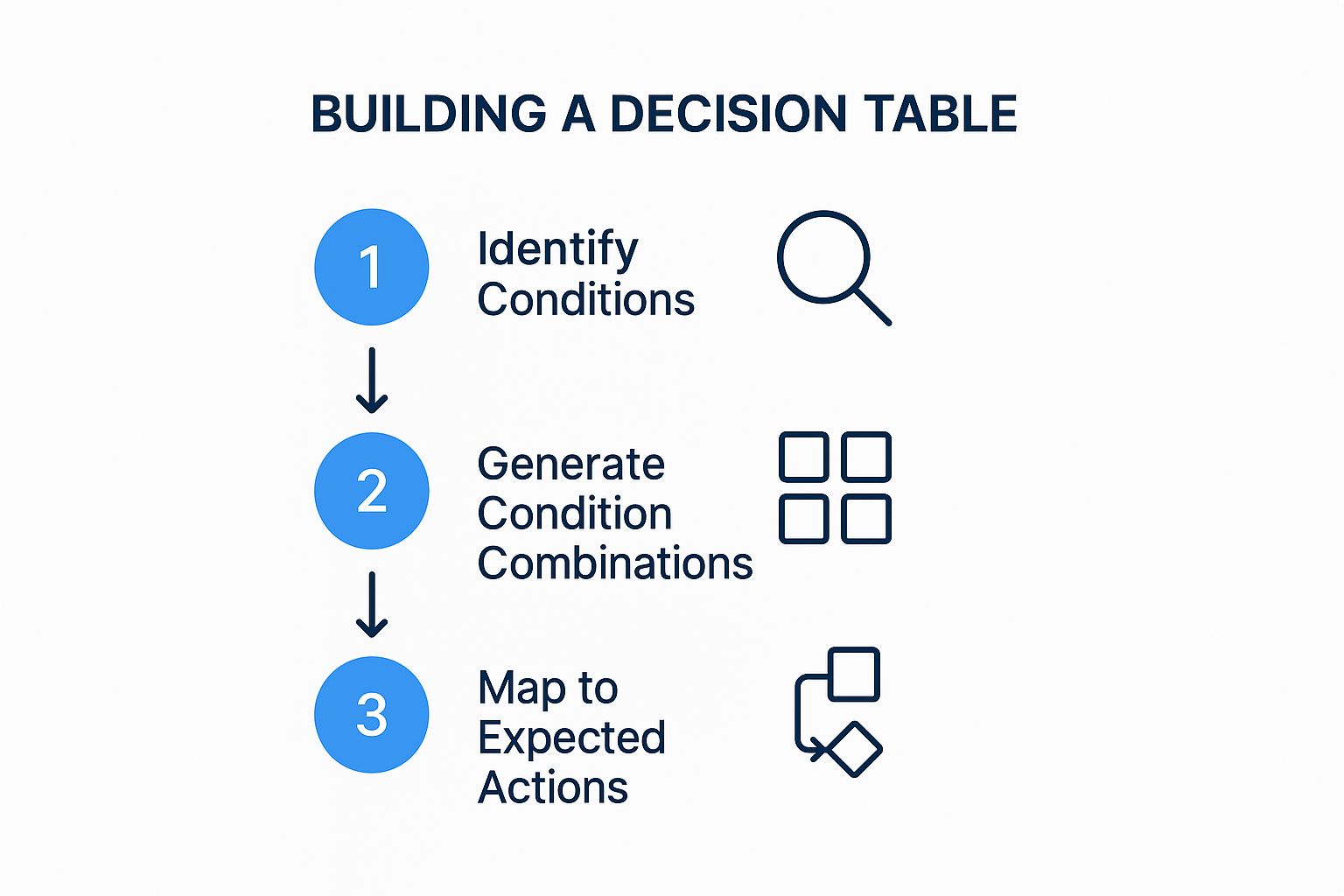
This streamlined process ensures that testers first understand the inputs, then systematically explore all permutations before defining the correct system behavior for each one.
Actionable Takeaways
- Identify All Conditions and Actions: Collaborate with business analysts to list every input that can influence an outcome (e.g., age, membership type, purchase amount) and every possible result (e.g., grant discount, decline loan, calculate premium).
- Construct the Table: Create a table with conditions at the top and actions at the bottom. Use ‘T/F’ or ‘Y/N’ to represent the state of each condition and ‘X’ to mark the resulting action for each combination.
- Prune and Consolidate: Review the table to eliminate impossible or irrelevant combinations. For example, a “new customer” cannot simultaneously have a “gold tier membership”. This helps focus testing efforts on realistic scenarios.
This method is invaluable for testing features with intricate, rule-based logic. It transforms abstract business requirements into a concrete, testable specification, dramatically reducing the risk of logical errors in the final product.
4. State Transition Test Cases
This dynamic testing technique is a vital example test case for systems where behavior is dictated by a sequence of events. State transition testing validates that an application moves correctly between different states, such as an e-commerce order progressing from “Placed” to “Confirmed” to “Shipped.” It focuses on verifying the system’s logic and integrity as it reacts to user inputs or internal triggers.

This method is highly effective for complex workflows like user authentication (Login → Active → Idle → Logout) or machinery control systems. By mapping out all possible states and the transitions between them, testers can systematically check every valid path and, just as importantly, ensure the system gracefully handles invalid transitions.
Strategic Analysis
The core strategy is systematic coverage of application logic. Instead of testing features in isolation, this method models the application as a finite state machine. This allows for a comprehensive assessment of how different events or inputs influence the system’s behavior over time, ensuring a robust and predictable user experience.
Key Insight: State transition testing excels at finding bugs hidden in complex sequences of actions. A feature might work perfectly on its own but fail when preceded by a specific, less common series of events. This method uncovers those elusive, sequence-dependent defects.
Actionable Takeaways
- Model the States: Begin by creating a state transition diagram or table. Visually map out every possible state (e.g., Idle, Active, Error) and the triggers (e.g., button click, API call, timeout) that cause a transition from one state to another.
- Test Valid and Invalid Paths: Write test cases for every valid transition. More importantly, create tests for invalid transitions to verify that the system rejects them and remains in a stable state, for instance, trying to ship an order that hasn’t been paid for.
- Verify State-Specific Behavior: For each state, confirm that the application behaves as expected. For example, in an “Idle” state, certain buttons may be disabled, while in an “Active” state, they become functional.
This technique is essential for applications with clearly defined workflows and states. It provides a structured way to ensure that the system’s logic is sound, preventing users from getting stuck in dead-end states or performing actions out of sequence.
5. Verifying End-to-End Business Flows with Use Case Test Cases
This approach shifts the focus from testing isolated functions to validating complete, end-to-end user journeys. Instead of creating tests for individual components, example test cases are derived directly from user stories or formal use cases. This ensures that the application behaves correctly from the user’s perspective and meets core business objectives.
Consider a typical e-commerce flow: a user browses products, adds an item to their cart, proceeds to checkout, enters payment details, and receives an order confirmation. A use case test would validate this entire sequence as a single, cohesive test, confirming that all integrated services, from the product catalog to the payment gateway, work together seamlessly to fulfill the business requirement.
Strategic Analysis
The core strategy here is business alignment over technical isolation. Testing individual API endpoints or UI components in a vacuum is useful, but it doesn’t guarantee that the combined system can successfully complete a business transaction. Use case testing bridges the gap between technical implementation and business value, ensuring the software delivers on its promises.
Key Insight: This method forces testers and developers to think like the end-user. It prioritizes the “happy path” (the successful journey) while also demanding consideration for exception scenarios like payment failures or inventory issues, making it a comprehensive validation technique.
Actionable Takeaways
- Define Clear User Stories: Start with well-defined use cases or user stories that have clear actors, steps, preconditions (e.g., user is logged in), and postconditions (e.g., order is created in the database).
- Map Both Happy and Exception Paths: For every primary success scenario (the happy path), create corresponding test cases for potential failures. What happens if a credit card is declined? What if the user tries to check out with an empty cart?
- Involve Business Stakeholders: Share the derived test cases with product owners or business analysts. Their review ensures that the tests accurately reflect real-world business rules and user expectations, preventing misinterpretations of requirements.
This methodology is fundamental in Agile and Behavior-Driven Development (BDD). It ensures that development efforts are directly tied to user needs and provides stakeholders with confidence that the most critical business workflows are robust and reliable.
6. Using GoReplay for Error Guessing and Fault Injection
While formal testing covers expected paths, some of the most critical bugs hide in unexpected failure states. This is where error guessing, a technique driven by intuition and experience, becomes invaluable. With GoReplay, you can elevate this concept from a manual process to a repeatable, automated set of example test cases by capturing real-world edge cases or intentionally injecting failures into replayed traffic.
Instead of just hoping a QA engineer stumbles upon a rare bug, you can capture the exact sequence of requests that led to a known, intermittent production error. By replaying this specific, problematic traffic segment, you can reliably reproduce the fault in a controlled environment. This allows developers to debug elusive issues related to race conditions, resource contention, or specific data inputs that are difficult to guess or create synthetically.
Strategic Analysis
The strategy here is proactive fault reproduction. Rather than waiting for errors to happen, you actively hunt them down using real traffic. This approach is particularly effective for systems with complex integrations, where failures often occur at the seams between services, like a third-party API timing out or a database connection dropping under specific load conditions.
Key Insight: Manually crafting tests for every potential failure point is impossible. By capturing and replaying traffic that actually caused a problem, you create a perfect regression test. This ensures that a fix for a tricky bug stays fixed, as you can run the exact “error scenario” as part of your CI/CD pipeline.
Actionable Takeaways
- Capture Problematic Traffic: When a production incident occurs, save the traffic from that period. Use GoReplay’s filtering to isolate requests from the affected user or endpoint to create a concise “bug replay” file.
- Simulate Dependency Failures: Use GoReplay’s middleware capabilities to intercept and modify traffic on the fly. You can write a simple script to simulate a slow or failing dependency by introducing delays or returning 503 Service Unavailable errors for certain requests, testing your application’s resilience and fallback logic.
- Test Boundary Conditions: Review historical defect data for patterns. If your application often fails on month-end dates or with specific character inputs, capture that traffic and add it to your regression suite. This transforms experiential “guesses” into concrete, automated test assets.
By using GoReplay to operationalize error guessing, you move from abstract worries about what could go wrong to a concrete, evidence-based method for testing what has gone wrong. This makes your system more robust by systematically eliminating the conditions that lead to real-world failures.
7. Automating Smoke Tests with Real Traffic
This application of GoReplay transforms traditional smoke testing from a simple checklist into a dynamic, real-world validation process. Smoke tests, also known as build verification tests, are designed to confirm that the most critical functions of an application work after a new build. Using GoReplay, you can create powerful example test cases that use a curated set of real user interactions to perform this vital check.
Instead of manually clicking through a login flow or scripting a synthetic “add to cart” action, you can capture live traffic representing these core user journeys. Replaying this small, targeted traffic file against a newly deployed build provides immediate, realistic feedback on whether the core application is stable enough for more exhaustive testing, making it a cornerstone of a robust CI/CD pipeline.
Strategic Analysis
The strategy here is validation through reality. While scripted smoke tests verify that a function can work in a sterile environment, replaying real traffic confirms it does work under the conditions it will actually face. This approach catches issues that arise from subtle changes in dependencies, environment configurations, or unexpected data formats that scripted tests often miss.
Key Insight: Using GoReplay for smoke tests ensures that your most critical user paths are not just functionally intact but also performant and resilient from the moment a build is deployed. It shifts the focus from “did the build succeed?” to “is the build actually usable?”
Actionable Takeaways
- Curate a ‘Golden’ Traffic Set: Identify and capture traffic that represents your application’s most critical, non-negotiable user flows. For an e-commerce site, this would include user login, searching for a product, adding it to the cart, and initiating checkout.
- Integrate into CI/CD: Automate the process by making the GoReplay command part of your deployment pipeline. After a new build is deployed to a staging environment, the pipeline automatically replays the “golden” traffic set against it.
- Establish a Pass/Fail Baseline: Monitor for HTTP 5xx errors or significant latency increases during the replay. A successful smoke test means zero critical errors and performance within an acceptable range, gating promotion to further testing stages.
This method elevates your quality assurance, ensuring that every deployment is immediately verified against genuine user behavior. To explore how this fits into a broader automated testing strategy, you can find more information about smoke test cases and their role in modern QA.
8. Automating Regression Testing with Real Traffic
This is a powerful, yet often overlooked, use of GoReplay. Regression testing ensures that new code changes don’t break existing functionality. By using GoReplay, you can create a dynamic and highly relevant set of example test cases based on real user interactions, moving beyond static, manually scripted tests.
Instead of writing hundreds of unit or integration tests that assume how users interact with your API, you can capture a broad slice of production traffic. Replaying this traffic against a new build provides immediate, high-coverage validation that core user journeys, edge cases, and undocumented API uses still work as expected after a code change.
Strategic Analysis
The strategy here is reality-based validation over scripted assumption. Manually crafted regression suites are essential, but they are limited by the imagination and knowledge of the engineers who write them. They can’t possibly account for every permutation of user behavior or every quirky client integration that exists in the wild.
Key Insight: Using production traffic for regression testing acts as an automated “safety net” that catches unintended side effects. It’s especially effective at finding issues where a change in one microservice has an unexpected, cascading impact on another service that wasn’t part of the planned test scope.
Actionable Takeaways
- Build a Traffic Library: Capture diverse traffic samples from production during normal operation, not just peak loads. Save these files and label them by date or application version (e.g.,
api-traffic-2023-10-15.gor). This becomes your regression library. - Integrate into CI/CD: Automate the process. After a new build is deployed to a staging environment in your CI/CD pipeline, trigger a job that replays a relevant traffic file from your library against it.
- Compare Responses: The most advanced use involves capturing the responses from the old, stable application and the new build. Use middleware or GoReplay’s comparison features to automatically diff the responses, flagging any unexpected changes in status codes, headers, or body content.
This method transforms regression testing from a periodic, manual chore into a continuous, automated process. It ensures that every code push is validated against how your system is actually used, providing a level of confidence that scripted tests alone cannot achieve.
Test Case Types Comparison Overview
| Test Case Technique | Implementation Complexity 🔄 | Resource Requirements ⚡ | Expected Outcomes 📊 | Ideal Use Cases 💡 | Key Advantages ⭐ |
|---|---|---|---|---|---|
| Boundary Value Analysis | Moderate: requires clear understanding of input domains and boundary identification | Low to Moderate: fewer test cases, focused testing | High defect detection at input boundaries | Numeric and non-numeric input validation, edge-case testing | Detects boundary defects efficiently; reduces test cases while maintaining coverage |
| Equivalence Partitioning | Low to Moderate: partitioning inputs systematically | Low: tests representative values only | Good coverage with minimal test cases | Input domain with defined valid/invalid partitions | Dramatically reduces test cases; easy to implement and understand |
| Decision Table | High: complex for many conditions and combinations | High: exhaustive combinations may increase cases | Complete coverage of business rules and logic | Complex business logic and rule-based scenarios | Ensures all rule combinations tested; clear documentation of logic |
| State Transition | High: requires modeling system states and transitions | Moderate to High: depends on number of states | Detects state-related defects, verifies transitions | Systems with defined states and event-driven behavior | Effective for sequential systems; visualizes behavior and unreachable states |
| Use Case | Moderate: based on user scenarios and workflows | Moderate: requires detailed user stories | Validates end-to-end business requirements | Testing business processes from user’s perspective | Ensures system meets real user goals; easy for stakeholders to understand |
| Error Guessing | Low: informal, based on tester experience | Low: quick and flexible | Finds defects missed by formal testing | Areas prone to errors, integration points, and past defect patterns | Can uncover hidden defects quickly; leverages tester expertise |
| Smoke Testing | Low: simple, tests critical functionality only | Low: quick execution, often automated | Fast feedback on build stability | New builds before detailed testing phases | Provides early confidence in build quality; prevents wasted testing effort |
| Regression Testing | High: comprehensive, maintained continuously | High: frequent execution and maintenance | Ensures existing features remain intact after changes | After code changes, bug fixes, or feature additions | Catches regressions early; supports continuous delivery and software quality |
Integrating Traffic Replay into Your Quality Workflow
Throughout this article, we’ve explored a powerful spectrum of example test cases, moving beyond theoretical constructs to demonstrate how real-world HTTP traffic can become your ultimate testing oracle. We’ve seen how tools like GoReplay transform abstract testing methodologies, such as boundary value analysis and state transition testing, into concrete, high-fidelity simulations fueled by actual user behavior. This approach bridges the gap between the clean, predictable environment of staging and the chaotic, dynamic reality of production.
The core lesson is that your existing production traffic is not just data; it’s a living library of thousands of user stories, edge cases, and unexpected interaction patterns. By capturing and replaying this traffic, you are essentially running a continuous, large-scale regression and smoke test suite that no manually scripted scenario could ever fully replicate.
From Theory to Practice: Key Takeaways
The journey from understanding test case theory to implementing traffic replay can seem complex, but the strategic value is immense. Let’s distill the most critical insights from our examples:
- Authenticity is Paramount: Manually crafted test data often misses the subtle nuances of real-world usage. Replaying production traffic ensures your tests cover the actual API calls, headers, and payloads your system must handle, not just the ones you anticipate.
- Contextual Testing: Each example, from decision table validation to error guessing, gains immense power when applied to live traffic. You’re not just testing a function in isolation; you’re testing it within the context of a full, complex user session.
- Proactive, Not Reactive: Traditional testing often finds bugs after a feature is built. Traffic replay allows you to be proactive. You can shadow new code with production traffic before it goes live, catching performance regressions, unexpected errors, and breaking changes in a safe, isolated environment.
- Confidence in Change: The greatest benefit is the confidence to deploy frequently and fearlessly. Whether you are migrating a database, refactoring a monolith, or upgrading infrastructure, replaying traffic against the new system provides concrete evidence that your changes are sound.
Actionable Steps to Get Started
Embracing this methodology is an incremental process. You don’t need to boil the ocean on day one. Here’s a practical roadmap to integrate these powerful example test cases into your workflow:
- Start Small and Focused: Choose a single, critical microservice or API endpoint. Capture just one hour of its traffic during a peak period.
- Isolate and Replay: Set up a staging or pre-production environment that mirrors production. Replay the captured traffic against this isolated environment.
- Analyze the Deltas: Don’t just look for crashes. Compare the responses between the original and replayed traffic. Look for differences in status codes, response times, and body content. This is where you’ll find the most valuable insights.
- Integrate into CI/CD: Once you’re comfortable with the process, automate it. Set up a CI/CD pipeline step that automatically runs a traffic replay test for every new build or pull request, providing immediate feedback to developers.
By mastering traffic replay, you’re not just improving your test coverage; you’re fundamentally changing your relationship with production. It ceases to be a source of unknown risks and becomes your most valuable partner in building robust, resilient, and performant software. The confidence gained from testing with reality is the ultimate catalyst for innovation and speed.
Ready to move beyond theoretical test cases and start testing with real-world traffic? The examples in this article were designed around the capabilities of GoReplay, an open-source tool built to make traffic shadowing and replay simple and effective. Visit the GoReplay website to see how you can capture and replay your user traffic to de-risk your next deployment.