
12 Essential DevOps Testing Tools for 2025
In the race to deliver software faster, the line between development and operations has blurred, giving rise to DevOps. But speed without quality is a recipe for disaster. This is where continuous testing becomes the unsung hero of the software delivery lifecycle. The right DevOps testing tools are no longer a luxury; they are the essential gears that ensure your development engine runs smoothly, reliably, and efficiently. Forget manual checks and siloed QA teams, modern DevOps demands an automated, integrated, and intelligent approach to quality assurance.
This comprehensive guide moves beyond marketing fluff to provide a detailed analysis of the most impactful tools available today. We will help you identify which solutions best fit your specific needs, whether you are a developer looking to integrate testing earlier or a QA professional automating complex workflows. By understanding the core functionalities and ideal use cases, you can build a more resilient and efficient continuous integration and continuous delivery (CI/CD) pipeline.
Inside this resource, you will find:
- In-depth analysis of 12 top-tier DevOps testing tools like GoReplay, LambdaTest, Jenkins, and GitLab.
- Practical use cases demonstrating how these tools solve real-world problems.
- Honest assessments of each tool’s limitations and potential drawbacks.
- Screenshots and direct links to help you evaluate each platform firsthand.
Our goal is straightforward: to equip you with the knowledge to select the right DevOps testing tools, integrate them effectively, and ultimately ship better software, faster. Let’s explore the platforms that can transform your testing strategy from a bottleneck into a competitive advantage.
1. GoReplay
Best For: High-Fidelity Production Traffic Replay and Load Testing
GoReplay stands out as an exceptional DevOps testing tool by addressing a fundamental challenge: creating test data that accurately reflects real-world user behavior. Instead of relying on synthetic data, GoReplay captures live HTTP traffic from your production environment and replays it against your staging, development, or testing systems. This “shadowing” approach provides unparalleled realism, enabling teams to validate application performance, uncover elusive bugs, and test infrastructure changes with a high degree of confidence before they go live. Its powerful, open-source core has been battle-tested for over a decade, earning the trust of individual developers and Fortune 500 enterprises alike.

The primary strength of GoReplay lies in its session-aware replay capabilities. It intelligently maintains user session boundaries, utilizes smart connection pooling, and handles TLS encryption to precisely mirror how real users interact with your application. This makes it an indispensable tool for load testing, as you can simulate authentic traffic patterns at scale to accurately assess capacity and identify performance bottlenecks under pressure.
Key Features and Use Cases
GoReplay’s feature set is designed for practical, real-world DevOps testing scenarios. Its versatility makes it a go-to solution for multiple stages of the development lifecycle.
- Real-World Load Testing: Replay captured production traffic at an amplified rate (e.g., 2x, 5x, or 10x) to stress-test your application and backend services. This helps you confidently determine scaling limits and prepare for traffic spikes.
- Regression Testing: Before deploying a new version, replay a saved traffic file against the new build. By comparing the responses from the old and new versions, you can quickly identify any new errors or breaking changes introduced.
- Infrastructure Migration: When migrating to a new cloud provider, database, or architecture, you can use GoReplay to send identical traffic to both the old and new infrastructures simultaneously. This allows for a direct, real-time comparison of performance, latency, and error rates, ensuring a smooth transition.
- Monitoring and Analytics: The Pro version includes a sophisticated analytics dashboard that provides deep insights into application behavior. It helps detect performance degradation, identify error patterns, and set up proactive alerts for immediate issue resolution.
Pricing and Availability
- Open-Source Version: The standard version of GoReplay is free and open-source, available for download on GitHub. It offers robust core functionalities suitable for many developers and smaller teams.
- Pro Version: Designed for enterprise use, the Pro version adds critical features like advanced traffic storage, data masking for PII protection, WebSocket support, priority support, and the full analytics dashboard. Pricing is available upon contact with the sales team.
Pros and Cons
| Pros | Cons |
|---|---|
| Transforms real production traffic into highly accurate testing scenarios. | Advanced enterprise features (e.g., data masking, analytics) require the paid Pro version. |
| Enables precise load testing that simulates real-world user patterns. | The command-line interface may present a learning curve for users accustomed to GUI-based tools. |
| Offers a powerful free and open-source version for core functionality. | Configuration for complex network architectures can require a deeper technical understanding. |
| Trusted and battle-tested with over 18k GitHub stars and use by major enterprises. |
Website: https://goreplay.org
2. LambdaTest
LambdaTest is a leading AI-powered test orchestration and execution platform designed to accelerate release velocity. It offers a comprehensive testing cloud where development and QA teams can perform both manual and automated tests on a vast array of over 3,000 real browsers, devices, and operating system combinations. This makes it an indispensable tool for ensuring application quality and compatibility across the fragmented digital landscape.

The platform’s strength lies in its support for a wide range of popular automation frameworks like Selenium, Cypress, Playwright, and Appium. Its HyperExecute feature is a standout, offering intelligent test orchestration that can slash test execution times by up to 70%. For DevOps teams, this means faster feedback loops and quicker deployments.
Key Features and Implementation
LambdaTest is more than just a device farm; it’s a full-fledged ecosystem for DevOps testing.
- Integrations: It integrates with over 200 CI/CD, project management, and bug-tracking tools, including Jenkins, GitLab, Jira, and Slack.
- Geolocation Testing: Verify application performance and localization from over 53 different geographic locations.
- Smart Analytics: The platform provides detailed test analytics and observability, offering actionable insights to quickly identify and resolve bottlenecks.
Pricing and Access
LambdaTest offers a tiered pricing structure that includes a free plan with limited testing minutes, making it accessible for individuals and small teams to start. Paid plans scale based on the number of parallel tests, users, and access to advanced features like HyperExecute. Enterprise plans provide dedicated support and custom configurations.
| Pros | Cons |
|---|---|
| Extensive device and browser coverage | Advanced features are tied to higher plans |
| User-friendly and intuitive interface | Can have a learning curve for beginners |
| Robust integration with CI/CD pipelines |
Website: https://www.lambdatest.com/
3. Katalon Studio
Katalon Studio is a comprehensive, low-code test automation platform built for web, API, mobile, and desktop applications. It uniquely bridges the gap between technical and non-technical testers by offering both a user-friendly manual mode with built-in keywords and a robust scripting mode for advanced users. This dual approach makes it a versatile addition to any list of DevOps testing tools, accommodating teams with varying skill sets.

The platform’s all-in-one nature simplifies the test automation process by bundling tools and frameworks that often require separate configurations. By providing a unified environment for creating, executing, and analyzing tests, Katalon helps DevOps teams streamline their quality assurance workflows, reduce tool fragmentation, and accelerate feedback cycles. Its strong emphasis on reusability and data-driven testing further enhances efficiency in continuous integration and delivery pipelines.
Key Features and Implementation
Katalon is designed to be a complete solution for test automation within a DevOps context.
- Integrations: It seamlessly integrates with major CI/CD tools like Jenkins, Azure DevOps, and Jira, enabling automated test execution as part of the build process.
- Data-Driven Testing: The platform supports data-driven testing, allowing testers to run the same test script with multiple data sets from sources like Excel or CSV files.
- Reporting and Debugging: It offers various report formats and a powerful debugging mode, providing clear insights into test failures and helping developers quickly identify root causes.
Pricing and Access
Katalon provides a flexible pricing model, including a free version that is ideal for individual testers and small teams getting started with automation. Paid plans (Premium and Ultimate) unlock advanced features like enhanced reporting, AI-powered test creation, and enterprise-level support. These plans are typically priced per user, with options tailored to the needs of growing teams and large organizations.
| Pros | Cons |
|---|---|
| User-friendly for beginners | Advanced features require paid plans |
| Comprehensive testing capabilities | Limited support for certain programming languages |
| Strong community support |
Website: https://katalon.com/
4. Jenkins
Jenkins is a cornerstone of DevOps, serving as a powerful open-source automation server that facilitates continuous integration (CI) and continuous delivery (CD). It empowers development and operations teams to automate the building, testing, and deployment of software. As a foundational tool in many pipelines, Jenkins’s strength lies in its incredible flexibility and its massive plugin ecosystem, which allows it to integrate with virtually any other tool in the DevOps toolchain.

The platform operates as a self-contained Java-based program, ready to run out-of-the-box with packages for Windows, macOS, and other Unix-like operating systems. For DevOps testing, Jenkins can be configured to automatically trigger test suites upon every code commit, providing immediate feedback to developers. Its ability to manage and visualize test results over time makes it invaluable for tracking quality and identifying regressions early in the development cycle.
Key Features and Implementation
Jenkins’s true power is unlocked through its extensive customization and integration capabilities, making it one of the most versatile DevOps testing tools available.
- Extensive Plugin Ecosystem: With over 1,800 community-contributed plugins, Jenkins can integrate with testing frameworks, cloud providers, and notification systems.
- Distributed Builds: It can distribute build and test workloads across multiple machines, significantly speeding up the CI/CD process for large-scale projects.
- Pipeline as Code: Users can define their entire deployment pipeline as a “Jenkinsfile” and commit it to their project’s source control repository, enabling versioning and review.
Pricing and Access
Jenkins is completely free and open-source, distributed under the MIT license. There are no licensing fees, and it can be installed on-premises or on any cloud provider. The total cost of ownership is related to the infrastructure required to run it and the engineering time needed for setup, configuration, and ongoing maintenance.
| Pros | Cons |
|---|---|
| Free, open-source, and highly customizable | User interface can feel dated and complex |
| Massive plugin library and strong community | Requires significant maintenance and updates |
| Excellent integration with other tools | Initial setup can have a steep learning curve |
Website: https://www.jenkins.io/
5. GitLab
GitLab is a comprehensive, open-source DevOps platform that provides a single application for the entire software development and operations lifecycle. While known primarily for its source code management, its true power lies in integrating CI/CD, security, and monitoring into one unified workflow. This approach simplifies the toolchain, allowing teams to manage, build, test, and deploy software from a single interface, significantly improving collaboration and efficiency.

For DevOps teams, GitLab’s built-in CI/CD pipelines are central to its role as one of the essential devops testing tools. It enables the automation of builds, integration, and verification of code. By defining testing stages directly within the .gitlab-ci.yml file, teams can seamlessly incorporate unit tests, integration tests, and security scanning (SAST, DAST) into their development process, catching issues earlier and accelerating release cycles.
Key Features and Implementation
GitLab’s all-in-one nature eliminates the friction of switching between multiple disconnected tools.
- Unified DevSecOps Environment: It brings development, operations, and security teams together on one platform, providing a single source of truth.
- Integrated CI/CD: Automate the building, testing, and deployment of applications with powerful, configurable pipelines that are tightly integrated with the code repository.
- Flexible Deployment: Supports various deployment strategies, including Canary and Blue-Green, and can be self-hosted on-premises or used via GitLab’s SaaS offering.
Pricing and Access
GitLab provides a Free tier with core features suitable for individual developers and small teams. Paid plans, such as Premium and Ultimate, unlock more advanced capabilities like advanced security testing, compliance management, and portfolio management. The pricing is per user, per month, with options for both SaaS and self-managed deployments.
| Pros | Cons |
|---|---|
| All-in-one platform simplifies the toolchain | Resource-intensive for self-hosted instances |
| Strong integration and automation capabilities | Advanced features require paid plans |
| Active community and extensive documentation |
Website: https://about.gitlab.com/
6. Selenium
Selenium is a foundational open-source framework for automating web application testing across various browsers and platforms. As one of the most established and widely-used DevOps testing tools, it provides a powerful suite for creating robust, browser-based regression automation scripts. Its flexibility allows developers and QA engineers to write test scripts in multiple programming languages, including Java, C#, Python, and Ruby.

The framework’s core strength is its WebDriver API, which offers direct communication with browsers at the native level, ensuring tests are stable and reliable. For DevOps teams, this means Selenium can be seamlessly integrated into CI/CD pipelines using tools like Jenkins, GitLab CI, or TeamCity, enabling automated testing as part of the build and deployment process. Its ability to run tests in parallel using Selenium Grid significantly cuts down execution time, providing faster feedback. You can explore how Selenium compares to other options in this breakdown of the best test automation tools on goreplay.org.
Key Features and Implementation
Selenium’s components (WebDriver, Grid, IDE) form a versatile toolkit for web automation.
- Language and Framework Support: Write tests in your preferred language and integrate with popular testing frameworks like TestNG, JUnit, and NUnit.
- Cross-Browser and Platform Testing: Execute tests consistently across Chrome, Firefox, Safari, and Edge on Windows, macOS, and Linux.
- Extensive Community: A vast, active community provides extensive documentation, tutorials, and third-party plugins, making it easier to solve complex automation challenges.
Pricing and Access
As an open-source project under the Apache 2.0 license, Selenium is completely free to use, download, and modify. There are no licensing fees, making it an extremely cost-effective solution for organizations of any size. Access is available directly from the official website, with all components and documentation publicly available.
| Pros | Cons |
|---|---|
| Free and open-source | Steeper learning curve for beginners |
| Highly flexible and customizable | Limited to web application testing only |
| Large community and abundant resources | Requires significant setup for test reports |
Website: https://www.selenium.dev/
7. Parasoft
Parasoft offers a comprehensive suite of automated testing tools that streamline quality assurance across the entire software development lifecycle. The platform excels at continuous testing by integrating static analysis, unit testing, API testing, and UI testing into a single, cohesive workflow. This makes it a powerful choice for enterprises, particularly those in regulated industries like finance, healthcare, and automotive, that require rigorous compliance and security validation.

What sets Parasoft apart is its deep focus on code quality and compliance with industry standards such as CERT C, MISRA, and OWASP Top 10. By automating the enforcement of coding standards, it helps DevOps teams shift security and quality left, identifying vulnerabilities early in the development process. This proactive approach makes it one of the most robust DevOps testing tools for building secure and reliable software.
Key Features and Implementation
Parasoft’s tools are designed to embed quality directly into the CI/CD pipeline, providing continuous feedback to developers.
- Comprehensive Test Automation: The suite includes Jtest for Java, C/C++test for C and C++, dotTEST for .NET, and Selenic for Selenium UI testing, covering a wide range of development environments.
- API Testing and Service Virtualization: Parasoft SOAtest simplifies complex API testing, while its Virtualize product allows teams to simulate and test dependent services that are unavailable or still in development.
- Compliance and Reporting: It provides detailed dashboards and analytics that offer deep insights into code coverage, test results, and compliance with specific industry mandates.
Pricing and Access
Parasoft’s pricing is customized based on the specific tools required, team size, and deployment model. It is primarily geared towards enterprise customers, and you will need to contact their sales team for a custom quote. They offer demos and consultations to help organizations evaluate how the platform can fit into their existing toolchains and workflows.
| Pros | Cons |
|---|---|
| Comprehensive testing capabilities | Pricing may be high for smaller teams |
| Strong focus on compliance and security | Complexity may require dedicated training |
| Excellent integration options |
Website: https://www.parasoft.com/
8. Docker
Docker is a foundational platform that has revolutionized how applications are built, shipped, and run through containerization. For DevOps testing, it solves the chronic problem of “it works on my machine” by packaging applications and their dependencies into lightweight, portable containers. This ensures that the testing environment is an exact replica of the production environment, eliminating inconsistencies and leading to more reliable test results.

Its core value in a DevOps pipeline is the ability to spin up clean, isolated environments for every test run and then discard them, guaranteeing that tests do not influence each other. Docker integrates seamlessly with nearly all major CI/CD tools, like Jenkins and GitLab, allowing teams to automate the creation of test environments as part of their build process. This makes it an indispensable component for teams adopting microservices architectures and seeking scalable, efficient DevOps testing tools.
Key Features and Implementation
Docker simplifies environment management, which is critical for robust automated testing strategies.
- Consistent Environments: Use Dockerfiles to codify environment configurations, ensuring every developer, tester, and production server runs the exact same setup.
- Vast Image Library: Docker Hub provides a massive repository of pre-built images for databases, message queues, and other services, allowing teams to quickly assemble complex testing environments.
- CI/CD Integration: It acts as the backbone for creating ephemeral test environments within CI/CD pipelines, enabling parallel testing without resource conflicts.
Pricing and Access
Docker offers several subscription tiers. Docker Personal is free for individual developers, open-source projects, and small businesses. Paid plans like Pro, Team, and Business add features such as increased image pulls, advanced security scanning, and centralized management for larger organizations. Enterprise-grade support is available with the Business plan.
| Pros | Cons |
|---|---|
| Enhances consistency across environments | Can have an overhead of managing containers |
| Improves scalability and isolation | Security needs careful configuration |
| Strong community and ecosystem support |
Website: https://www.docker.com/
9. Apache JMeter
Apache JMeter is a powerful, open-source application designed purely for load testing functional behavior and measuring performance. Written in Java, it is a go-to tool for DevOps teams needing to analyze and measure the performance of web applications or a variety of services. Its versatility allows for simulating heavy loads on a server, group of servers, network, or object to test its strength and analyze overall performance under different load types.

What makes JMeter a staple among DevOps testing tools is its protocol-agnostic nature. It supports a wide range of protocols, including HTTP, HTTPS, FTP, SOAP/REST Webservices, and JDBC database connections. This flexibility, combined with its strong community backing and extensive plugin ecosystem, makes it an adaptable solution for nearly any performance testing scenario. For an in-depth guide, you can learn more about API load testing.
Key Features and Implementation
JMeter provides a robust framework for performance testing within a CI/CD pipeline.
- Extensibility: Highly extensible through a vast library of third-party plugins, allowing users to customize tests and add functionalities.
- Comprehensive Reporting: It features a powerful Test IDE for recording, building, and debugging test plans, along with a command-line mode for load testing from any Java-compatible OS. Results can be visualized in charts, tables, and logs.
- Distributed Testing: For simulating very large loads, JMeter supports a master-slave model that allows one master controller to manage multiple remote JMeter instances, generating a massive number of virtual users.
Pricing and Access
As an Apache project, JMeter is completely free and open-source. There are no licensing fees, subscriptions, or access limitations. It can be downloaded and used by anyone, from individual developers to large enterprise teams, making it a highly cost-effective solution for performance testing.
| Pros | Cons |
|---|---|
| Free and open-source | User interface can be complex |
| Versatile for various testing scenarios | Requires scripting knowledge for advanced tests |
| Strong community support |
Website: https://jmeter.apache.org/
10. CircleCI
CircleCI is a powerful continuous integration and continuous delivery (CI/CD) platform that automates the build, test, and deployment pipeline for development teams. It excels at accelerating software delivery by providing a flexible, cloud-native environment that integrates seamlessly with version control systems like GitHub and Bitbucket, making it a cornerstone among DevOps testing tools for teams looking to scale their operations efficiently.

The platform’s strength lies in its configuration-as-code approach, using a simple YAML file to define complex workflows. This allows DevOps teams to easily version control their CI/CD processes alongside their application code. Features like parallel task execution and advanced caching significantly reduce build and test times, enabling faster feedback loops and more frequent, reliable deployments.
Key Features and Implementation
CircleCI is designed for performance and flexibility, offering robust features to support a modern DevOps testing strategy.
- Custom Workflows: Define sophisticated pipelines with sequential, parallel, and fan-in/fan-out job orchestration to match your team’s specific testing and deployment needs.
- Parallelism: Split tests across multiple containers to drastically cut down execution time, a critical feature for large test suites.
- Built-in Caching: Smart caching of dependencies and Docker layers ensures that subsequent builds run faster, saving valuable time and resources.
Pricing and Access
CircleCI offers a generous free tier that includes a set number of build minutes per month, making it highly accessible for individual developers, open-source projects, and small teams. Paid plans are available for growing teams and enterprises, offering more build credits, increased parallelism, and advanced features like dedicated support and enhanced security options.
| Pros | Cons |
|---|---|
| Extensive integrations and flexibility | Learning curve for complex workflow setup |
| Highly scalable for large teams | Free tier has notable limitations |
| Fast performance with parallelism |
Website: https://circleci.com/
11. Azure DevOps
Azure DevOps is Microsoft’s comprehensive suite of services that provides an end-to-end solution for planning, developing, testing, and deploying software. It offers a tightly integrated environment where teams can manage source code, run builds, execute tests, and release applications, making it a powerful contender among DevOps testing tools. Its strength lies in its all-in-one nature, eliminating the need to stitch together multiple disparate systems.
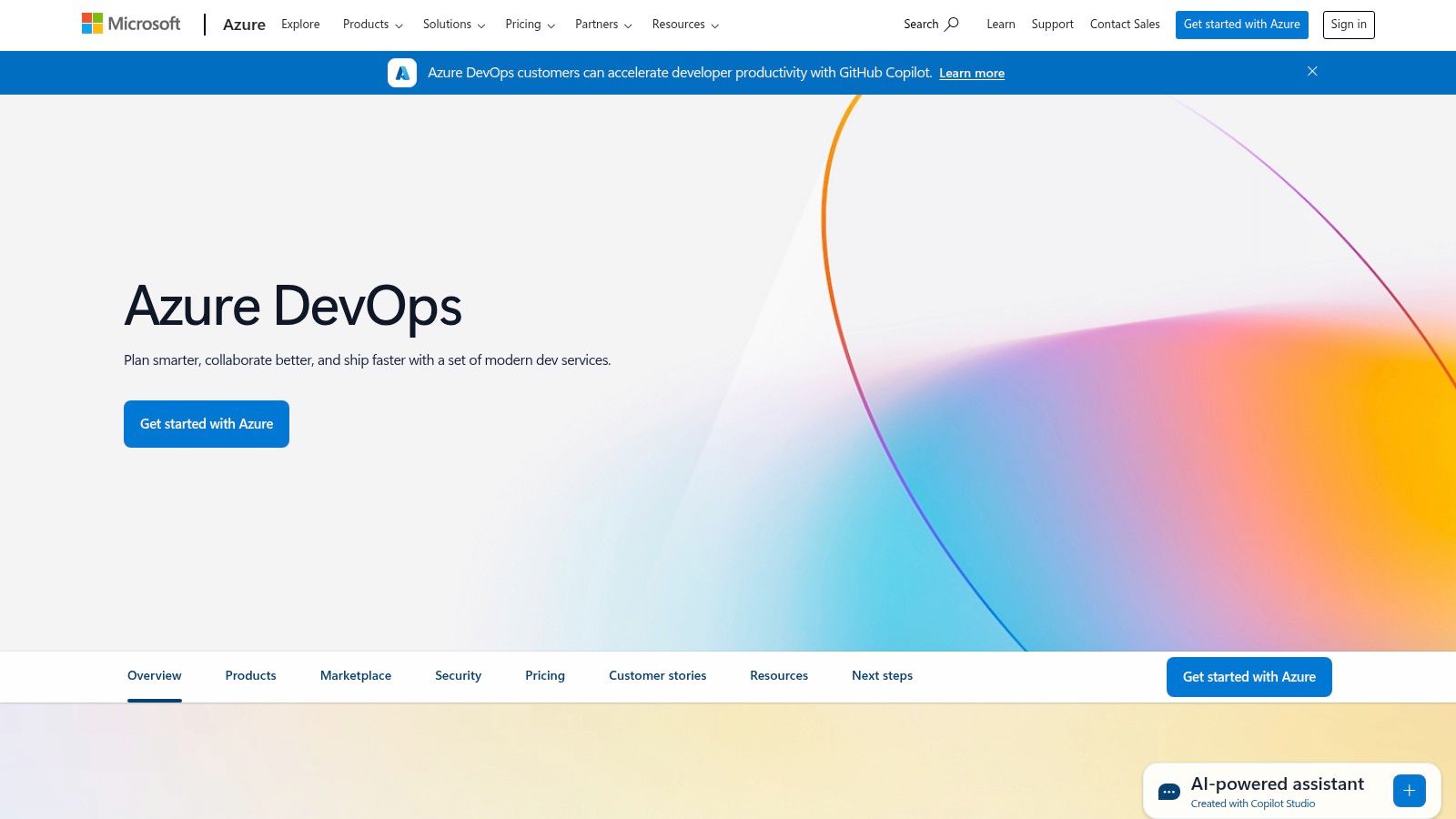
The platform is particularly effective for organizations heavily invested in the Microsoft ecosystem, but its flexibility supports any language, platform, or cloud. For testing, Azure Pipelines enables robust CI/CD workflows where automated tests can be seamlessly integrated. Azure Test Plans provides a rich set of tools for manual, exploratory, and user acceptance testing, ensuring comprehensive quality assurance throughout the development lifecycle.
Key Features and Implementation
Azure DevOps serves as a central hub for all development and operations activities, with a strong focus on collaboration and visibility.
- Azure Pipelines: Build, test, and deploy with CI/CD that works with any language, platform, and cloud. Connect to GitHub or any other Git provider and deploy continuously.
- Azure Test Plans: Provides a browser-based test management solution for planned manual testing, user acceptance testing, exploratory testing, and gathering feedback from stakeholders.
- Integrated Ecosystem: Deeply integrates with Visual Studio and VS Code, offering a streamlined developer experience. It also connects with a vast marketplace of extensions for further customization.
Pricing and Access
Azure DevOps offers a flexible pricing model. The Basic plan is free for the first five users and includes Azure Pipelines, Boards, Repos, and Artifacts. Azure Test Plans is available as a separate paid add-on. Pricing for additional users and services like parallel jobs scales, with options suitable for small teams up to large enterprises requiring extensive capabilities.
| Pros | Cons |
|---|---|
| All-in-one, highly integrated platform | Complexity may require training for new users |
| Strong integration with development tools | Pricing can become high for larger teams |
| Scalable and robust for large enterprises |
Website: https://azure.microsoft.com/en-us/products/devops/
12. Sauce Labs
Sauce Labs is a veteran in the cloud-based automated testing space, offering a robust platform for web and mobile application testing. It empowers DevOps teams to ensure application quality by providing access to thousands of real devices, emulators, simulators, and browser-OS combinations. This extensive coverage allows for comprehensive cross-browser and cross-platform testing, which is critical for delivering a consistent user experience.
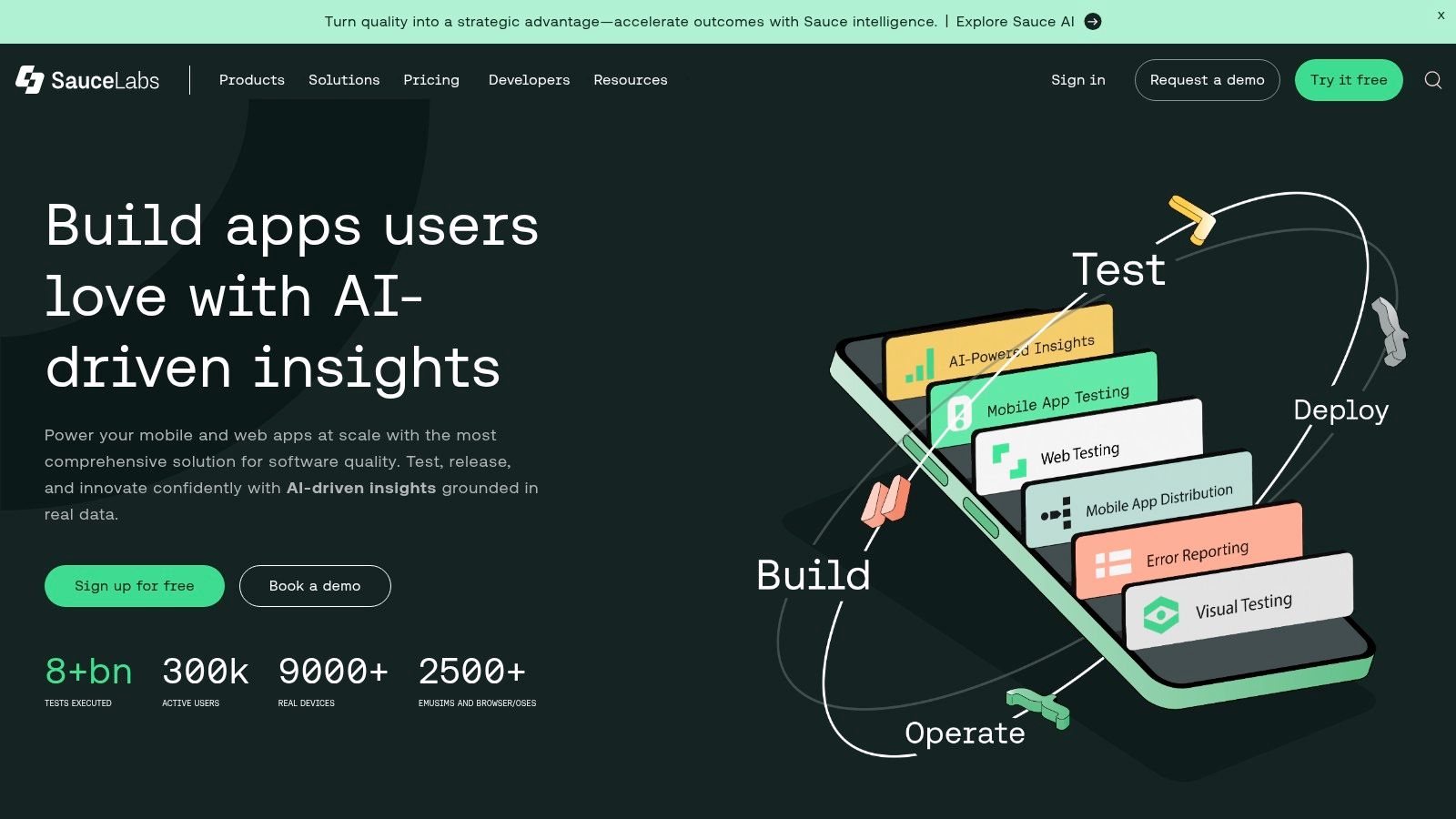
The platform is renowned for its strong support for open-source frameworks like Selenium and Appium, making it a natural fit for teams already using these popular tools. Its value as one of the essential DevOps testing tools is amplified by its detailed analytics and error reporting, which help teams quickly diagnose and fix issues, thereby accelerating development cycles and improving release confidence.
Key Features and Implementation
Sauce Labs is designed to seamlessly integrate into an existing DevOps workflow, providing the infrastructure needed for continuous testing.
- Real Device Cloud: Test on a massive selection of real mobile devices to catch hardware-specific bugs and performance issues.
- CI/CD Integration: Integrates with all major CI/CD tools, including Jenkins, GitLab CI, and CircleCI, to automate the testing process within the pipeline.
- Test Analytics: Offers comprehensive dashboards with video recordings, screenshots, and logs for every test run, giving deep insights into application behavior and failure points.
Pricing and Access
Sauce Labs provides several pricing tiers tailored to different team sizes and needs. A free trial is available, allowing teams to explore the platform’s capabilities. Paid plans are structured based on the number of parallel tests and access to features like the real device cloud. Enterprise-level plans offer enhanced security, dedicated support, and customized solutions.
| Pros | Cons |
|---|---|
| Extensive device and browser coverage | Pricing can be high for smaller teams |
| Strong integration with CI/CD pipelines | Has a learning curve for new users |
| Comprehensive analytics and reporting |
Website: https://saucelabs.com/
Key Feature Comparison of 12 DevOps Testing Tools
| Tool | Core Features/Characteristics | User Experience/Quality ★ | Value Proposition 💰 | Target Audience 👥 | Unique Selling Points ✨ |
|---|---|---|---|---|---|
| GoReplay 🏆 | Session-aware HTTP traffic replay, load testing, analytics | ★★★★☆ | Free OSS + Pro with priority support 💰 | Devs & Enterprises 👥 | Real production traffic replay, advanced analytics ✨ |
| LambdaTest | 3,000+ devices & browsers, automation, collaboration | ★★★★☆ | Tiered pricing, enterprise plans 💰 | Testers & DevOps teams 👥 | AI-native orchestration, global geolocation ✨ |
| Katalon Studio | Low-code & scripting, multi-platform, CI/CD integration | ★★★★☆ | Free & paid plans 💰 | Beginners to enterprise testers 👥 | All-in-one test automation, debugging mode ✨ |
| Jenkins | Automation server, plugin ecosystem, distributed builds | ★★★★ | Free open-source 💰 | DevOps engineers 👥 | Highly customizable, broad integrations ✨ |
| GitLab | DevSecOps platform, CI/CD, security & project management | ★★★★☆ | Free & paid plans 💰 | DevOps & enterprise teams 👥 | All-in-one lifecycle platform, security focus ✨ |
| Selenium | Web automation, multi-language support | ★★★★ | Free open-source 💰 | QA engineers & developers 👥 | Cross-browser, flexible automation ✨ |
| Parasoft | API/web/cloud testing, compliance, reporting | ★★★★ | Commercial pricing 💰 | Enterprises needing compliance 👥 | Strong compliance & analytics ✨ |
| Docker | Application containerization, microservices support | ★★★★☆ | Free & paid plans 💰 | DevOps & Developers 👥 | Environment consistency, scalable apps ✨ |
| Apache JMeter | Load & performance testing, multi-protocol support | ★★★★ | Free open-source 💰 | Performance testers 👥 | Distributed testing, extensible plugins ✨ |
| CircleCI | Cloud CI/CD, parallel jobs, Git integrations | ★★★★ | Tiered pricing 💰 | DevOps teams & startups 👥 | Scalable workflows, extensive integrations ✨ |
| Azure DevOps | CI/CD, version control, project & security management | ★★★★☆ | Paid plans 💰 | Enterprises & large teams 👥 | Comprehensive DevOps suite, analytics ✨ |
| Sauce Labs | Cross-browser & device testing, real device support | ★★★★ | Commercial pricing 💰 | QA & automation teams 👥 | Real device cloud, detailed analytics ✨ |
Building a Future-Proof Testing Strategy
Navigating the expansive landscape of DevOps testing tools can feel overwhelming, but the journey from selection to successful implementation is a defining step in modernizing your software delivery lifecycle. As we’ve explored, the “best” tool is rarely a single, one-size-fits-all solution. Instead, it’s about architecting a synergistic toolchain that aligns with your specific technical, operational, and business realities.
The tools detailed in this guide, from foundational CI/CD engines like Jenkins and GitLab to specialized cloud platforms like Sauce Labs and LambdaTest, represent different philosophies and solve distinct problems. Your initial task is not to pick a tool, but to define your problem. Are you struggling with flaky end-to-end tests, slow feedback cycles, or the inability to test under realistic load conditions? The answer will guide your focus.
Synthesizing Your DevOps Testing Toolchain
A truly effective testing strategy is built on integration and automation. It’s not enough to have a powerful test automation framework like Selenium or Katalon Studio if its execution isn’t seamlessly woven into your CI/CD pipeline. Likewise, containerization with Docker is powerful, but its value multiplies when integrated with a pipeline tool like CircleCI or Azure DevOps to create ephemeral, consistent testing environments on every commit.
The core principle is to create a continuous feedback loop. This loop starts with developers, runs through automated builds and tests, and provides rapid, actionable insights. The goal is to shift testing left, making it an integral part of development, not a final gate before release.
Key Considerations for Tool Selection and Implementation
Before committing to a set of DevOps testing tools, your team should conduct a thorough evaluation based on several critical factors. A structured approach ensures you choose solutions that will not only solve today’s challenges but also scale for tomorrow’s.
Consider these pivotal questions:
- Integration and Ecosystem Compatibility: How easily does this tool plug into our existing infrastructure? Does it have a robust API or pre-built integrations for our source control, CI/CD server, and project management software? A tool that creates data silos is an anti-pattern in DevOps.
- Skillset and Learning Curve: Does our team possess the necessary skills to effectively use and maintain this tool? For example, a choice between the code-centric approach of Selenium and the low-code interface of Katalon Studio often hinges on the development and QA team’s programming expertise.
- Scalability and Performance: Will this solution support our growth? Assess whether the tool can handle an increase in the number of tests, concurrent users, and overall pipeline complexity. Cloud-based platforms like Sauce Labs or LambdaTest often provide an edge here, offloading the burden of infrastructure management.
- Realism in Testing: How closely can this tool replicate our production environment and user traffic? This is a critical, often overlooked aspect. Tools that can’t simulate real-world conditions lead to a confidence gap, where “passing” tests don’t guarantee production stability. This is where innovative approaches like traffic shadowing with GoReplay become invaluable for de-risking releases.
- Total Cost of Ownership (TCO): Look beyond the initial license fee. Factor in the costs of infrastructure, maintenance, training, and the engineering time required to manage the tool. An open-source tool like Jenkins might be “free,” but its TCO can be significant compared to a managed SaaS offering.
Ultimately, the most successful DevOps testing strategies are not static; they are living, breathing systems that evolve. They embrace automation, prioritize fast feedback, and leverage a carefully selected stack of tools to build confidence with every deployment. The objective is to transform testing from a bottleneck into a strategic enabler, empowering your team to deliver high-quality software at the speed your business demands. By thoughtfully selecting and integrating the right DevOps testing tools, you are not just buying software; you are investing in a culture of quality and a future of reliable, rapid innovation.
Ready to eliminate the risk of deploying bad code by testing with real production traffic? Discover how GoReplay can help you validate changes in a safe, shadowed environment before they impact a single user. Explore GoReplay to see how traffic replay can become a cornerstone of your DevOps testing tool arsenal.