
Mastering Your Dev Environment in the Cloud A Practical Guide
Think of a dev environment in the cloud as a standardized, ready-to-go workshop hosted on remote servers. It lets developers write, build, and test code from anywhere, on any machine, without the usual headache of setting up a complex software stack on their own laptop.
Why Teams Are Ditching Local Setups for the Cloud
Remember spending hours—or even days—getting a new developer’s laptop configured? Or the classic “it works on my machine” problem that grinds entire teams to a halt? Those days are numbered.
Engineering teams are finally moving away from those inconsistent, nightmare-to-maintain local setups. Instead, they’re embracing a centralized dev environment in the cloud.
This isn’t just about convenience; it’s a strategic move to build better software, faster. It’s like ditching a cluttered garage where every tool is different for a state-of-the-art factory where every workstation is identical, optimized, and ready to go.
The Core Drivers of Cloud Adoption
This shift is driven by real business needs that directly impact a team’s ability to ship high-quality software on time. For modern engineering orgs, the benefits are just too big to ignore.
Here’s what’s really pulling teams into the cloud:
- Perfect Consistency: Every single developer, from a new hire to a senior lead, gets an identical, pre-configured environment. This instantly kills an entire class of bugs caused by differences in OS versions, dependencies, or local tooling.
- Instant Onboarding: A new team member can be writing code in minutes. Forget the multi-page setup guide. They just open a browser, access their workspace, and get to work.
- On-Demand Scalability: Need a beefier machine for a heavy compilation or a big test run? Cloud environments let you scale resources up or down in seconds, so you only pay for what you actually use.
This isn’t just a trend; it’s a smart security play. With a dev environment in the cloud, your source code stays secure on company servers, not scattered across dozens of personal laptops that can be lost or stolen.
Imagine spinning up a full, production-like environment in minutes—that’s the new reality. It’s no surprise that by 2026, 94% of enterprise organizations are expected to be using the cloud for their dev workflows.
Before you jump in, it’s worth understanding the core differences outlined in this Cloud Vs On-Premises guide. The industry is pivoting fast, with public cloud spending projected to jump from 17% of enterprise IT budgets in 2021 to over 45% by 2026. That kind of shift tells you everything you need to know.
Choosing Your Cloud Development Environment Model
Moving your dev environment to the cloud isn’t a one-size-fits-all decision. Not all cloud setups are created equal, and picking the right model is absolutely critical for your team’s productivity and sanity. Think of it like choosing the right tool for a job—you wouldn’t use a sledgehammer to hang a picture frame.
Each approach strikes a different balance between speed, control, and collaboration. Once you understand the core models, you can find the perfect fit for your specific workflow, project complexity, and team structure. Let’s break down the most common options.
Cloud IDEs: The On-Demand Workstation
A Cloud IDE is like renting a pre-configured, high-powered workstation that lives in the cloud. Platforms like GitHub Codespaces or Gitpod let you spin up a complete development environment in your browser with just a few clicks. Everything is pre-installed and ready to go.
This model is fantastic for its raw speed and simplicity. There’s practically zero setup time, which makes it perfect for quick bug fixes, reviewing pull requests, or getting new developers up to speed in minutes. You get a consistent environment every single time, completely wiping out the dreaded “it works on my machine” problem.
Here’s what launching a new codespace looks like right from a GitHub repository.
As you can see, a developer can instantly create a fully configured environment for any branch, which smooths out the entire coding process from the very beginning.
Remote Containers: The Replicable Workshop
If a Cloud IDE is a rented workstation, then Remote Containers are like having a custom-built, portable workshop. Using tools like Docker, you define your entire development environment—all the dependencies, tools, and configurations—inside a container.
This gives you total control and perfect reproducibility. You build the workshop once, and then anyone on your team can instantly replicate it on their own machine or in the cloud. This model is a lifesaver for complex projects with picky dependencies that have to stay consistent across every developer’s setup.
This approach strikes a powerful balance. It offers more customization than a standard Cloud IDE while still giving you the consistency and isolation benefits that make cloud development so effective in the first place.
Ephemeral Environments: The Disposable Test Lab
Ephemeral Environments, often called “review apps,” are temporary, fully functional environments created automatically for every single pull request. Think of them as a complete, live preview of your changes, running in a totally isolated space.
Imagine every time you push a code change, a unique URL is generated where you, your QA team, and product managers can see and test the feature live. As soon as the pull request is merged, the environment is automatically torn down. This model is a game-changer for collaboration and testing because it shifts validation from an abstract code review to a tangible, interactive experience.
Comparing Cloud Dev Environment Models
To make the choice clearer, let’s put these models side-by-side. Each has distinct strengths that make it a better fit for certain teams and projects.
| Environment Type | Setup Complexity | Best For | Cost Model |
|---|---|---|---|
| Cloud IDE | Very Low | Rapid onboarding, quick tasks, standardized projects | Pay-per-use, often by the minute or hour |
| Remote Containers | Medium | Complex projects, total environment control | Varies; based on where containers are run |
| Ephemeral Apps | High | Collaborative reviews, QA/PM testing, CI/CD | Usage-based; tied to CI pipeline runs |
This table gives you a quick snapshot, but remember that the “best” option often depends on your team’s specific pain points. Are you fighting setup drift, or is your review cycle the bottleneck?
Making the Right Choice for Your Team
So, which one is for you? It really comes down to your priorities. Are you laser-focused on rapid onboarding and killing setup friction? A Cloud IDE is probably your best bet. Do you need granular control over a complex stack? Remote Containers offer that power. Is seamless collaboration and rock-solid testing your top concern? Ephemeral Environments will completely change your workflow.
Many organizations are finding that a mix of these approaches works best. This flexibility is a key reason why a staggering 89% of companies are adopting multicloud strategies, blending services from different providers to build resilient and adaptable workflows. This trend is especially important for DevOps teams building testing pipelines, as it allows them to replay production traffic with tools like GoReplay across diverse cloud infrastructures without rework. You can learn more about how businesses are leveraging multicloud strategies for resilience.
The Real Benefits and Potential Trade-Offs
Switching to a dev environment in the cloud can be a game-changer, but let’s be real—like any big tech shift, it’s not without its challenges. To make the right call, you need to understand both sides of the coin. This isn’t just about getting code off a laptop; it’s about fundamentally rethinking how your team builds, collaborates, and keeps software secure.
The upsides are huge. You get seamless collaboration, a massive security boost by keeping source code off local machines, and all the computing power you could ever need, right when you need it. But you also have to keep an eye on costs, get your team up to speed with new tools, and deal with potential network lag.
The Major Wins from Cloud Development
Moving your dev work to the cloud solves some of the most common and frustrating engineering bottlenecks right out of the gate. These aren’t just small tweaks; they’re major leaps in how efficiently and securely you can operate.
- Frictionless Collaboration: When everyone is working in the exact same environment, collaboration just clicks. No more “it works on my machine” headaches. Code reviews, pair programming, and debugging all become simpler because you’ve eliminated local configuration drift.
- Radically Improved Security: This is a big one. By keeping all your code on secure, managed cloud servers, you instantly slash the risk of source code sitting on dozens of personal laptops. That means less exposure from lost or stolen devices, plus you can enforce tighter access controls and make auditing a breeze.
- On-Demand Power: Need a beast of a machine with 32 cores and 128GB of RAM for a heavy build? Instead of buying pricey hardware for every developer, cloud environments let you spin up powerful instances when you need them and shut them down when you’re done. It’s high-performance computing without the sticker shock.
The whole industry is already heading this way. The market for cloud services is expected to climb from USD 781.27 billion in 2025 to a staggering USD 2.9 trillion by 2034. Why? Because 75% of enterprises are all-in on cloud-native strategies, making it their default for any new project. You can dig into more of the numbers and see how this trend is reshaping development by checking out these cloud computing statistics.
To help you figure out which cloud model fits your team, this decision tree maps out the best path based on what you need most.
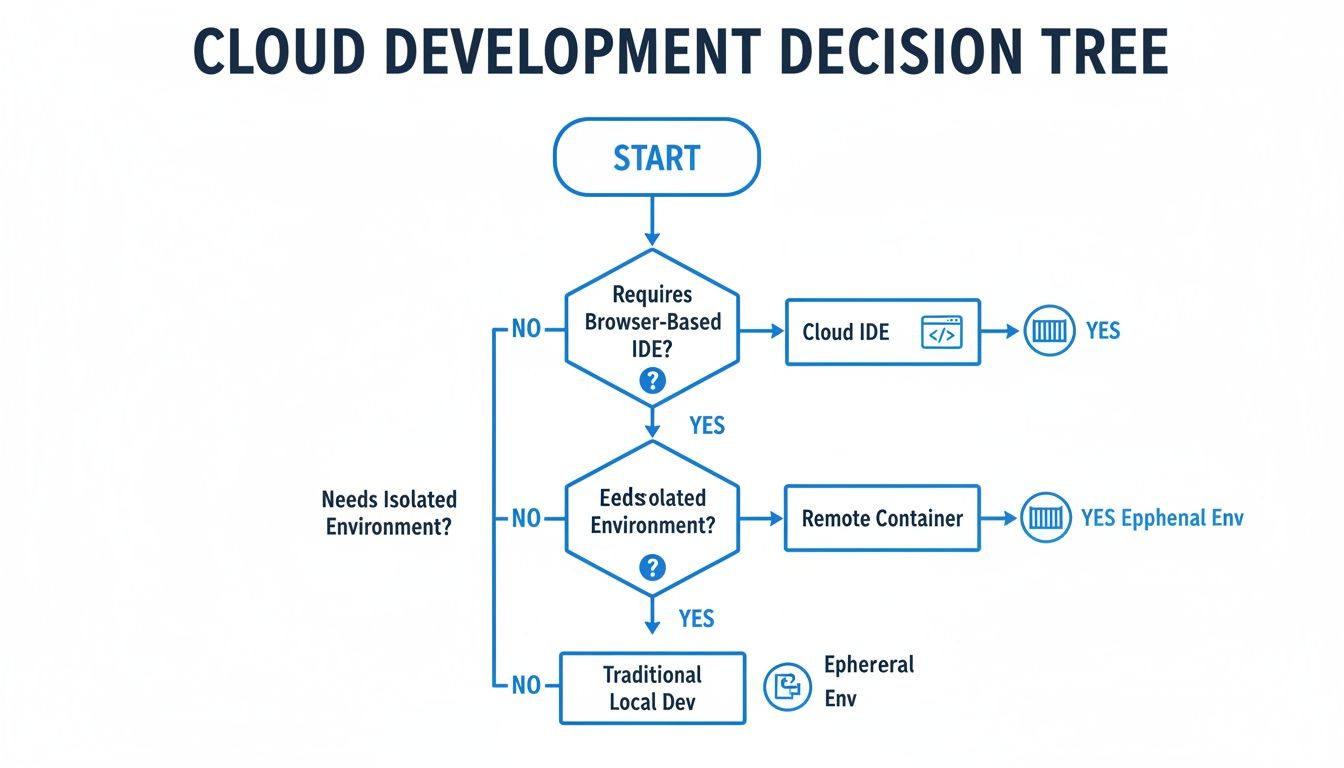
As you can see, the right choice really boils down to whether you’re prioritizing simplicity, total control, or a more sophisticated collaboration and review process.
Navigating the Potential Challenges
Of course, the road to the cloud isn’t always perfectly smooth. Knowing the potential bumps ahead of time means you can plan for them and ensure the transition is a success.
A common mistake is underestimating the need for cost governance. Without clear policies and monitoring, the pay-as-you-go model can lead to unexpected bills if developers leave powerful environments running unnecessarily.
Here are the main challenges you’ll want to prepare for:
- Cost Management: The ease of spinning up resources is great, but it can bite you if you’re not careful. You absolutely need to set up cost monitoring, define budgets, and use automated scripts to shut down idle environments. Otherwise, you risk some serious sticker shock.
- Learning Curve and Tooling: Adopting a cloud development environment means your team has to learn new tools and workflows. Be ready to invest in training and good documentation to get everyone comfortable and productive in the new setup.
- Network Latency and Offline Access: Since your entire environment is remote, a solid internet connection is non-negotiable. Lag can really drag down the experience, especially for interactive work. And true offline access? That becomes a major hurdle, something to think about if your team travels or has spotty internet.
Building a Modern Cloud Development Workflow
Alright, so you understand the different models for a dev environment in the cloud. That’s the first step. Now, let’s talk about the fun part: architecting a workflow that ties it all together into a process that’s scalable, secure, and perfectly repeatable. This is where we stop talking theory and start building a blueprint that turns cloud environments into a real superpower for your engineering team.
A modern workflow isn’t just about giving developers a fancy cloud-based editor. It’s about building a solid system where environments can be defined, versioned, and spun up on demand—with perfect consistency, every single time. This means shifting your mindset from manual setups to automated, code-driven processes.
Defining Environments with Infrastructure as Code
The bedrock of any modern cloud workflow is Infrastructure as Code (IaC). Forget clicking around a cloud provider’s UI to configure a VM or a network. Instead, you define your entire environment in code using tools like Terraform or Pulumi.
Think of it as writing a recipe for your perfect development setup. That “recipe” gets checked into Git, just like the rest of your application code.
This approach pays off in some huge ways:
- Perfect Reproducibility: Every developer and every CI/CD pipeline can spin up an identical environment from the same IaC files. This completely kills the “it works on my machine” problem. For good.
- Version Control and History: You can track every change made to your environment’s configuration, see who made it, and roll back to a previous state in seconds if something breaks.
- Automated Provisioning: New environments can be created automatically as part of your CI pipeline—like for ephemeral review apps—without anyone lifting a finger.
Embracing Containerization for Consistency
While IaC defines the underlying infrastructure, containerization tools like Docker define the application’s runtime environment. Docker lets you package your app, its libraries, its dependencies, and its configuration files into a single, isolated unit: a container.
This little container can run identically anywhere—on a developer’s laptop for a quick test, in a cloud IDE, or in a production Kubernetes cluster. It creates a seamless bridge between dev and prod because the artifact you build and test is the exact same one you deploy.
By combining IaC with containerization, you create a two-layered system of consistency. Terraform makes sure the infrastructure is the same, while Docker ensures the application runtime on that infrastructure is also the same.
Integrating Seamlessly with Your CI/CD Pipeline
A cloud development workflow really starts to sing when it’s deeply plugged into your Continuous Integration and Continuous Deployment (CI/CD) pipeline. This integration automates the entire journey from a code commit all the way to deployment.
Picture this common workflow:
- A developer pushes a new feature branch to Git.
- A CI server (like Jenkins or GitHub Actions) automatically kicks off a build.
- It uses your IaC scripts to provision a temporary, isolated dev environment in the cloud.
- The application gets deployed into that ephemeral environment for a round of automated tests.
- Once tests pass, the environment’s URL is posted back to the pull request for a manual review.
- When the PR is merged, the ephemeral environment is automatically torn down.
This tight feedback loop ensures every change gets validated in a production-like environment before it ever sees a real user. As you move to this model, mastering a few core CI/CD best practices is key to making the integration smooth.
Managing Secrets and Sensitive Data
Finally, no workflow is complete without a secure way to handle secrets like API keys, database credentials, and certificates. Let’s be clear: hardcoding these into your application or IaC files is a massive security risk. Just don’t do it.
Instead, use a dedicated secrets management tool like HashiCorp Vault or a cloud-native service like AWS Secrets Manager. These tools store secrets centrally and securely, letting your application and infrastructure code fetch them on the fly at runtime. This approach keeps sensitive data out of your codebase and version control history, securing your workflow from the ground up.
If you’re looking to explore a wider range of development setup strategies, check out our ultimate guide on the topic.
How to Test with Real Traffic in the Cloud
A slick, powerful dev environment in the cloud is great for consistency, but it has one major blind spot: it’s too perfect. Predictable test data and neatly mocked API calls can’t possibly capture the messy, chaotic, and sometimes bizarre behavior of real users. This is exactly where the nastiest bugs hide, waiting to cause an outage right after you deploy.
If you want to ship code with genuine confidence, you have to throw real-world conditions at it. This is where your cloud setup really shines. By capturing and replaying actual production traffic, you can put your new features through the ultimate trial by fire before they ever see the light of day. This isn’t just about load testing—it’s about behavior testing. It’s how you find the edge cases your synthetic tests could never imagine.
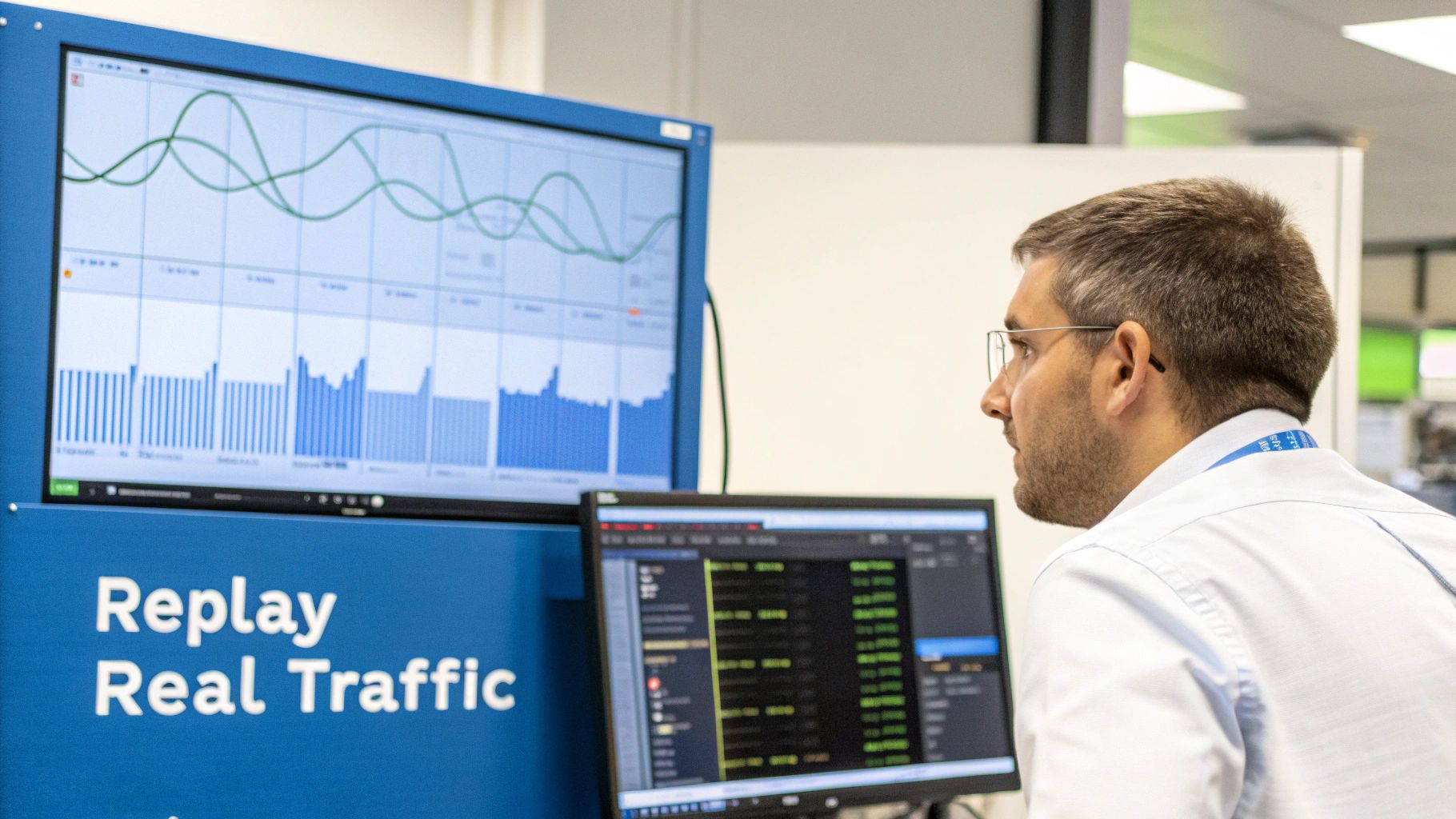
This technique, often called traffic shadowing, gives you an unparalleled look into how your changes will hold up under the pressure of real human interaction.
Why Real Traffic Is the Ultimate Test
Relying on unit tests and staged data alone is like prepping for a big game by just running drills. Sure, your form might be perfect, but you’ll be completely blindsided by the unpredictability of a real opponent. Real user traffic is that opponent—it’s full of weird inputs, strange request timings, and complex user journeys.
Here’s what makes replaying it so powerful:
- It Uncovers Hidden Bugs: Real traffic is the best way to expose those elusive race conditions and edge cases that developers could never predict.
- It Validates Performance Accurately: You see how your app actually performs under a realistic load, not just a simulated one.
- It Builds Real Confidence: When a new feature can survive a full replay of production traffic, you can push it live with a much higher degree of certainty.
This is where a tool like GoReplay becomes indispensable. It’s an open-source solution designed specifically to capture live HTTP traffic and replay it against a test or staging environment, giving you a straightforward way to bring production chaos into your controlled cloud setup.
A Practical Guide to Replaying Traffic with GoReplay
Let’s walk through how you can use GoReplay to pump production-like traffic into a service running in your cloud dev environment. The whole process boils down to three key stages: capturing the traffic, cleaning it up, and replaying it.
Step 1: Capture Production Traffic
First things first, you need to get GoReplay installed on your production server or a machine that sits in the path of the traffic. The idea is to listen to a network interface and save all the incoming HTTP requests to a file.
You’ll run the gor command in listener mode, telling it which port to watch (like port 80) and where to save the captured traffic.
Listen on port 80 and save all incoming requests to a file
sudo gor —input-raw :80 —output-file requests.gor
This command starts listening right away. GoReplay is incredibly lightweight, so it adds almost no overhead to your production server while it quietly records every request. Let it run long enough to get a good, representative sample—maybe a few hours during a busy period.
Step 2: Filter and Mask Sensitive Data
This step is non-negotiable. Before that traffic file goes anywhere near your dev environment, you must handle sensitive data like passwords, API keys, and personal information. GoReplay has powerful, built-in features for modifying traffic on the fly to do just this.
You can use rewrite rules to mask or completely remove sensitive headers or parameters in the request body. For instance, you could replace every user’s Authorization token with a placeholder.
Example of rewriting a sensitive header during capture
sudo gor —input-raw :80
—output-file requests.gor
—http-rewrite-header ‘Authorization: Bearer MASKED’
This is absolutely critical for security and compliance. Never replay raw production traffic containing unmasked PII into a less secure development environment.
The ability to sanitize traffic is a cornerstone of responsible testing. By building masking rules directly into your capture process, you ensure that sensitive data never leaves the production boundary, protecting your users and your company.
Step 3: Replay Traffic in Your Cloud Environment
Once you have your sanitized traffic file (requests.gor), move it over to your cloud dev environment. Now, you’ll flip GoReplay’s role: instead of listening, it will read from this file and fire off the requests to your local application.
Let’s imagine your service is running on localhost:3000 inside your cloud IDE or remote container. You’d run a command like this:
Replay captured requests against a local service on port 3000
gor —input-file requests.gor —output-http “http://localhost:3000”
GoReplay will immediately start reading the requests.gor file and hitting your application with the captured requests, perfectly preserving the original timing and concurrency. All you have to do is watch your application’s logs, look for errors, and see how it handles the pressure.
By making this a regular part of your workflow, you create an incredibly powerful feedback loop. Before merging any big change, you can validate it against a realistic slice of production chaos. It gives your team the data they need to ship truly robust and reliable software. To go even further, you can learn more about how to replay production traffic for realistic load testing in more complex setups.
Your Questions About Cloud Environments Answered
Moving your dev environment to the cloud is a pretty big shift, so it’s totally normal to have questions about what it means for your day-to-day work. Let’s tackle some of the most common concerns we hear from teams thinking about making the switch.
What About Offline Work and Slow Internet?
This is a big one, and a totally valid concern. Since your whole environment is running remotely, a stable internet connection is non-negotiable. A laggy or flaky connection will make coding feel incredibly frustrating.
For teams with people who travel a lot or just have spotty home internet, this is a major hurdle. The short answer is that true offline work is pretty much off the table. While some tools might have a few offline tricks up their sleeves, the real magic of a powerful, centralized cloud machine depends entirely on being connected to it.
How Does This Affect Developer Productivity?
The impact on productivity is almost always a huge net positive, but it can feel like a step back at first. There’s definitely an adjustment period where developers have to get used to new tools and workflows, which can temporarily slow things down.
Once everyone’s up to speed, though, productivity usually goes through the roof. Think about all the time saved by cutting out setup headaches, chasing down “it works on my machine” bugs, and staring at slow local builds. That time adds up fast. A new developer can be pushing code in minutes, not days. Being able to spin up a powerful, production-like environment for every single task just obliterates bottlenecks and keeps developers in the zone.
The real goal isn’t just to copy-paste your local setup into the cloud. It’s about rethinking the entire development process to get rid of friction. When builds are faster, tests can run in parallel, and collaboration is instant, you unlock massive long-term productivity gains.
How Do We Control Runaway Costs?
The ease of spinning up powerful machines is a bit of a double-edged sword. If you’re not careful, the pay-as-you-go model can lead to some eye-watering bills when developers forget to shut down resource-heavy environments overnight or on weekends.
Getting costs under control requires a proactive game plan:
- Implement automated shutdowns: Set up scripts or policies that automatically hibernate or terminate idle environments after a certain amount of time.
- Set clear usage policies: Create simple guidelines for the team on when it’s okay to use the big, expensive instances versus more modest ones.
- Use cost monitoring tools: Keep an eye on the dashboards from your cloud provider or third-party tools. Set up alerts so you know right away if spending is getting out of hand.
What Is the Best Way to Onboard Our Team?
A smooth transition is all about good preparation and clear communication. You can’t just flip a switch and expect everyone to love it. A thoughtful onboarding process is key to getting your team comfortable and productive.
Start by creating solid documentation and running a few hands-on training sessions. Kick things off with a pilot group or a single, non-critical project to iron out any wrinkles before you go all-in. Most importantly, sell the “why” behind the change—show them exactly how this new setup solves their biggest frustrations. That’s how you get real buy-in.
Ready to validate your cloud environment against real-world chaos? GoReplay lets you capture and replay live production traffic to ensure your code is truly battle-tested before it ships. Start testing with confidence today.