
Master Continuous Integration Testing for Faster Dev Cycles
Continuous integration testing is all about running automated tests every single time a developer pushes new code to a shared repository. It’s like having an always-on, automated quality check that gives you instant feedback on your work. This simple practice ensures new code plays nicely with the existing codebase, preventing things from breaking unexpectedly. It’s really the bedrock of modern, fast-paced software development.
Unpacking Continuous Integration Testing
Think about a team of chefs creating a brand-new, complex dish. The old way would be for each chef to perfect their component in isolation for hours. When they finally combine everything at the end, they might discover the flavors are a total disaster.
Continuous integration is like having the head chef taste the dish after every single ingredient is added. If one addition throws off the balance, they know immediately and can fix it on the spot. It’s a much smarter, safer way to work.
In the world of software, this “tasting” is handled by a suite of automated tests. Every time a developer merges code, a CI server kicks into gear, building the entire application and running the test suite. This acts as a critical early-warning system, stopping small issues from piling up into what’s often called an “integration nightmare.”
The Core Principle: Fast Feedback Loops
At its heart, continuous integration testing is designed to create an incredibly tight and reliable feedback loop. Instead of waiting days or even weeks for a manual quality assurance (QA) team to find problems, developers get results in minutes. This immediate feedback means they can fix bugs while the logic is still fresh in their minds, which slashes debugging time and project costs.
This approach isn’t just a trend; it’s a fundamental shift in how we build software. By 2025, it’s projected that over 80% of organizations globally will be using continuous integration, with adoption rates in Fortune 500 companies already nearing 90%. These numbers show just how essential CI has become for speeding up development. You can find more details on these DevOps adoption trends at DevOpsBay.
The fundamental idea is simple: integrate early and often. By doing so, you reduce the risk, complexity, and cost associated with merging large, divergent code branches late in the development cycle.
This switch from rare, massive code merges to frequent, small ones is what makes modern development so agile. To see the difference more clearly, let’s compare the two approaches side-by-side.
Key Differences Between Traditional and CI Testing
| Aspect | Traditional Testing | Continuous Integration Testing |
|---|---|---|
| Frequency | Infrequent, often at the end of a sprint or development cycle. | Constant, triggered by every single code commit. |
| Scope | Large-scale; tests a big batch of new features at once. | Small-scale; tests tiny, incremental code changes. |
| Feedback Loop | Slow. Can take days or weeks to get results from QA. | Extremely fast. Feedback arrives in minutes. |
| Bug Detection | Late in the development cycle, when fixes are more complex. | Early and immediately, when fixes are simple and cheap. |
| Developer Focus | Context switching is common; developers revisit old code to fix bugs. | Developers stay focused; they fix issues while the code is fresh. |
| Risk | High. Large integrations have a high chance of breaking things. | Low. Small, frequent integrations minimize the risk of failure. |
Ultimately, this constant validation gives teams the confidence to build, test, and release software faster and with far more reliability. This foundation is what makes advanced practices like Continuous Delivery and Continuous Deployment possible, turning stressful release days into routine, low-risk events.
The Continuous Integration Testing Workflow
So, how does this all work in practice? To really get a feel for the power of continuous integration testing, let’s walk through the journey of a single piece of code as it moves from a developer’s machine to the main project. This isn’t just a concept; it’s a concrete, repeatable, and automated process that serves as the engine for modern software development.
Imagine a developer just wrapped up a small task—maybe they fixed a bug or added a new button to the UI. Right now, that code only exists on their laptop. The magic begins the moment they decide to share it with the team.
Stage 1: The Developer Commits Code
The first step is a familiar one for any developer: they commit their code changes to a shared repository, like Git. This isn’t just about saving work. A commit is a formal signal that a piece of the puzzle is ready to be joined with the rest. Each one includes a message explaining the “what” and “why” of the change, creating a living history of the project.
Committing small, frequent changes is the bedrock of CI. It stops developers from drifting off into their own isolated worlds for days or weeks, which is often where those nightmare-inducing integration problems begin.
Stage 2: The CI Server Springs into Action
The second that new code hits the repository, the Continuous Integration (CI) server wakes up. Think of this server as the project’s automated quality gatekeeper. Tools like Jenkins, GitLab CI, or GitHub Actions are constantly watching the repository, and a new commit is the trigger to get to work.
There’s no “hey, can someone run the tests?” needed. This hands-off automation is what puts the “continuous” in continuous integration. It guarantees that every single change gets the same level of scrutiny, every single time.
This infographic breaks down the flow, showing how team collaboration and automated logs deliver the ultimate prize: fast feedback.
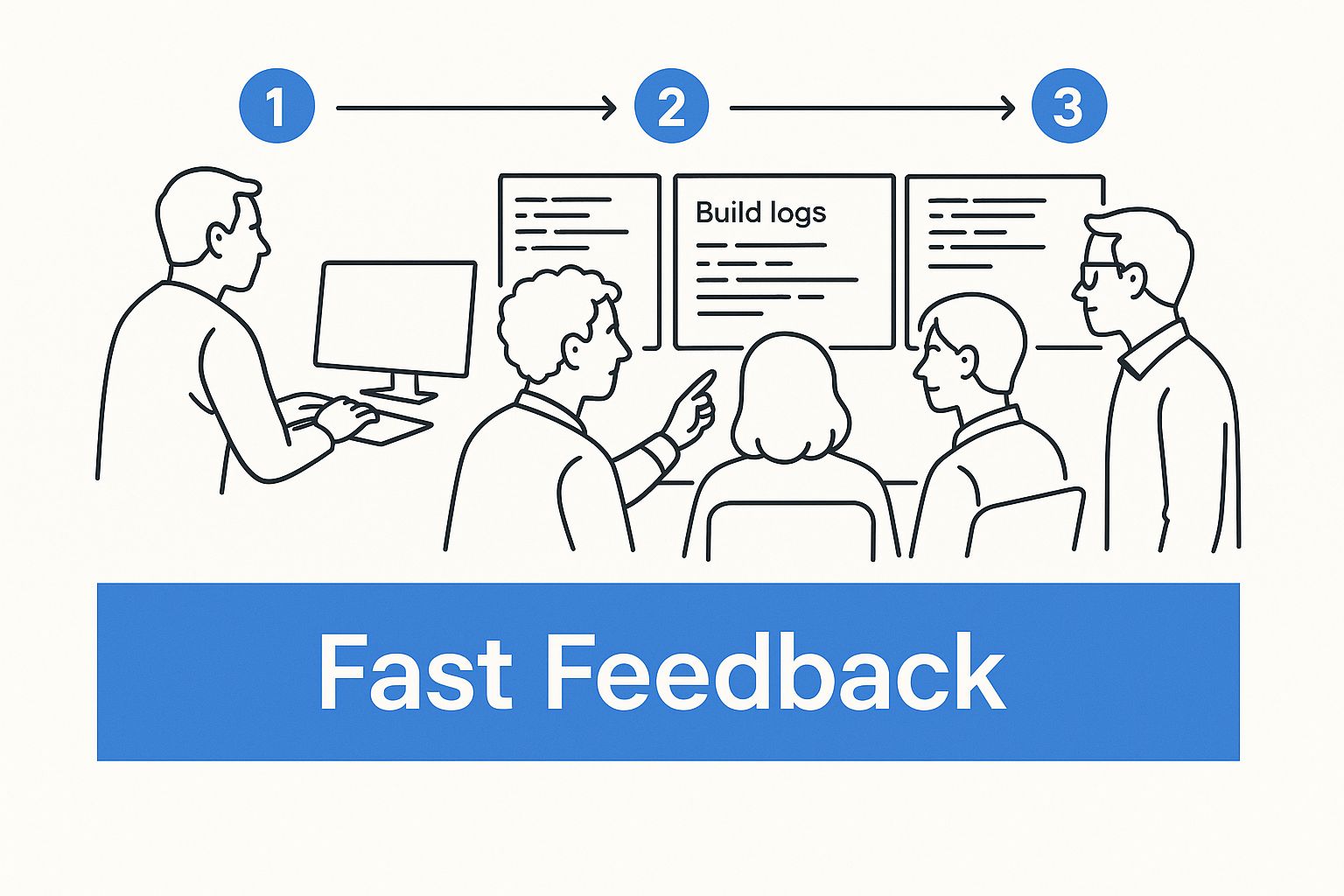
As you can see, the whole point of this automated dance is to give the team clear, immediate results so they can act on them right away.
Stage 3: The Automated Build and Test Cycle
Once triggered, the CI server runs a pre-defined script, kicking off a series of automated steps. This is where the actual continuous integration testing happens.
-
Code Compilation: First, the server grabs the latest code, including the new commit, and tries to build it into a working application. If it can’t even compile, the process stops dead. The developer gets an instant notification. This is your first line of defense against basic syntax errors.
-
Unit Testing: With a successful build, the server runs a battery of unit tests. These are small, fast tests that check individual functions or components in isolation, making sure the new code’s core logic does what it’s supposed to do.
-
Integration Testing: Once the individual pieces check out, it’s time to see how they play with others. Integration tests are more complex; they verify that the new code works correctly with other parts of the system, like pulling data from a database or calling another service.
-
Specialized Testing: Depending on the project’s needs, other tests might run here. This could be anything from static code analysis looking for security holes to performance tests that make sure the new feature doesn’t slow everything down.
This layered approach gives a comprehensive picture of the new code’s health and stability.
The whole point of the automated build is to create a sterile, reproducible environment for testing. A failure at any step results in a “broken build,” an unmissable red flag that something is wrong.
Stage 4: Immediate Feedback and Resolution
This final stage is arguably the most important: getting the results back to the team. Within minutes of the commit, the CI server reports back.
- A “Green” Build: If every single test passes, the build is a success. The team gets a “green” notification—often in a Slack channel or dashboard—letting everyone know the latest changes are safe and sound.
- A “Red” Build: If anything fails, the build is “broken.” An alert goes out immediately, and fixing it becomes the team’s top priority. The developer who pushed the change is usually the one to lead the charge.
This incredibly fast feedback loop is what makes CI so powerful. Issues are caught when they’re still small, simple, and fresh in the developer’s mind. The whole team stays on the same page about the health of the code, ensuring the main branch is always in a stable, deployable state. It’s how you prevent technical debt from piling up and keep the project moving forward.
Why CI Testing Is a Game-Changer for Development Teams

Bringing continuous integration testing into your workflow is more than just a technical tweak. It’s a fundamental shift in how your team builds software, one that tackles some of the most common headaches in the development world. The real magic of CI isn’t just in the tools; it’s in the daily, practical wins that turn a chaotic process into something predictable and efficient.
If you’ve ever been a developer, you know the feeling of “merge hell.” It’s that sinking feeling when everyone tries to combine weeks of isolated work, only to find a tangled mess of conflicting changes that takes days to untangle. It’s a nightmare.
CI testing makes that nightmare a thing of the past. By getting developers to integrate small, manageable changes frequently—often multiple times a day—it stops code branches from ever drifting too far apart. Each merge becomes a minor, low-risk event, making integration just another part of the routine instead of a week-long crisis.
Finding Bugs Sooner (and Cheaper)
There’s a golden rule in software engineering: the later you find a bug, the more it costs to fix. A lot more. A bug a developer catches five minutes after writing the code is a quick fix. But that same bug found by a customer in production? It can cost 100 times more to fix when you factor in developer time, support calls, and damage to your reputation.
Continuous integration testing flips the script by shifting bug detection all the way to the left. You find issues almost the moment they’re introduced. This rapid feedback loop is a huge money-saver.
- Fresh Context: Developers can fix a problem while the code is still fresh in their minds. No more wasting hours trying to remember what they were thinking two weeks ago.
- Small Scope: The bug is isolated to a tiny, recent change, making it incredibly easy to find and fix.
- No Downstream Damage: You fix issues before they ever have a chance to break another part of the application or block other team members.
By baking automated testing into the daily coding process, CI turns firefighting into fire prevention. It’s the difference between reacting to disasters and stopping them before they start.
This isn’t just about saving money. It builds a calmer, more productive environment where developers can actually focus on their work.
Ship Faster and With More Confidence
When integration is a constant, low-drama activity and your codebase is always stable, something amazing happens: you can ship software so much faster. Teams are no longer paralyzed by long, manual testing cycles or the fear that the next release will bring everything crashing down.
That speed comes directly from the confidence you build through continuous integration testing. Every time a build passes all its tests, you get a clear “green” signal that the application is healthy and ready to go.
The data on this is pretty stark. High-performing teams using mature CI practices achieve 46 times more frequent code deployments and recover from failures 96 times faster than those who don’t. That kind of speed and resilience is a massive competitive advantage. You can learn more by checking out these DevOps adoption statistics for a deeper dive.
At the end of the day, CI testing lets developers spend less time on tedious manual checks and more time doing what they love: building great features. It breaks the painful cycle of build, wait, and fix, and frees them up to innovate. The result is better software, faster delivery, and a much happier development team.
Best Practices for a High-Performing CI Pipeline
Just setting up a CI server doesn’t guarantee success. The real challenge is turning it into a development engine that actually speeds things up. A slow, unreliable, or ignored pipeline is worse than no pipeline at all—it just creates noise and drags everyone down.
To avoid that, you need a disciplined approach. Think of these practices as the non-negotiable rules for building a CI process that’s efficient, maintainable, and a genuine asset to your team.
Maintain a Single Source of Truth
Every project needs one central hub for its code, and that’s usually a version control repository like Git. All developers push their work to this one place, and the CI server keeps a close eye on it. This simple discipline prevents the chaos that erupts when people start working from different or outdated versions of the code.
When everyone is on the same page, you eliminate confusion and ensure every single build truly reflects the project’s current state. It’s the bedrock of effective collaboration.
Your main branch should always be deployable. A green build should mean the code is stable, tested, and ready for production, even if you decide not to release it right away.
Make Every Build Self-Testing
A build that only compiles code is only doing half its job. For a CI pipeline to deliver real value, it has to be able to verify the quality of the code on its own. That means your build process needs a comprehensive, automated test suite built right in.
The moment code is committed, the build should kick off a whole series of tests to check the changes from every angle.
- Unit Tests: These are quick, targeted tests that check individual functions or components in isolation to make sure they work as expected.
- Integration Tests: These check that different parts of the application play nicely together—for example, making sure a new API endpoint can actually talk to the database.
- End-to-End Tests: These simulate a complete user journey from start to finish to confirm that critical workflows haven’t been broken.
A build is only successful if it passes every single one of these automated checks. This approach makes quality a shared responsibility, not something that gets tossed over the wall to a separate QA team.
Keep the Feedback Loop Incredibly Fast
The whole point of continuous integration testing is getting feedback, fast. If a build takes an hour to run, developers have already switched gears and are deep into another task by the time they learn something broke. That context switching is a productivity killer. The goal? Get build results back in under 10 minutes.
Getting that fast isn’t always easy and often takes some deliberate effort.
- Run Tests in Parallel: Don’t run your tests one by one. Split them up and run them across multiple machines or processes at the same time.
- Optimize Test Suites: Keep an eye on slow-running tests. Regularly refactor them to be more efficient without gutting your test coverage.
- Use Smart Caching: Cache your dependencies and build artifacts. There’s no reason to download or rebuild everything from scratch on every single run.
A fast pipeline gives developers immediate validation, letting them fix issues while the code is still fresh in their minds. If you’re looking for more ways to speed things up, check out our guide on CI/CD pipeline optimization.
Fix Broken Builds Immediately
A “red” or broken build should be treated like a fire alarm. It is the team’s number one priority, period. All other work stops until the build is green again. Letting a broken build sit there erodes trust in the CI system and quickly creates a codebase full of unresolved problems, blocking everyone else from moving forward.
This commitment to quality is precisely why the continuous testing market is projected to grow from USD 2.44 billion in 2025 to over USD 3 billion by 2030. In fact, 68% of companies are now using AI to improve their testing processes. You can dig into more of these continuous testing trends on BlazeMeter. Following these best practices ensures you’re building a system that’s truly worth the investment.
Choosing the Right Tools for Your CI Testing Needs
Picking the right tools for your continuous integration setup can feel like a huge task. There are so many options out there, each promising to be the best. But here’s the secret: the “best” tool isn’t about the one with the longest feature list. It’s the one that slips right into your team’s existing workflow and grows with you.
Before you get bogged down comparing a dozen different platforms, take a step back and look at your own team. Are you a scrappy crew that’s happy to manage your own servers, or would a hands-off cloud service be a better fit? Are you a small startup that needs to get moving fast, or a large enterprise with strict security and compliance rules? Knowing who you are is the first step to finding the right fit.
Key Factors for Your Decision
When you’re ready to start comparing, focus your energy on four key areas. These are the things that will actually make a difference in your team’s day-to-day life and the long-term success of your continuous integration testing.
-
Hosting Model (Self-Hosted vs. Cloud): This is the classic “build vs. buy” debate. Do you want to run the CI server on your own machines (self-hosted) or pay for a managed service in the cloud (SaaS)? Self-hosting gives you total control, but you’re on the hook for all the maintenance, security, and updates. Cloud platforms like CircleCI or GitHub Actions are incredibly convenient and scale on demand, but you give up some control over the environment.
-
Ease of Setup and Configuration: How much time will it take to get your first pipeline running? The trend today is toward simple YAML files that live right alongside your code. This approach makes your CI configuration transparent, version-controlled, and easy to replicate. Some older, more traditional tools might lean on a complex user interface, which can feel powerful but often becomes a real headache to manage consistently.
-
Ecosystem and Integrations: Your CI tool doesn’t work in isolation. It has to play nicely with your version control system (like Git), your favorite testing frameworks, your team’s chat app (like Slack), and wherever you deploy your code. A platform with a rich ecosystem of plugins or pre-built integrations can save you a mountain of time you’d otherwise spend writing custom scripts.
-
Scalability and Performance: Think about where your team will be in a year or two. As your codebase and team grow, your CI system needs to keep up. Look for features that prevent it from becoming a bottleneck, like the ability to run jobs in parallel, smart caching to avoid re-doing work, and an easy way to add more computing power when you need it.
Popular Continuous Integration Tools at a Glance
To give you a better feel for the landscape, let’s look at a few of the major players. This isn’t an exhaustive list, but it covers some of the most popular and respected CI tools teams are using today.
A high-level comparison of leading CI/CD tools to help teams choose the right solution for their needs.
| Tool | Primary Hosting | Key Strength | Best For |
|---|---|---|---|
| Jenkins | Self-Hosted | Unmatched flexibility and a massive plugin ecosystem. | Teams that need ultimate control and can manage their own infrastructure. |
| GitLab CI/CD | Cloud & Self-Hosted | Tight integration with the GitLab ecosystem (repo, registry, etc.). | Teams already using GitLab for version control who want an all-in-one solution. |
| GitHub Actions | Cloud | Excellent integration with GitHub and a huge community marketplace. | Projects hosted on GitHub looking for a simple, powerful, and native CI solution. |
| CircleCI | Cloud | Speed, performance, and advanced features like test splitting. | Teams prioritizing fast builds and who need a powerful, cloud-native CI platform. |
Ultimately, finding the perfect tool often comes down to trying a couple of them out with a small project to see what feels right for your team.
The right toolchain is more than just a CI server; it’s a combination of technologies that work together. Your choice should complement your testing frameworks, containerization strategy (like Docker), and monitoring tools to create a cohesive, automated workflow from commit to deployment.
What’s Next? The Future of Automated Testing with AI and DevSecOps
Continuous integration testing is not standing still. The pipelines we build today are getting smarter, more secure, and better equipped for modern cloud environments. Two massive forces are pushing this evolution forward: the analytical power of Artificial Intelligence (AI) and the security-first mindset of DevSecOps.
Looking ahead, AI is shifting from a nice-to-have tool to a core part of the testing process. Imagine a CI pipeline that doesn’t just run a static list of tests. Instead, it uses machine learning to predict which tests are most likely to fail based on the exact code changes being committed. This kind of intelligent test selection can slash build times without compromising on quality.
AI-powered tools are also getting sophisticated enough to analyze an application and generate brand-new test cases automatically, sniffing out edge cases a human developer might never think of. We’re moving from a world of manually curating test suites to one where we oversee intelligent systems that optimize themselves.
The Rise of DevSecOps
Another critical shift is baking security directly into the CI workflow, a practice we call DevSecOps. For far too long, security was treated as a final gate, a last-minute check before release. DevSecOps completely flips that model by making security an automated, continuous part of the development cycle.
This means security checks run with every single commit.
- Static Application Security Testing (SAST): This scans your source code for known vulnerabilities before it’s even compiled.
- Dynamic Application Security Testing (DAST): This probes the running application to find security flaws in real-time.
- Dependency Scanning: A crucial step that checks all your third-party libraries for known security holes.
By embedding these scans into the pipeline, teams catch and fix security issues early on, when they are far cheaper and easier to deal with. The goal is to make security a shared responsibility, just like code quality. To learn more about this integrated mindset, you can dig into the principles of DevOps continuous testing.
Adapting to a Cloud-Native World
Finally, the way we build applications is changing how we test them. The move toward microservices and serverless functions means testing has become far more distributed. Instead of testing one monolithic application, our pipelines now have to verify the complex interactions between dozens, or even hundreds, of small, independent services.
The future of CI testing is predictive, secure, and distributed. It’s about building pipelines that not only verify code but also anticipate failures, enforce security, and adapt to complex, cloud-native architectures.
This new reality is driving serious market growth. The continuous integration tools market, currently valued at around USD 1.73 billion, is projected to reach USD 4.53 billion by 2030. In fact, roughly 75% of IT teams are already using AI to make their testing faster and more effective. You can see more on these growing trends in continuous integration.
Keeping up with these changes is the key to building resilient, secure, and efficient software delivery systems for years to come.
Common Questions About CI Testing
As teams start to adopt continuous integration testing, a few practical questions almost always pop up. Let’s tackle some of the most common hurdles and clear up any confusion so you can get your CI process running smoothly.
How Is CI Different From CD?
This is easily the most frequent point of confusion, and it’s a fair question. Think of them as two parts of a single automated pipeline.
Continuous Integration (CI) is all about the developers. It’s the practice of merging code changes into a central repository multiple times a day. Each time someone merges, an automated build and test sequence kicks off to make sure the new code doesn’t break anything. The goal here is simple: keep the main codebase healthy and stable.
Continuous Delivery (CD) is the next step in the journey. It picks up where CI leaves off. Once the code passes all the CI tests, CD automatically prepares a release-ready version of it. The final push to production, however, is still a manual decision—often just a single button click. (There’s also Continuous Deployment, which automates that final push, too.)
In short: CI builds and tests the code. CD gets that tested code ready for users. You absolutely need a rock-solid CI process before you can even begin to think about CD.
What’s a Good Build Time for a CI Pipeline?
While there’s no single magic number that fits every project, the general consensus is to keep the entire build and test cycle under 10 minutes. Why? Because the whole point of CI is getting fast feedback.
If a developer has to wait 30 minutes to find out their change broke the build, they’ve already moved on to something else. That context switch is a massive productivity killer. A quick failure notification means they can fix it while the code is still fresh in their mind.
Getting that time down usually involves a few tricks:
- Running tests in parallel across different machines.
- Identifying and optimizing tests that are notoriously slow.
- Caching dependencies and other build artifacts so you aren’t starting from scratch every time.
Can CI Testing Get Rid of Manual QA?
Nope, and it’s not designed to. It’s important to see them as partners, not competitors. Automated CI tests are fantastic at catching regressions—when a new change breaks something that used to work. They’re lightning-fast, perfectly consistent, and excellent for verifying specific, predictable logic.
But they can’t replicate human intuition. Automation won’t tell you if a new feature is confusing to use or if it actually solves the user’s problem. That’s where a skilled QA engineer shines. They perform exploratory testing, hunt for weird edge cases, and evaluate the overall user experience in ways a script never could.
The industry data backs this up. North America, which has a roughly 26.5% share of the continuous testing market, has a mature tech landscape where automated and manual testing work in tandem. Many teams even integrate complex compliance checks into their CI pipelines, a process requiring both automated scripts and manual oversight. You can dig into more stats on the state of continuous testing at BlazeMeter.
Ready to validate your code with real production traffic? GoReplay lets you capture and replay live user sessions in your testing environment, ensuring your updates are robust and reliable before they go live. Discover how to build unbreakable applications by visiting https://goreplay.org.