
A Guide to the Cloud Based Development Environment

So, what exactly is a cloud-based development environment? Think of it as a standardized, remote workspace that lives in the cloud and is accessible from anywhere. It’s the ultimate fix for the classic “it works on my machine” problem, ensuring every developer on your team uses the exact same tools, dependencies, and configurations. The result? Radically faster onboarding and way less friction in collaboration.
Solving the ‘It Works on My Machine’ Problem
Every dev team knows the story. Someone ships a new feature that runs perfectly on their laptop, only for it to completely fall apart on a teammate’s machine or in the staging environment. This kicks off a painful cycle of debugging—not the code, but the environment itself.
The culprit is almost always configuration drift. We’re talking about those subtle, maddening differences in operating systems, dependency versions, or environment variables between local machines. This chaos costs teams countless hours and throws a wrench into the entire development lifecycle. Onboarding a new engineer can drag on for days as they struggle just to get the project running.
A cloud-based development environment is the definitive answer to this age-old headache. Forget thinking about it like an individual laptop. It’s more like a centrally managed, reproducible blueprint for your entire development workflow.
The Shift to Standardized Workspaces
Instead of every developer managing their own unique local setup, a cloud-based environment provides a single source of truth. When a developer starts their day, they get a fresh, pre-configured workspace in the cloud that’s identical to everyone else’s.
This pays off immediately:
- Instant Onboarding: New hires are productive in minutes, not days. They just log in to a ready-to-code environment, no manual setup required.
- Perfect Consistency: Everyone from the junior dev to the senior architect works with the same toolchain, wiping out environment-related bugs.
- Painless Collaboration: A developer can share their exact workspace with a colleague to squash a bug together, knowing they’re both looking at the exact same setup.
This isn’t just a trend; it’s a fundamental shift in how modern software gets built. The move toward these environments is a huge driver behind the growth of the cloud computing market, which is on track to jump from roughly USD 912.77 billion in 2025 to over USD 5.15 trillion by 2034. A massive part of that growth is coming from platforms like GitHub Codespaces, Gitpod, and AWS Cloud9 that have made cloud development so accessible. You can dig into more data on cloud market growth from recent industry research.
By standardizing development environments in the cloud, teams move from a collection of individual workshops to a unified, high-efficiency assembly line for building software.
In this guide, we’ll walk through the different models of cloud-based development environments, from lightweight browser-based IDEs to powerful virtual workstations. We’ll also cover the critical architectural decisions you’ll face—performance, security, and cost—and show you how to plug these powerful tools into a modern DevOps workflow to really make an impact.
Choosing Your Cloud Development Environment Model
So, you’re looking at cloud based development environments. Great. The first thing to know is that you’ve got options, and they’re not all created equal. Think of it less like picking a single product and more like choosing the right kind of workshop for a specific job.
Just as a carpenter needs a different setup than a watchmaker, your team’s ideal CDE depends entirely on the task at hand. Some projects just need a quick, lightweight tool, while others demand the raw power of a dedicated, high-performance machine.
This diagram nails the fundamental shift from the old way—coding on your local machine—to the modern, unified approach of cloud development.
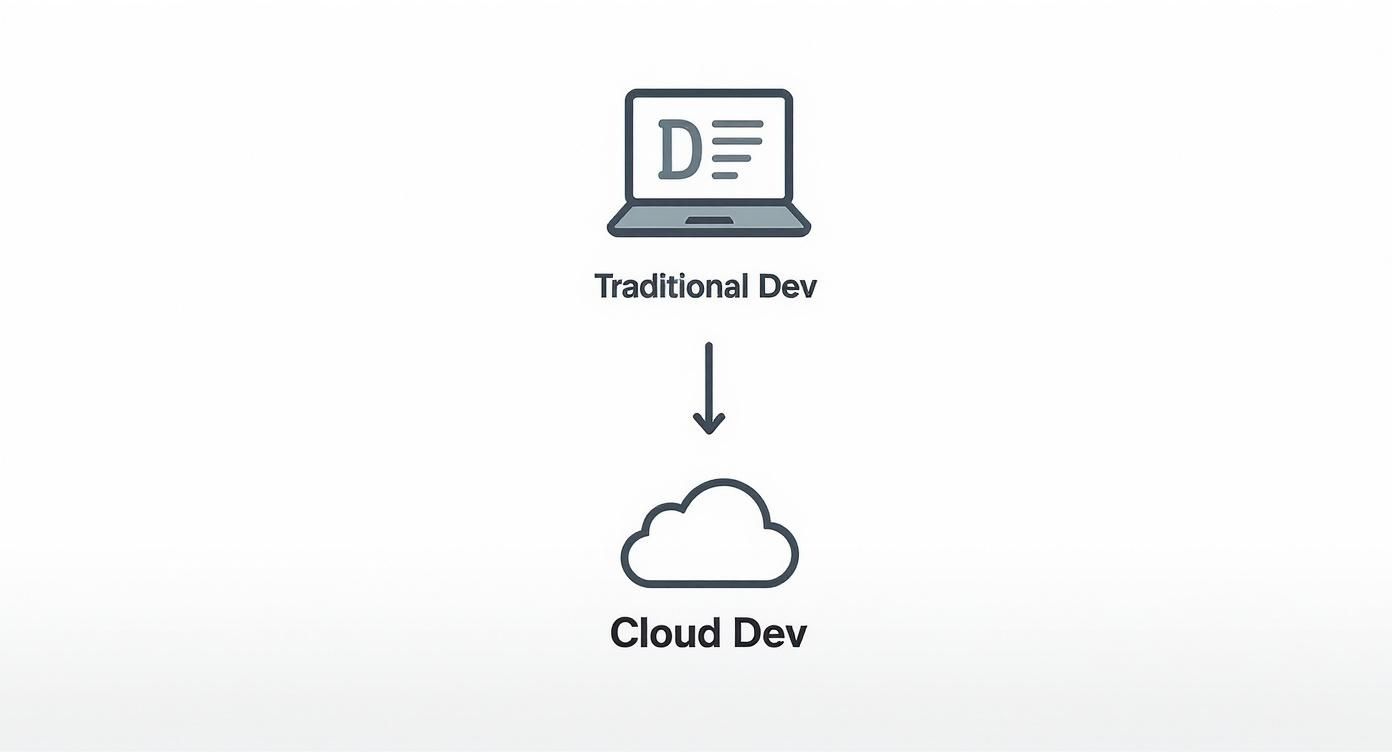
It really shows how CDEs centralize the entire workspace, pulling it off an isolated laptop and into a consistent, accessible platform for everyone.
To make sense of the options, let’s compare the three main models you’ll encounter.
Comparing Cloud Based Development Environment Models
| CDE Model | Analogy | Key Benefit | Best For |
|---|---|---|---|
| Cloud IDE | Google Docs for code | Instant access | Quick edits & simple projects |
| Remote Dev Containers | Developer toolkit in a box | Perfect reproducibility | Most modern development |
| Virtual Cloud Workstations | A supercomputer in the cloud | Maximum performance | GPU-intensive & big data tasks |
Each model strikes a different balance between convenience, power, and control. Let’s dig into what that actually means for your team.
The Lightweight Option: Cloud IDEs
Cloud IDEs are your most direct entry point into cloud development. Think of a streamlined, browser-based editor like Google Docs, but built specifically for writing code. Platforms like AWS Cloud9 or Google Cloud Shell Editor are perfect examples.
Their biggest selling point is accessibility. All you need is a web browser, and you’re coding. This makes them ideal for quick bug fixes, making small tweaks to a repo, or working on simple, single-service applications. Convenience and speed are the name of the game here.
Of course, that simplicity comes with trade-offs. Customization can be pretty limited, and they often lack the horsepower for large, multi-repository projects that need serious resources for building and testing.
The Balanced Approach: Remote Development Containers
This is the powerful middle ground, hitting a sweet spot between consistency, performance, and flexibility. The best way to think of this model is a complete, pre-configured ‘developer toolkit in a box’ that runs in the cloud.
Platforms like GitHub Codespaces and Gitpod are the leaders here. They use containers to package up your application’s code, runtime, dependencies, and even your editor configuration into a single, reproducible unit. When a developer spins up a new workspace, they get a perfect, isolated copy of that entire setup in seconds.
This model is arguably the most popular for modern teams because it directly solves the “it works on my machine” problem once and for all. By defining the entire environment as code (using a
devcontainer.jsonfile, for example), you guarantee every single developer has an identical setup.
The benefits are huge:
- Perfect Reproducibility: No more configuration drift. Every environment is spun up from the exact same file.
- Deep Customization: You can define everything from OS-level packages and environment variables to specific IDE extensions.
- Scalable Power: The container runs on beefy cloud servers, so your laptop doesn’t have to break a sweat compiling code or running heavy tests.
If you want to go deeper on different setup strategies, our ultimate guide to development environment setup strategies covers a range of approaches. For most teams building web apps or backend microservices, this container-based model is a fantastic fit.
The Powerhouse: Virtual Cloud Workstations
Finally, we have virtual cloud workstations—the most powerful and resource-intensive option available. The analogy here is simple: you’re getting a full-fledged, high-performance desktop computer that just happens to live in the cloud. Services like Amazon WorkSpaces or Microsoft Dev Box provide exactly this: a persistent, virtualized desktop experience.
This model is built for specialized scenarios where developers need computational muscle or hardware that just isn’t practical for a standard-issue laptop.
Think about use cases like these:
- Game Development: Rendering complex 3D graphics and running game engines requires serious GPU power.
- Machine Learning: Training large models can take hours or even days on specialized hardware.
- Data Science: Crunching massive datasets often demands far more memory and CPU cores than a local machine can provide.
While they offer maximum power and a familiar desktop environment, these workstations are typically more expensive and are definitely overkill for standard web development. They’re the go-to solution when performance and resource availability are the absolute top priorities.
Navigating the Critical Architectural Trade-Offs
Switching to a cloud-based development environment isn’t just a minor upgrade for convenience—it’s a fundamental engineering decision. Moving your team’s workflow into the cloud demands a careful balancing act across four critical architectural pillars. If you get one of them wrong, you could easily undermine the very benefits you’re trying to achieve.
These pillars—performance, security, networking, and cost—are all tangled together. A choice you make to strengthen one area will almost certainly pull on the others. For example, cranking up security might introduce a bit of latency, while slashing costs could throttle the performance your developers rely on.

Let’s break down each of these areas so you can build a solid framework for making smart choices.
Performance and Developer Experience
The whole point of a development environment is to make developers productive, and nothing kills productivity faster than poor performance. In a cloud setup, performance isn’t just about raw compute power; it’s about latency.
Think of it this way: your developer’s keyboard is on their desk, but the computer doing the actual work is miles away in a data center. The round-trip time for every single keystroke, command, and UI update really adds up. High latency creates a sluggish, frustrating experience that feels like wading through mud.
To keep things snappy, you need to focus on:
- Geographic Proximity: Host your environments in a cloud region that’s physically close to your developers. This is the simplest way to slash network lag.
- Resource Allocation: Make sure the environments have enough CPU and RAM to chew through demanding tasks like compiling huge codebases or running complex test suites without hitting a bottleneck.
- Pre-builds: Take advantage of features like pre-built workspaces, which platforms like Gitpod pioneered. They get the environment ready ahead of time, so developers can jump in and start coding instantly.
Security and Data Protection
Moving your codebase and all your development activity to the cloud naturally brings up new security questions. Cloud providers do a great job securing the underlying infrastructure, but you’re still responsible for locking down your application, your data, and who can access it.
The bedrock principle for securing a cloud development environment is least privilege. Developers should only have access to the code, services, and data they absolutely need to do their jobs. Nothing more.
This calls for a multi-layered defense:
- Code Isolation: Every developer’s workspace must be a completely isolated container or VM. This stops any action in one environment from bleeding over into another, effectively containing any potential security breach.
- Access Control: Implement strong identity and access management (IAM) policies from day one. Use role-based access control (RBAC) to create granular permissions for different teams and projects.
- Data Protection: Your source code must be encrypted, both in transit (as it zips across the network) and at rest (when it’s sitting on a disk). You should also integrate secrets management tools like HashiCorp Vault or AWS Secrets Manager to stop developers from hardcoding credentials in your repos.
Networking and Internal Connectivity
Your cloud dev environment doesn’t exist in a bubble. It needs to securely talk to your other internal resources—databases, APIs, staging servers—which are often tucked away inside a private network.
You can’t just expose these sensitive internal services to the public internet. That would be a disaster waiting to happen. Instead, you need to architect secure pathways for this communication.
A couple of common solutions are:
- VPC Peering: This lets you securely connect the Virtual Private Cloud (VPC) hosting your CDEs with the VPC where your internal services live.
- VPN Gateway: You can create a secure, encrypted tunnel from the CDE network right back to your on-premise or private cloud infrastructure.
The key is to treat your cloud development environments as a secure extension of your internal network, subject to all the same firewall rules and access policies.
Cost Management and FinOps
Last but not least, we have to talk about money. The sheer ease of spinning up powerful cloud environments can quickly lead to out-of-control spending if you’re not careful. Adopting a FinOps (Financial Operations) mindset is absolutely essential for managing the economics of your CDE strategy.
This is more important than ever. As enterprises wrap up their cloud-first transitions—with research showing 85% of them expect to be done by the end of 2025—managing cloud spend has become the top challenge for 82% of decision-makers. And dev environments are a big piece of that puzzle. You can find more insights on these trends in this report on cloud migration patterns and spend management.
To keep your costs from spiraling, put these practices in place:
- Ephemeral Environments: Treat workspaces as disposable. They should be created automatically for a specific task and destroyed just as easily when the task is done.
- Auto-Shutdown Policies: Configure environments to automatically shut down or hibernate after a period of inactivity. Why pay for idle resources?
- Instance Sizing: Don’t give developers a blank check. Offer a few standardized environment sizes (e.g., small, medium, large) to prevent them from provisioning massive, expensive instances they don’t really need.
By carefully balancing these four pillars, you can design a cloud development architecture that’s powerful, secure, connected, and won’t break the bank.
Making a CDE Adoption Strategy That Actually Works
Rolling out a cloud-based development environment isn’t just a technical swap. It’s a cultural shift. Get it wrong, and you’ll create friction and resistance that kills the very productivity gains you were after. A sudden, jarring change is the last thing you want.
The trick is to treat the adoption like any other software project. Start small, iterate, and build on your wins. If you can show real value early on and make the transition feel smooth, you’ll build the momentum you need for a full-scale migration.
Start with a Pilot Project
Whatever you do, don’t try to flip the switch for the whole company at once. That’s a recipe for disaster. Instead, kick things off with a small, contained pilot project. Pick a single, forward-thinking team working on a newer or self-contained service to create a controlled environment where you can learn and adapt.
The goals for this pilot are straightforward but absolutely critical:
- Find the Friction Points: This is your chance to uncover all the weird little hurdles on a small scale. Things like connecting to a legacy database or dealing with odd OS dependencies will pop up, and it’s better to find them now.
- Get Real Feedback: Work hand-in-hand with the pilot team. What’s clicking for them? What’s driving them nuts? This feedback is gold and will guide how you refine the setup for everyone else.
- Create Your Champions: A successful pilot turns that first team into your biggest advocates. Their success story will be the most powerful tool you have for convincing other teams to jump on board.
By starting small, you can iron out all the wrinkles before they become an organization-wide headache. It’s a methodical approach that de-risks the whole process and builds a solid foundation for what comes next.
Define Your Environments as Code
The magic of a cloud-based development environment is reproducibility. To get there, you have to define everything using Infrastructure as Code (IaC). Tools like Terraform or cloud-native configuration files aren’t just nice-to-haves; they’re non-negotiable.
With IaC, you treat your workspace configuration just like application code. It lives in Git, where it can be reviewed, versioned, and audited. This guarantees that every single environment—whether for a new hire or a CI server—is spun up from the exact same blueprint. Consistency is king.
Codifying your environments completely eliminates configuration drift. A developer can check out a branch and instantly get a workspace that’s a perfect replica of the required setup, right down to the last dependency and environment variable.
Create Standardized Templates
Once your environments are defined as code, the next move is to build out standardized templates for different teams and projects. A one-size-fits-all approach just won’t cut it. Your backend Java team needs a totally different setup than your frontend React team.
Create pre-configured templates that give a developer everything they need to be productive from minute one:
- Language Runtimes and SDKs: The right versions of Java, Node.js, Python, you name it.
- Linters and Formatters: Pre-installed and ready to enforce your team’s code quality standards.
- IDE Extensions: The must-have plugins for debugging, code completion, and framework support.
- Database Connections: Secure, pre-baked configurations for connecting to development databases.
These templates are a massive accelerator for onboarding. A new dev can be assigned a “React Frontend” or “Java Microservice” template and have a fully functional, production-identical CDE up and running in minutes.
Prioritize Security from Day One
Security can’t be an afterthought—it has to be baked into your strategy from the very beginning. While CDEs can improve your security posture by centralizing development, they also open up new attack vectors you need to think about.
Your security plan should hit two key areas hard: access control and secrets management.
- Enforce Least-Privilege Access: Use Role-Based Access Control (RBAC) to make sure developers can only touch the repositories and services they absolutely need. Lock permissions down to the bare minimum required to get their job done.
- Integrate a Secrets Manager: Never, ever let API keys, database credentials, or other secrets get hardcoded into environment configs. Instead, integrate a secrets manager like HashiCorp Vault or AWS Secrets Manager to inject credentials securely into workspaces at runtime.
Follow these steps, and you can guide your organization through a smooth, secure, and genuinely effective transition to a cloud-based development environment.
Connecting CDEs to Your CI/CD Pipeline
A cloud-based development environment does more than just standardize where your team writes code—it completely redefines how that code gets tested and shipped. The real magic happens when you plug your CDE directly into your CI/CD pipeline, building a seamless bridge from a developer’s keyboard straight to production.
This connection solves one of the oldest and most frustrating problems in software development: the lack of environment parity. For years, the setup on a developer’s laptop, the CI server’s build environment, and the production server were all slightly different. Those tiny inconsistencies are a classic source of bugs that sneak through testing, only to blow up a deployment at the last minute.
Achieving Perfect Environment Parity
The idea behind this is simple but incredibly powerful. You use the exact same container configuration file that defines a developer’s CDE to define the CI server’s environment. This isn’t just similar—it’s a perfect, bit-for-bit replica of the workspace where the code was written and passed its first tests.
This powerful link creates a truly unified workflow:
- Identical Tooling: The CI server uses the same compiler version, runtime, and system libraries. No surprises.
- Consistent Dependencies: The exact same dependencies get installed in both places, killing off version conflicts before they start.
- Mirrored Configurations: Environment variables and service connections are identical, so your code behaves just as you expect it to.
When your development and CI environments are mirror images of each other, you eliminate an entire category of “works on my machine” bugs. That consistency gives you rock-solid confidence in your automated test results.
The Modern Development Workflow in Action
Let’s walk through what this looks like day-to-day. It’s a clean, predictable loop that puts consistency front and center.
- Develop in an Ephemeral Workspace: A developer grabs the latest code and spins up a fresh, ephemeral CDE. Because this workspace is built from a version-controlled config file, it’s guaranteed to be perfect for the job.
- Test Locally: They write new code and run unit and integration tests right inside their isolated CDE. Since the environment mirrors production, they catch issues early that a typical local setup would have missed entirely.
- Push Changes: Once the code looks good, the developer commits and pushes it to the central repository.
- Trigger the CI Pipeline: That push automatically kicks off the CI/CD pipeline. The very first thing the CI server does? It uses the exact same configuration file from the repo to spin up its own identical, ephemeral environment.
- Automate with Confidence: Inside this pristine environment, the CI server runs the full battery of automated tests—builds, unit tests, integration tests. If the tests passed in the developer’s CDE, they’re almost certain to pass here.
This tight loop between the cloud development environment and the CI server creates a powerful feedback mechanism. It guarantees that what a developer builds is exactly what gets tested, taking the guesswork and nasty surprises out of software delivery.
This integration isn’t just a nice-to-have. It’s a strategic advantage. By guaranteeing environment parity, teams can ship features faster, slash deployment failures, and spend less time debugging infrastructure and more time building great software. The end result is a more resilient, efficient, and predictable delivery lifecycle.
Advanced CDE Use Cases for High-Fidelity Testing
Beyond just standardizing workspaces, a cloud based development environment opens the door to some incredibly powerful testing methods—techniques that were once too risky or just plain impractical for most teams.
One of the biggest game-changers is the ability to run high-fidelity tests by replaying real production traffic safely inside an isolated development workspace. This isn’t a simulation; it’s the real deal.
This “shift-left” approach lets developers see exactly how new code will react to real-world conditions long before it ever touches a production server. Instead of guessing with synthetic tests, you can validate your changes against the messy, unpredictable patterns of actual user traffic. It’s the perfect way to catch those subtle bugs and performance hiccups early on.
This kind of advanced testing is now possible thanks to the explosive growth in cloud infrastructure. Global spending on cloud services hit roughly $107 billion in the third quarter of 2025 alone, a 28% jump from the previous year. This massive investment makes high-performance, low-latency cloud workspaces accessible to everyone, turning sophisticated techniques like traffic replay into a practical reality. You can find more details on the growth of global cloud infrastructure and its impact.
How Traffic Replay Works in a CDE
Using an open-source tool like GoReplay, a developer can set this entire workflow up inside their personal cloud based development environment. The process is surprisingly straightforward and incredibly effective for de-risking new releases.
Here’s a quick breakdown of how it works:
- Capture Production Traffic: First, you capture a small, anonymized sample of live traffic from your production environment. This recording contains the real HTTP requests your application is fielding from actual users.
- Spin Up the New Service: Next, the developer spins up a fresh, ephemeral CDE running the new version of the service they’re working on. This environment is completely walled off from production and any other shared resources.
- Replay and Observe: The captured traffic is then “replayed” against the new service inside the developer’s CDE. The tool sends the recorded requests to the new code, simulating exactly how it would respond to real users.
- Analyze the Results: Finally, the developer gets to see what happened. They can compare the responses from the new version with the original production ones, spot unexpected errors, and check for performance regressions or memory leaks.
This approach transforms a developer’s workspace from a simple place to write code into a high-fidelity test lab. You’re bringing a slice of production directly to the developer, empowering them to find and fix critical issues with a level of accuracy and safety that was previously out of reach.
By baking traffic replay into your cloud development workflow, you can ship new features with much greater speed and confidence. For teams looking to build out more robust testing processes, diving into test environment best practices can offer even more valuable strategies. This method fundamentally changes how code gets validated, ensuring features are truly production-ready before they ever leave the developer’s machine.
Common Questions About CDEs
As teams think about moving to a cloud-based development environment, a few common questions always seem to pop up. Let’s tackle them head-on, because clearing up these points can make the switch from a local setup feel a lot less daunting.
What Are the Biggest Security Concerns?
The big one is always about protecting source code and locking down access. When your whole development process is in the cloud, you absolutely need rock-solid identity and access management (IAM) policies. This is non-negotiable—it’s how you make sure developers can only touch the repositories they’re supposed to.
Beyond that, you have to encrypt your data, both when it’s sitting on cloud storage (at rest) and when it’s moving between the developer and the cloud (in transit). And please, use a real secrets management tool. Hardcoding API keys into your codebase is a huge vulnerability that’s just waiting to be exploited.
Think of your cloud environment as a secure, isolated extension of your internal network. Each workspace has to be completely sandboxed from every other one to wall off any potential problems.
How Do CDEs Handle Large or Heavy Applications?
Honestly, this is where a cloud-based development environment really flexes its muscles. We’ve all been there: your laptop fan is screaming, and your IDE grinds to a halt just trying to compile a massive codebase. It’s frustrating and a total productivity killer.
CDEs fix this by moving all that heavy lifting to beefy cloud servers. You can spin up an environment with more CPU and RAM than you could ever cram into a laptop. This means developers can build, test, and run huge applications without their local machine even breaking a sweat. Need to train a machine learning model? Just attach a GPU to the remote environment. Problem solved.
Can I Still Use My Local VS Code Editor?
Yes, absolutely. This is a huge win for developer experience. Most modern cloud development platforms are built to play nicely with popular local IDEs, and the integration with VS Code is especially seamless.
It’s a hybrid approach that gives you the best of both worlds. You use a remote development extension to connect your local VS Code interface directly to the CDE. You get to keep your familiar, customized editor that you’ve spent years perfecting, but all the resource-intensive work—compiling, running tests, indexing—happens on the powerful cloud server. Your laptop stays cool, responsive, and ready for your next task.
Ready to bring high-fidelity, production-level testing into your development workflow? GoReplay allows you to capture and replay real user traffic safely inside your testing environments. Start testing with real traffic today.