
Branching Strategy Guide for Modern Software Teams

The popular advice is to pick a branching strategy based on how your team likes to use Git. That’s the wrong test. Your branch structure determines how quickly developers get feedback, how much change can reach production at once, and how confidently you can recover when a release fails. The useful question isn’t whether trunk-based development sounds modern or Gitflow feels orderly. It’s whether your team can detect and contain defects quickly enough to make its chosen workflow safe.
For teams using production-like traffic in testing, branch policy matters even more. A candidate build is only useful if you can validate it while its changes are still small and easy to understand. If your test and rollback systems can’t keep pace with frequent integration, shortening branches won’t make delivery safer. It will just move risk closer to production.
Why the Branching Model You Pick Changes More Than You Think
A branching strategy is a risk decision disguised as a Git convention. It controls the distance between writing code and learning whether that code works with the rest of the application. Long-lived branches stretch that distance. Changes accumulate, integration becomes a larger event, and failures are harder to trace to a specific edit.
That’s why choosing a model by diagram alone misses the point. The strategy that fits your team depends on whether your tests, production monitoring, and rollback process can provide feedback at the pace your branches demand. A team can run a simple workflow badly, just as it can use a complex workflow well. Branch names won’t compensate for unreliable tests or a slow recovery process.
Operational test: Choose the shortest branch lifetime your team can support with dependable validation and a credible rollback, not the shortest lifetime you can write into a policy.
DORA’s analysis of software-delivery data from 2016 and 2017 found that teams associated with stronger delivery speed, stability, and availability generally kept three or fewer active branches in the application repository and merged into trunk at least once per day (DORA’s trunk-based development guidance). That’s a useful benchmark, not a command to merge faster regardless of readiness. The same guidance discourages code freezes and separate integration phases because they delay feedback and leave more change to reconcile later.
The counterintuitive recommendation is straightforward: don’t begin by changing your branch names or banning feature branches. Begin by measuring how quickly you detect a defect, identify its cause, and reverse the change. Then choose a branching strategy that fits those capabilities. A small change that can be tested and rolled back independently is easier to manage than a large batch, but only if your team has evidence that it behaves as expected.
What a Branching Strategy Actually Is
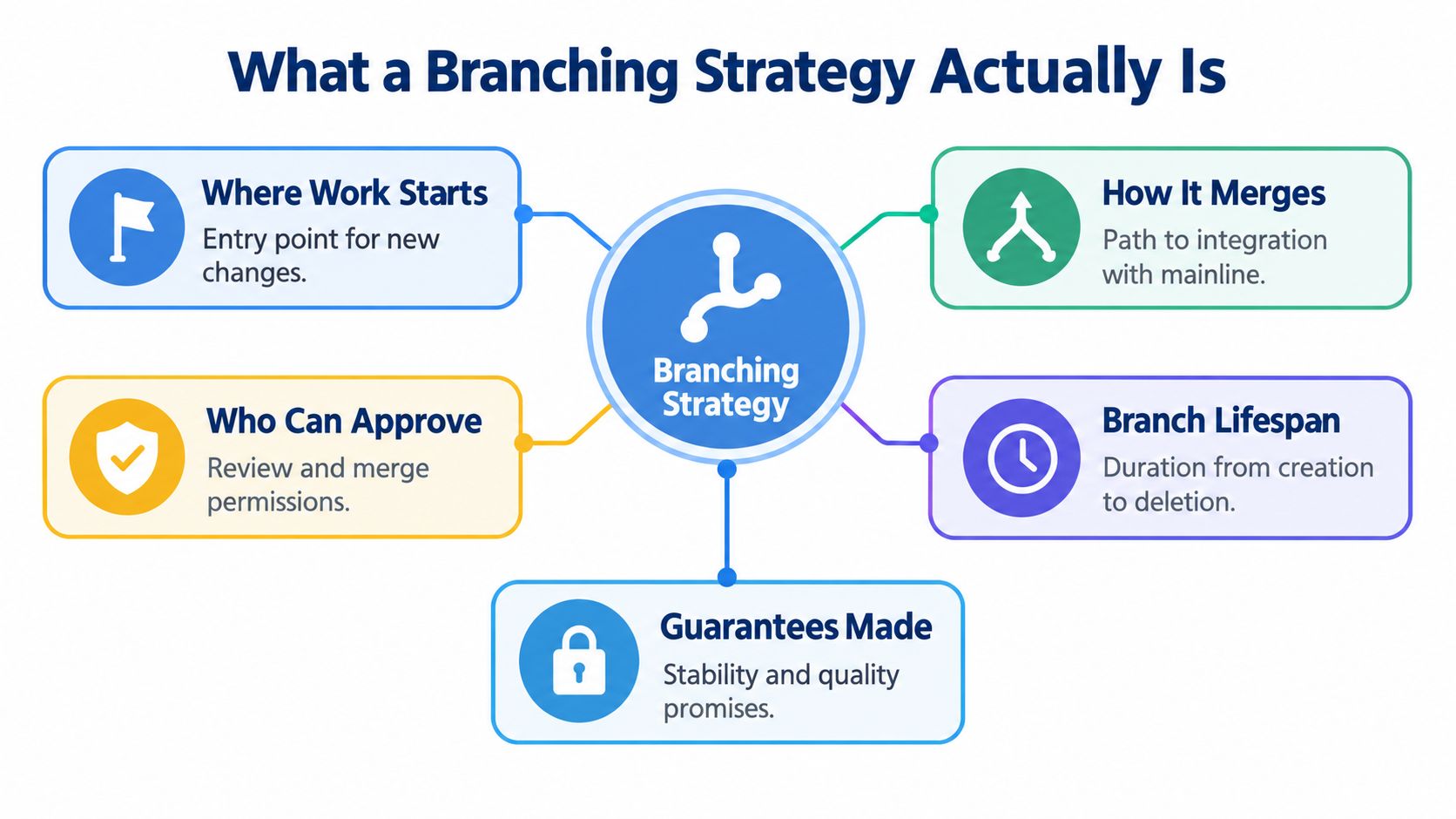
A branching strategy is the policy that determines where work starts, how it reaches integration, who can approve it, how long branches remain open, and what quality or stability guarantees a branch is expected to make. It’s not Git itself. Git provides the repository and the means to create branches; your team’s rules determine how those branches are used.
Think of a repository as a railway network. Version control provides the tracks and switches. Your branching strategy is the timetable: it tells each train where it starts, which route it follows, who can authorize a change of track, and when it should join the main line. A railway with tracks but no timetable can still move trains, but it can’t promise orderly connections. A repository without an agreed workflow can still accept commits, but developers won’t know what integration or release means.
The choices that shape daily work
Start by defining these structural choices:
- Where work starts: Does a developer branch from a shared trunk, a development branch, or a release line?
- How work merges: Does it enter one integration branch frequently, or travel through several branches before reaching production-ready code?
- Who can approve: Are reviews, protected branches, and automated checks required before integration?
- How long a branch lives: Is it removed soon after review, or kept open through a larger feature or release cycle?
- What the branch guarantees: Does it represent production code, work in progress, release candidates, or supported maintenance code?
These choices set the shape of collaboration. A single integration line puts pressure on fast, reliable validation. Separate release lines give teams more control over planned releases, but require clear rules for carrying changes between branches. A feature branch can help reviewers focus on a discrete change, but it becomes a problem when it stays apart from the mainline until integration is a major event.
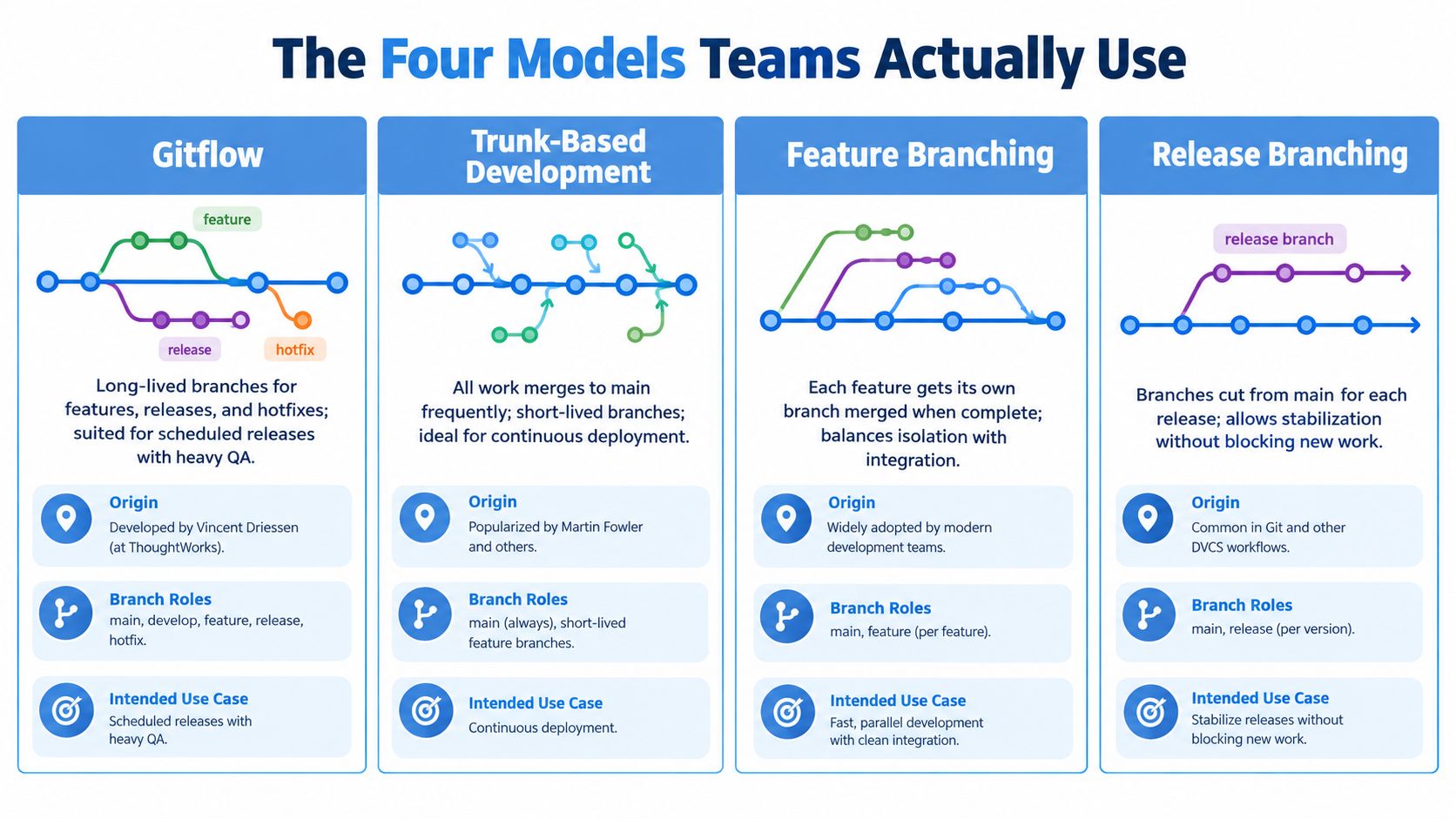
The models below are different answers to these same questions: Gitflow, trunk-based development, feature branching, and release branching. The names matter less than the operational promises your team attaches to them.
The Four Models Teams Use
Each model describes a different path from developer work to integrated code. Judge it by where defects surface and how much work accumulates before validation. A tidy branch diagram offers little protection if production regressions escape your checks.
Gitflow
Gitflow organizes delivery around two permanent branches, usually main and develop, plus feature, release, and hotfix branches. Feature work starts from develop; release branches stabilize a planned version; main holds production-ready code; hotfix branches carry urgent fixes (Gitflow’s branch roles and model).
Use it when scheduled releases or supported versions justify separate integration and stabilization paths. The tradeoff is more branch coordination: fixes must reach every relevant line, and validation on develop doesn’t replace checking the release candidate.
Trunk-based development
Trunk-based development centers work on one primary integration branch. DORA describes an operating pattern of three or fewer active branches, with developers merging into trunk at least daily (DORA’s trunk-based development guidance). Short-lived review branches fit this model.
Fast integration demands fast defect detection. Use traffic-replay validation alongside automated tests to check how changes handle production request patterns before deployment. Short branch lifetimes reduce divergence; they don’t prove a change is safe.
Feature branching
Feature branching isolates a task until development and review are complete. Use it for teams that need focused review without Gitflow’s release architecture. Keep branches short-lived: extended isolation delays discovery of conflicts and behavioral interactions with other changes.
Review the integrated result, not just the feature in isolation. After merging, delete the branch to keep completed work out of the active branch list. For cleanup commands, consult how to delete a Git branch.
Release branching
Release branching separates version stabilization from ongoing development without prescribing Gitflow’s complete branch arrangement. Use it when a release needs controlled fixes or a supported version needs its own maintenance line.
Give each release branch an owner, an allowed-change policy, and a clear endpoint. Validate the release branch itself, including traffic replay where production behavior matters. Checks on the development line cannot establish that a different combination of release changes is safe.
Choosing a Model by Team Size Cadence and Risk
Use team size and release cadence to narrow the options. Use risk tolerance and defect-detection speed to make the final decision. A team that can’t reliably detect a regression shouldn’t adopt shorter branches just because it wants faster integration.
| Team Profile | Release Cadence | Risk Tolerance | Recommended Model |
|---|---|---|---|
| Small team with dependable automated checks and rollback | Frequent deployments | Can contain defects quickly | Trunk-based development |
| Product team with scheduled releases and supported versions | Planned release windows | Needs explicit stabilization and maintenance paths | Gitflow or narrowly scoped release branches |
| Team building features that need review isolation | Regular delivery, but not ready for direct trunk integration | Needs a review checkpoint before integration | Feature branching with short-lived branches |
| Team with slow tests or unclear rollback ownership | Any cadence | Low ability to detect or contain regressions | Keep the current model while fixing validation and recovery |
For a small team shipping frequently, default to trunk-based development when merges can be validated quickly and incomplete functionality can stay hidden behind feature flags. The team doesn’t need to commit directly to main to follow the model; short-lived branches can still support review if they’re integrated frequently.
Choose Gitflow when your release process needs its branch structure, such as scheduled releases or multiple supported versions. Don’t keep it just because it’s familiar. If your team doesn’t need a permanent development line and staged release branches, those branches add work without providing a necessary control.
Feature branching is the practical middle ground when developers need isolation and review, but the team can still merge each change soon after it’s ready. Set an explicit expectation for branch lifetime and integration. A “temporary” branch without a clear limit can turn into a long-lived integration problem.
If your team can’t say who notices a failed deployment, who decides whether to roll it back, and how the change is reversed, it isn’t ready to shorten its branches.
CI CD and Testing Implications of Each Model
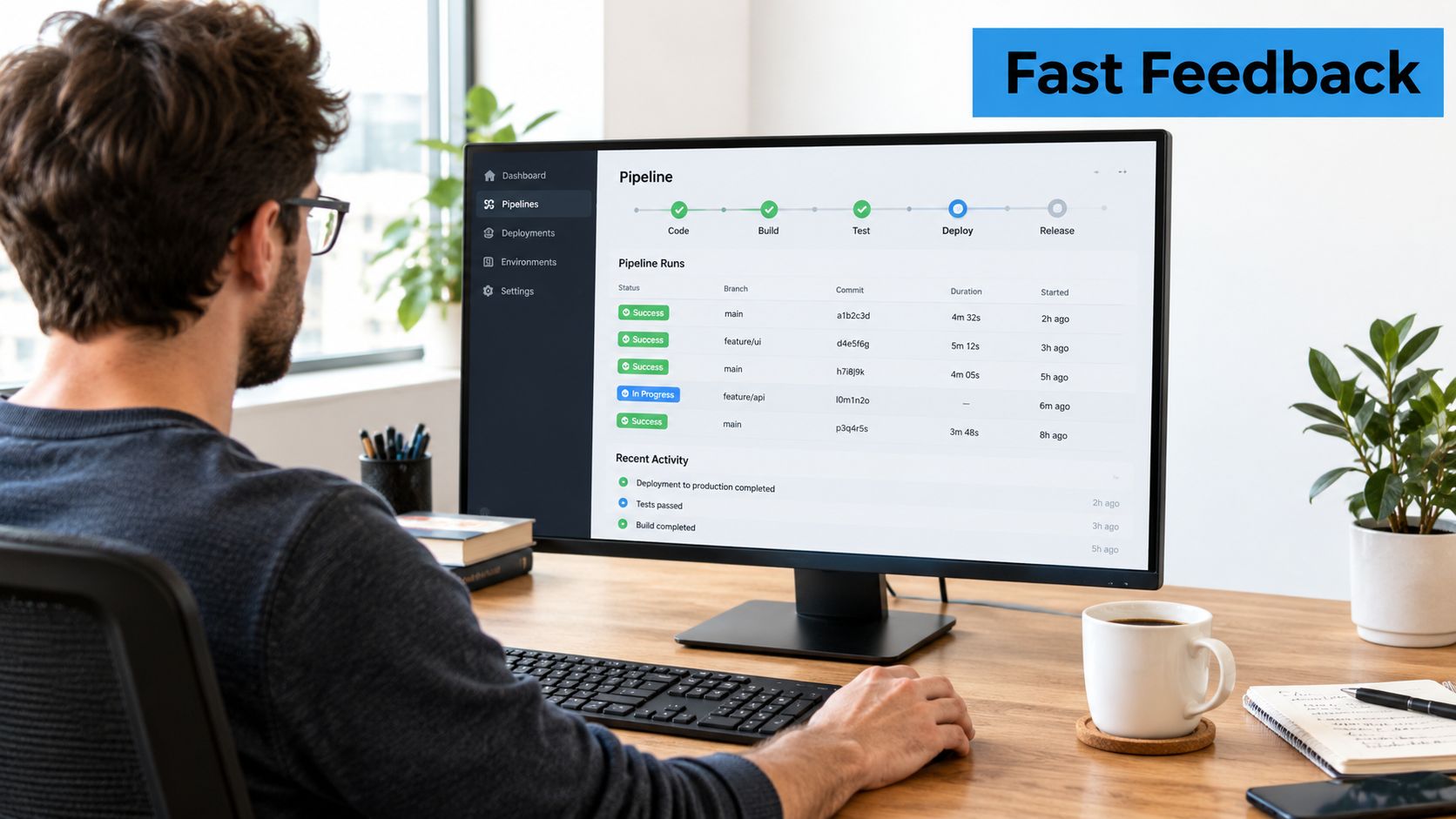
Your CI pipeline should enforce the promises your branching strategy makes. If trunk is expected to stay releasable, every merge needs dependable automated checks. If a release branch is where stabilization happens, its pipeline needs to validate the release candidate, not just confirm that the branch exists.
Make merges enforce the policy
Protect the branches that carry important guarantees. Require review where a second set of eyes matters, run automated checks before merge, and restrict direct pushes to production and release branches when your controls require it. For trunk-based development, keep the test feedback loop short enough that frequent integration is realistic. Feature flags let developers merge incomplete functionality without exposing it to users; they don’t replace testing of the code being integrated.
Choose a merge style deliberately. Squash merges leave a compact history of completed changes. Merge commits preserve the branch’s integration history. Rebase can make a feature branch easier to review against an updated base, but it rewrites commit history, so agree on when to use it and don’t rebase shared branches casually. A team that needs to clarify review roles and expectations can use this practical code review guide as a reference.
For a release branch, make the cut from the intended release point and verify that the new branch is pushed:
git switch main
git pull --ff-only
git switch -c release/next
git push -u origin release/next
The branch name is only an example. The important part is to document which changes are allowed on that release line and how any accepted fix returns to ongoing development.
A Jenkins pipeline can run checks for feature branches and deploy only after integration, but the pipeline must match the branching rules rather than substitute for them. This guide to Git with Jenkins provides relevant context for connecting repository events and build automation.
Test the branch you actually ship
Run fast checks before merge, then use broader integration, contract, and end-to-end tests at the point your risk requires. Gitflow can reserve heavier release validation for stabilization, but that doesn’t make delayed feedback free: failures found late may involve a larger set of changes. Attach test outcomes to the merge or release decision so a reviewer can see what evidence supported it.
For a visual explanation of how branching workflows relate to delivery, watch this overview after considering which checks your own pipeline can enforce:
Validating Branches with Real Production Traffic
Short-lived branches are safe only when your team can detect defects before changes reach users. Synthetic tests cover expected behavior, but miss combinations of headers, request bodies, session state, and client behavior. Production-traffic replay sends captured requests to a candidate build in an isolated environment, giving reviewers evidence of how it behaves against a baseline.
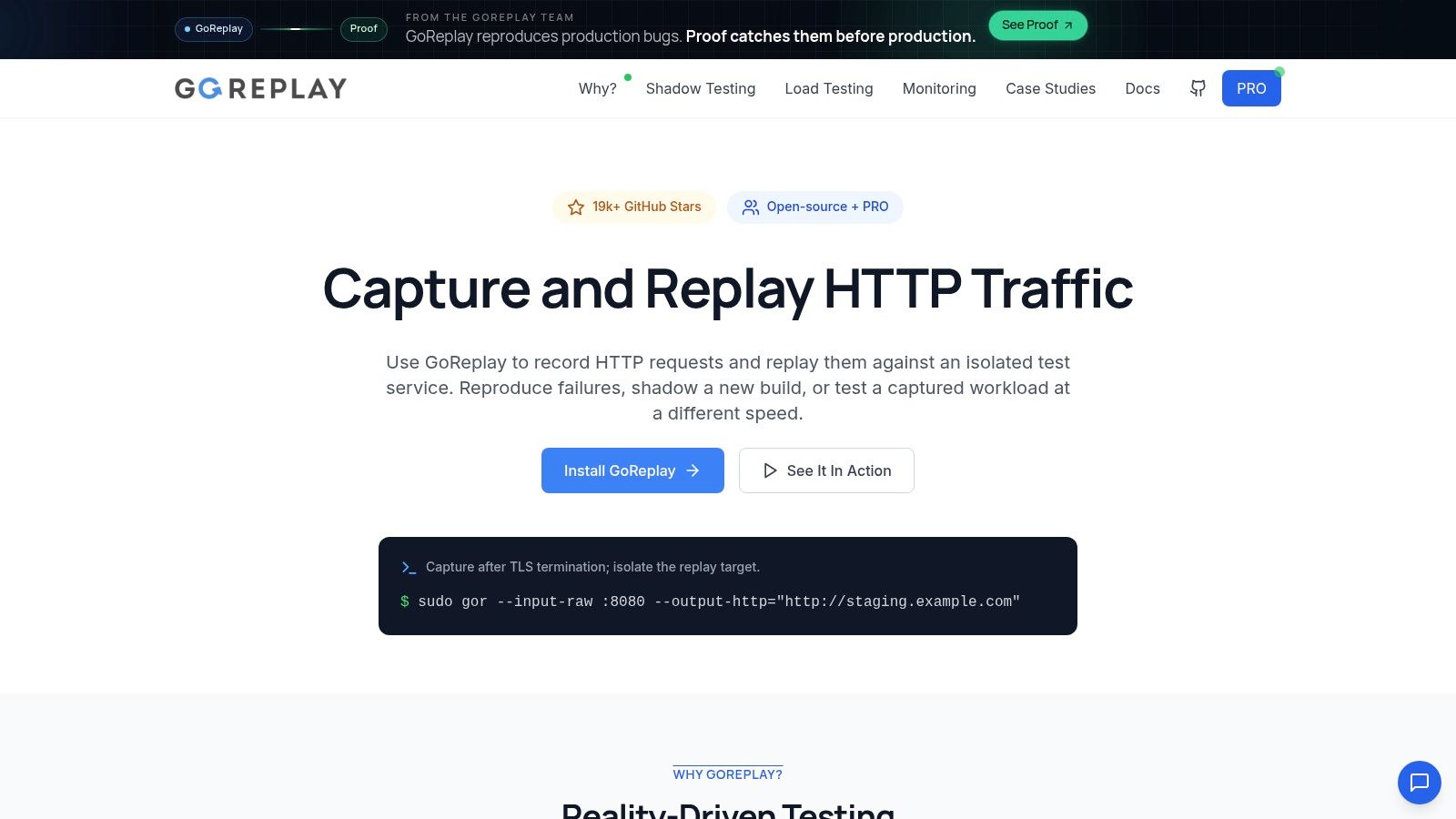
Make replay part of the merge or release decision. Capture representative traffic and sanitize sensitive data before replaying it. Isolate the destination from live users and shared dependencies. Compare the candidate with a known baseline for error behavior, latency distributions, and response-body differences, then attach those results to the decision.
Preserve request sequences when behavior depends on session state. Disconnected requests can miss the behavior you need to test. Use session-aware replay and middleware, or an equivalent setup, to exercise stateful scenarios in the order the application expects. Record the candidate build and replay policy alongside the results so reviewers can trace each finding to the change under consideration.
GoReplay is an open-source tool for capturing live HTTP traffic and replaying it into a test environment, with session-aware replay, response comparison, and middleware for stateful scenarios. Fit replay into your broader development and testing approach.
Set the gate before the replay: Decide which differences block a merge, which require investigation, and who can approve an exception.
Prioritize this validation for hotfixes and migration branches: a small diff can change behavior across many real requests.
For teams integrating frequently, replay feedback must arrive fast enough to inform each merge. For teams stabilizing scheduled releases, apply it to the release candidate before approval. Branch policy should follow detection capability. If tests, replay, monitoring, and recovery remain slow or unreliable, shorter branches only accelerate uncertainty.
Review GoReplay’s tool overview to assess its fit for your validation workflow.
A Realistic Migration Between Branching Models
Consider a product team using Gitflow for scheduled releases. Developers merge features into develop, testers stabilize work through a release branch, and urgent fixes go through hotfix branches. The team wants more frequent delivery, but moving everything to trunk at once would remove controls before the team has replacements.
The transition should change capability before changing branch policy:
- Stabilize the checks. Find flaky tests, make failures actionable, and define which checks must pass before code merges. Don’t ask developers to integrate frequently into a pipeline they don’t trust.
- Introduce feature flags. Break incomplete work into changes that can be merged safely without exposing unfinished functionality to users.
- Shorten branch lifetimes. Start by merging smaller pieces more often. Keep review requirements, branch protection, and the existing release process while the team learns to work in smaller batches.
- Add replay validation. Replay sanitized production requests against candidate builds, compare the results with a baseline, and attach the evidence to the merge or release decision.
At each step, monitor the question that matters: can the team tell whether a change is safe, and can it recover when it isn’t? Watch for slow or inconsistent test feedback, regressions that only appear under realistic requests, and a rollback process that depends on people improvising during an incident.
Only after those controls work should the team reduce its reliance on release staging and move toward a frequently integrated trunk. Keep a narrow release branch for a supported version only when the support obligation justifies it. Name an owner, define which fixes can land there, and document how a fix is reconciled with ongoing development. The target isn’t a branch diagram with fewer lines. It’s smaller changes supported by faster, more credible evidence.
Checklist and Next Steps for Your Team
Before changing your branching strategy, check that your team can answer these questions:
- Integration: Does each branch have a defined route back to the mainline, and does it stay short-lived where practical?
- Protection: Are required reviews and status checks enabled on branches that need them?
- Validation: Can tests and, where appropriate, replay results be tied to the exact candidate build?
- Recovery: Does the team know who owns rollback and how to reverse an unsafe change?
- Release control: Does every release branch have a clear purpose, owner, and maintenance policy?
Avoid long-lived integration branches with no clear expiry, unprotected branches that carry production code, and code freezes that postpone integration feedback. Don’t label replay validation as optional if your team depends on it to assess compatibility.
Use the next stretch of work to establish reliable tests and feature-flag practices first. Then shorten branch lifetimes, make rollback responsibilities explicit, and add replay as a merge gate where production behavior needs validation. Change the policy only after the supporting checks work in practice. Your next sprint should improve the evidence behind a merge, not just rename a branch.
GoReplay captures live HTTP traffic and replays it into testing environments, helping teams compare candidate builds against real application behavior before a merge or release. If production-traffic validation is part of your branching strategy, visit GoReplay to explore how it can support your testing workflow.