
Unlocking Network Insights: A Guide to the Best Traffic Analysis Tools
Your network is vital to your business operations. From ensuring smooth application performance and pinpointing bottlenecks to mitigating security risks and optimizing bandwidth, understanding your network traffic is paramount. But the sheer volume and complexity of data coursing through modern networks can be a challenge. How can you filter through all the noise and get actionable information? The answer lies in utilizing the right network traffic analysis tools.
These tools offer the visibility you need to diagnose network problems, optimize performance, and bolster security. They enable you to examine packet data, visualize traffic flows, identify bandwidth-intensive applications, and spot unusual activity that could signal a security breach. Choosing the right tool depends on several factors.
These factors include the size of your network, specific monitoring needs (like deep packet inspection vs. flow analysis), budget, and your team’s technical skills. An effective tool balances comprehensive data capture with intuitive analysis features, customizable reporting, and integration capabilities.
Open-Source vs. Commercial Tools
Some solutions are open-source and command-line driven, ideal for technically proficient users. Others boast user-friendly graphical interfaces and enterprise-grade features, but often come at a cost. Technical aspects like platform compatibility (Windows, Linux, macOS), deployment options (on-premise, cloud-based), and scalability are also key considerations.
This guide explores eight leading network traffic analysis tools, from free open-source utilities to robust commercial platforms. We’ll examine their strengths and weaknesses, pricing models (where applicable), key features, and ideal use cases. By the end, you’ll be able to choose the best tool to decipher your network traffic and gain the insights you need to maintain a healthy, high-performing, and secure network infrastructure.
1. Wireshark
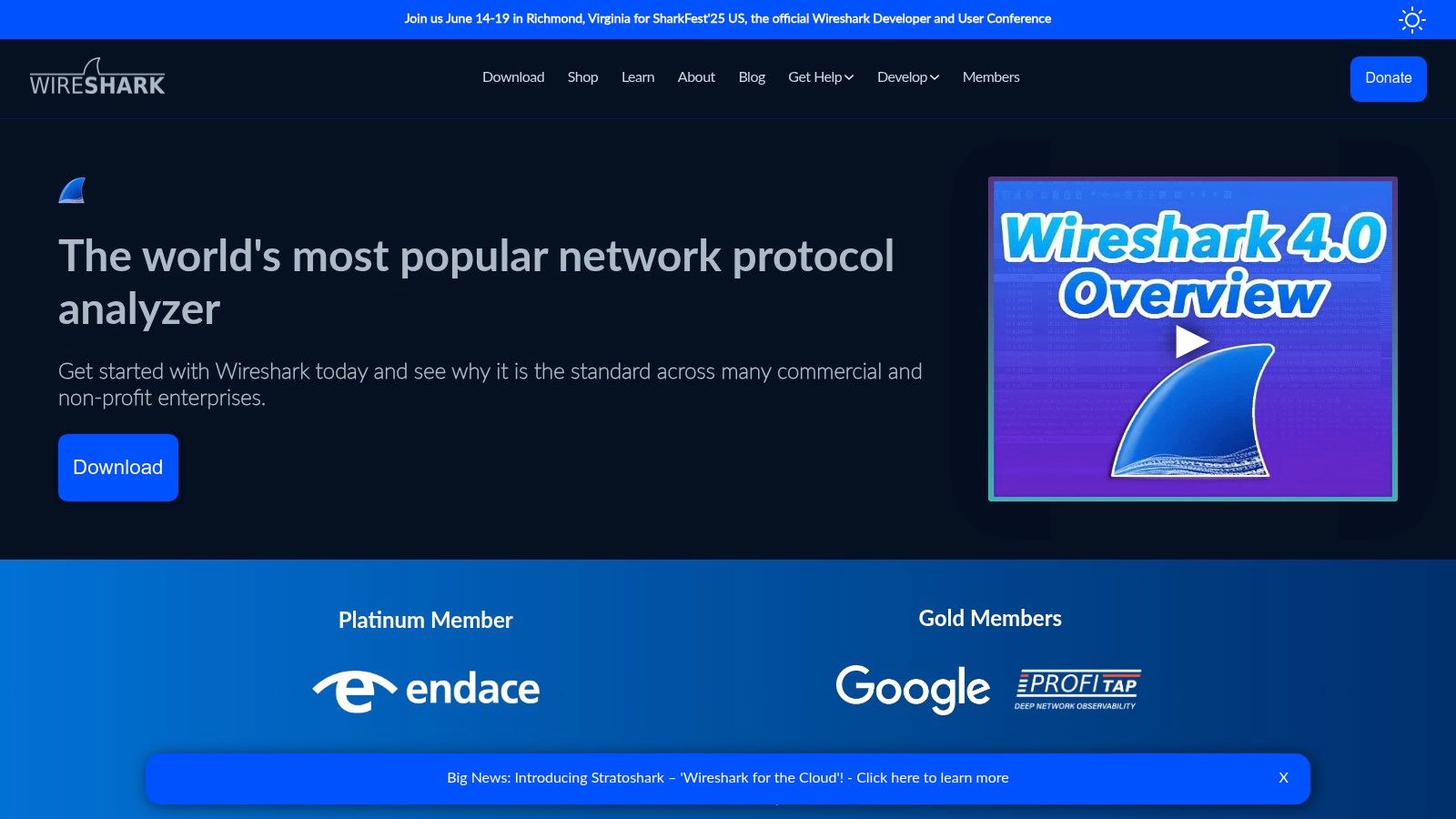
Wireshark is the leading open-source network protocol analyzer. Its depth and flexibility put it at the top of this list. Whether you’re investigating slow application speeds, a security breach, or just want to understand your network’s data flow, Wireshark gives you the tools. You can capture data live from a network interface or analyze saved files. It inspects over a thousand protocols.
For software developers, Wireshark is essential for debugging network problems. Capture the traffic between your application and a server to pinpoint errors. You can identify slowdowns and verify that protocols are working correctly. Quality assurance engineers use Wireshark to validate network behavior during testing. This makes sure applications handle various network conditions. Enterprise IT teams use it for troubleshooting, security monitoring, and optimizing network performance. DevOps professionals use it to understand complex microservice architectures. Even business leaders can use Wireshark’s insights to understand data flow within their organization.
Features
- Deep packet inspection: Decode and analyze over 1000 protocols for detailed traffic visibility.
- Live capture and offline analysis: Capture packets in real-time or analyze saved files.
- Powerful display filters: Isolate traffic based on IP address, port, protocol, or content.
- Multi-platform support: Works on Windows, macOS, and Linux.
- Robust decryption support: Decrypt protocols like TLS/SSL, allowing deeper analysis of encrypted traffic.
Pros
- Completely free and open-source: No licensing costs and benefits from community development.
- Extremely comprehensive protocol support: Works with a wide range of network technologies.
- Highly customizable interface and filters: Adapt the tool to your specific needs.
- Strong community support and regular updates: Active development with bug fixes and new features.
Cons
- Steep learning curve for beginners: Can be challenging for new users.
- Can be overwhelming with excessive data: Analyzing busy networks can be difficult.
- Performance can degrade with very large capture files: Large files need significant system resources.
- Limited built-in reporting capabilities: Creating reports requires external tools or scripting.
You might be interested in: Working with HTTP Sessions.
Website: https://www.wireshark.org/
Implementation Tip
Start by capturing traffic on a test network or with sample files. Don’t start with a live production network. This lets you learn the interface and filters without risk. Mastering display filters is key to managing large amounts of data.
Wireshark is the gold standard for network analysis due to its power, flexibility, and affordability. Although initially complex, the insights it provides are valuable for anyone working with networks.
2. SolarWinds NetFlow Traffic Analyzer
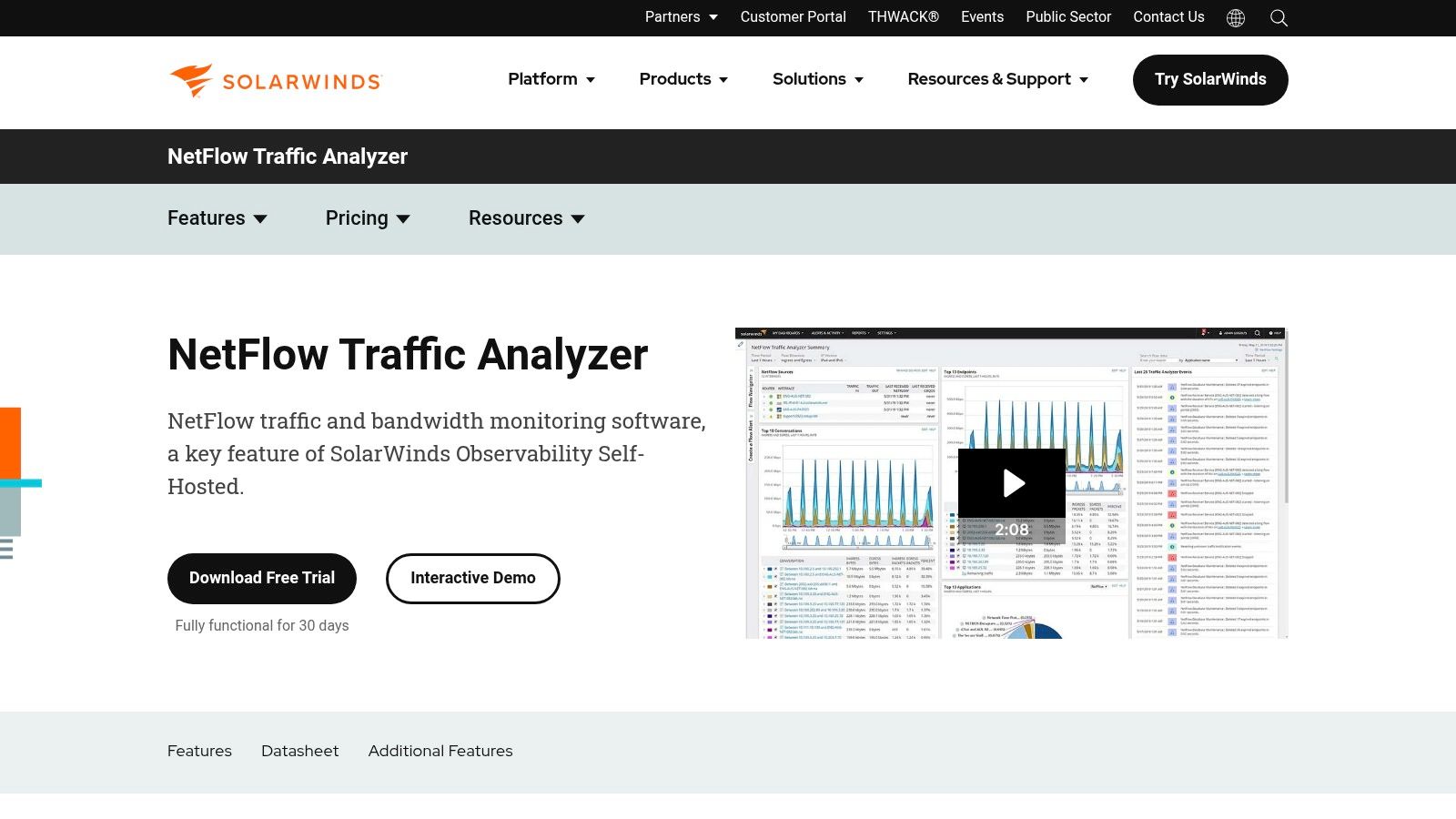
SolarWinds NetFlow Traffic Analyzer (NTA) is a powerful network traffic monitoring solution designed for enterprise environments. It uses flow data (NetFlow, J-Flow, sFlow, IPFIX, etc.) from network devices to provide detailed visibility into bandwidth consumption and traffic patterns. This makes it a valuable tool for network optimization, capacity planning, and troubleshooting.
Practical Applications and Use Cases:
-
Identifying Bandwidth Hogs: Pinpoint the applications, users, and protocols consuming excessive bandwidth. This helps maintain network performance and prioritize critical applications. For example, NTA can quickly identify if a sudden surge in video streaming is affecting VoIP call quality.
-
Troubleshooting Network Slowdowns: Drill down into traffic patterns to find the root cause of network performance issues. Isolate problematic devices or applications causing latency or packet loss. This is especially helpful for DevOps teams diagnosing performance bottlenecks.
-
Capacity Planning: Analyze historical bandwidth usage trends to predict future needs and plan for network upgrades. This helps avoid performance degradation due to insufficient bandwidth. IT teams can use this data to justify budget requests for network expansion.
-
Security Monitoring: Detect unusual traffic patterns that might indicate security threats, such as DDoS attacks or data exfiltration. While not a dedicated security tool, NTA’s traffic analysis capabilities can enhance existing security measures.
-
Compliance and Auditing: Generate reports on network usage for compliance audits and regulatory requirements. Demonstrate adherence to network usage policies and track bandwidth allocation across departments.
Key Features and Benefits:
-
Real-Time Bandwidth Monitoring: Provides a live view of bandwidth usage, allowing for immediate identification of performance issues.
-
CBQoS Monitoring and Optimization: Monitor and analyze Class-Based Quality of Service (CBQoS) performance to ensure prioritization of business-critical applications.
-
Flow-Based Traffic Analysis with Drill-Down Capability: Investigate traffic patterns at a detailed level to identify the source of performance bottlenecks or security anomalies.
-
Integration with Other SolarWinds Tools: Integrates with other SolarWinds network management products for a comprehensive network monitoring ecosystem. This is a major advantage for organizations already using SolarWinds software.
-
Customizable Dashboards and Alerting: Create personalized dashboards to visualize key metrics and set up alerts for critical events.
Pros:
- Comprehensive view into network traffic patterns.
- User-friendly interface with intuitive visualization tools.
- Strong integration with other SolarWinds products.
- Excellent for capacity planning and troubleshooting.
Cons:
-
Relatively high cost compared to open-source options like ntopng or Wireshark. Pricing is typically quote-based and depends on the number of monitored elements.
-
Can require significant resources (CPU, memory, storage) for large deployments.
-
Requires configuration of flow exports on network devices, which can be time-consuming.
-
Annual maintenance costs can be considerable.
Implementation/Setup Tips:
- Make sure your network devices support the required flow export protocols (NetFlow, sFlow, etc.).
- Allocate sufficient resources on the server hosting NTA, especially in larger environments.
- Configure polling intervals carefully to balance data detail with resource usage.
- Use the customizable dashboards and alerts to monitor key metrics and address potential problems.
Website: https://www.solarwinds.com/netflow-traffic-analyzer
SolarWinds NTA, while more expensive, offers powerful features, an intuitive interface, and robust integration capabilities. It’s a valuable tool for enterprise IT teams, DevOps professionals, and business leaders who need detailed insights into network traffic and performance. Open-source alternatives can save money, but NTA provides a more comprehensive and user-friendly solution, especially for organizations that need advanced features and scalability.
3. PRTG Network Monitor
PRTG Network Monitor by Paessler offers comprehensive network monitoring and robust traffic analysis. It’s a valuable tool for IT professionals and businesses, regardless of size. PRTG provides a centralized platform for managing network infrastructure, bandwidth usage, application performance, and identifying critical traffic patterns. This allows teams to proactively address bottlenecks, optimize resources, and ensure a smooth user experience.

PRTG uses several technologies, including SNMP, packet sniffing, NetFlow, and sFlow, to collect detailed data on network traffic. Customizable dashboards visualize this data, offering a clear picture of traffic flow, top talkers, bandwidth hogs, and potential issues. This detailed view helps IT teams quickly identify and resolve the root causes of network slowdowns.
For example, if an application is consuming too much bandwidth, PRTG can identify it. Administrators can then implement Quality of Service (QoS) policies to prioritize critical traffic. Packet sniffing can analyze network conversations and troubleshoot application-level problems. PRTG offers flexible deployment options, both on-premises and in the cloud, catering to various organizational needs and security preferences. This adaptability makes it suitable for diverse environments, from small businesses to large enterprises. You might also be interested in replaying traffic for monitoring purposes.
Key Features and Benefits
Here are some of the core features of PRTG:
- All-in-one network monitoring with integrated traffic analysis
- Support for multiple traffic monitoring methods (Flows, SNMP, Packet Sniffing, sFlow)
- Customizable dashboards with detailed traffic visualizations
- Comprehensive alerting system for traffic anomalies
- Cloud or on-premises deployment options
- Mobile apps for remote monitoring
Pros and Cons of Using PRTG
Like any tool, PRTG has its strengths and weaknesses.
Pros:
- Intuitive interface with minimal setup
- Unified solution for network monitoring and traffic analysis
- Flexible licensing with a free version (up to 100 sensors)
- Mobile access for monitoring on the go
Cons:
- Can be expensive for large environments needing many sensors
- Some advanced traffic analysis features may require additional configuration
- Can be resource-intensive for large deployments
- Some users find the interface cluttered
Pricing and Technical Requirements
PRTG uses a sensor-based licensing model. The free version allows up to 100 sensors. Paid licenses start at around $1,750 for 500 sensors, scaling up based on the number of sensors needed. System requirements depend on deployment size and monitoring methods. A dedicated server or virtual machine is generally recommended for larger deployments.
Conclusion
PRTG offers a comprehensive approach to network monitoring and traffic analysis. Its versatility, intuitive interface, and customizable dashboards make it a powerful tool for organizations looking to optimize network performance and proactively address potential problems. While cost can be a factor for larger environments, the free version and flexible licensing options provide a good starting point and allow for scalability. PRTG simplifies network management, provides valuable insights into traffic patterns, and ultimately contributes to a more efficient and reliable network infrastructure. Learn more on the PRTG website.
4. Ntopng
Ntopng is a powerful network traffic analysis tool that’s also surprisingly easy to use. It bridges the gap between simplicity and deep packet inspection. With its high-speed, web-based interface, Ntopng makes real-time network monitoring straightforward, providing valuable data for everyone from software developers troubleshooting application performance to IT professionals managing complex networks. 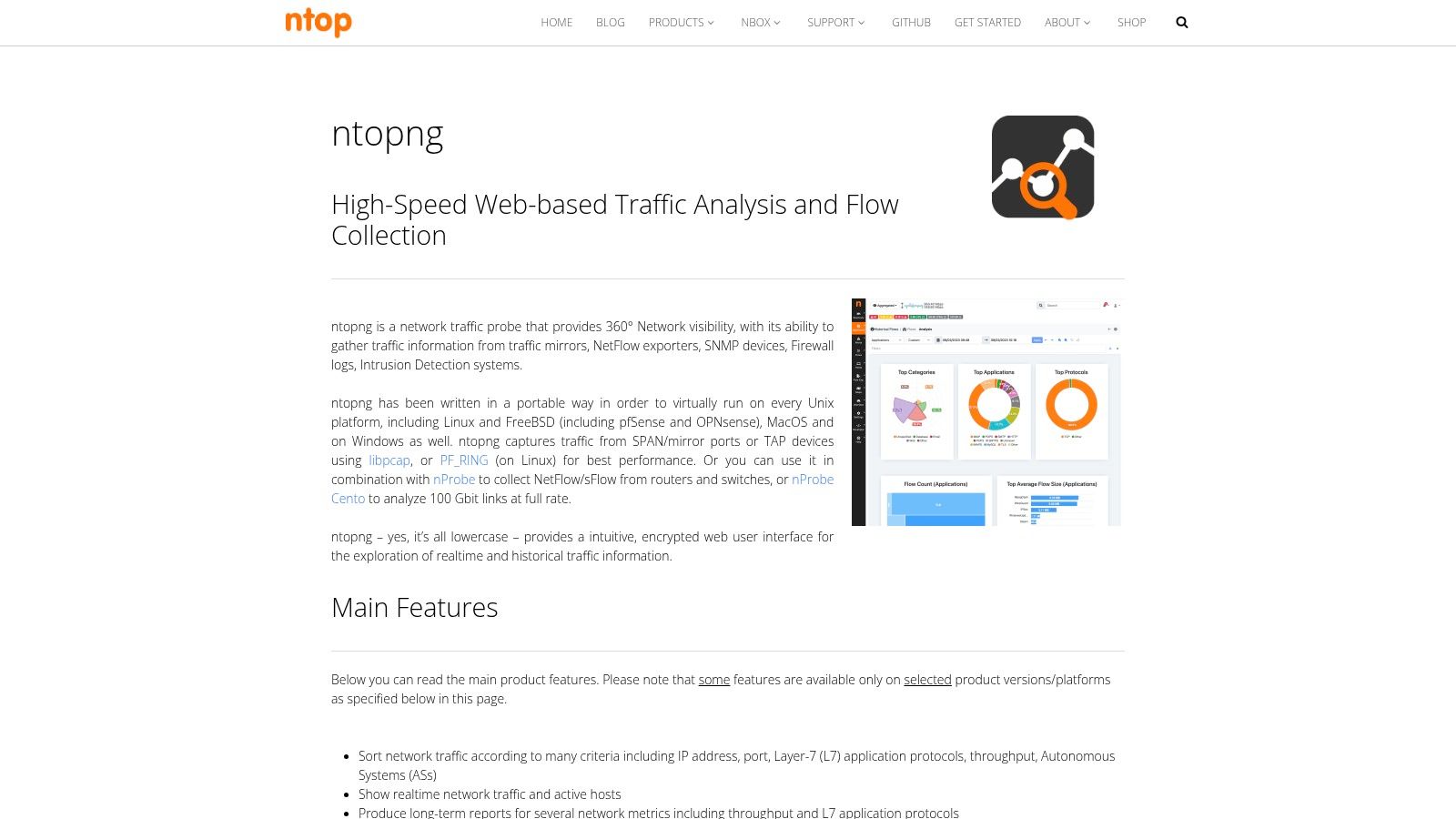
Practical Applications
Here are some ways Ntopng can be used:
-
Bandwidth Monitoring: Identify which applications or users are consuming the most bandwidth. This allows you to optimize network resources and address any bandwidth bottlenecks.
-
Application Performance Analysis: Troubleshoot application performance issues by examining network traffic. Ntopng can detect protocols and categorize applications, making it easier to identify latency issues and errors.
-
Security Monitoring: Detect suspicious activity by monitoring traffic flows and looking for unusual patterns. The geolocation feature helps pinpoint the source of potentially malicious traffic.
-
Network Forensics: Investigate past security incidents or performance problems by analyzing captured traffic data. Ntopng’s ability to analyze both live and recorded traffic makes it a versatile forensic tool.
-
Long-Term Network Trend Analysis: Collect flow data (NetFlow, sFlow, IPFIX) to analyze long-term trends. This enables proactive capacity planning and overall network optimization.
Features and Benefits
Ntopng offers a range of features, including:
- A real-time web-based traffic monitoring interface
- Protocol detection and application categorization
- Flow collection and analysis
- Geolocation mapping of network traffic
- Deep packet inspection capabilities
These features lead to benefits like improved network visibility, better security, streamlined troubleshooting, and more efficient resource use. Compared to tools like Wireshark, Ntopng prioritizes a user-friendly interface and real-time visualization over in-depth protocol analysis, making it suitable for continuous monitoring.
Pros and Cons
Pros:
-
Community Edition Available: A free and open-source community edition is available.
-
Modern Web Interface: The intuitive web interface makes network monitoring easy, regardless of technical expertise.
-
Lightweight: Ntopng is relatively lightweight and can run on less powerful hardware.
-
Balanced Approach: Ntopng balances ease of use with technical depth.
Cons:
-
Commercial Licenses for Advanced Features: Some advanced features require paid licenses.
-
Documentation: Documentation for complex setups could be improved.
-
Protocol Support: Ntopng’s protocol support is not as extensive as Wireshark’s.
-
Resource Intensive: Monitoring high-traffic networks can require significant resources.
Implementation and Setup Tips
Installing Ntopng is usually straightforward. Packages are available for many Linux distributions. After installation, configure the network interface you want to monitor and access the web interface through your browser. For high-traffic networks, using a dedicated server for Ntopng is recommended.
Pricing and Technical Requirements
Ntopng offers a free community edition and several commercial licenses. Technical requirements depend on network traffic and desired features, but typically include a Linux-based OS and sufficient CPU and memory.
Website
Ntopng is a valuable tool because it combines powerful network traffic analysis features with a user-friendly design. Its real-time monitoring, application categorization, and flow analysis capabilities make it useful for various users and scenarios, from troubleshooting application performance to enhancing network security. The free community edition offers a great way to explore its capabilities.
5. Tcpdump
Tcpdump is a powerful command-line packet analyzer. Its flexibility and widespread availability on Unix-like systems make it a mainstay for network professionals. While the interface can seem intimidating at first, the ability to capture and analyze network traffic in detail makes it invaluable for network administrators, security experts, and developers. It’s the perfect tool for quick network diagnostics, especially in server environments where GUI tools might not be readily available.
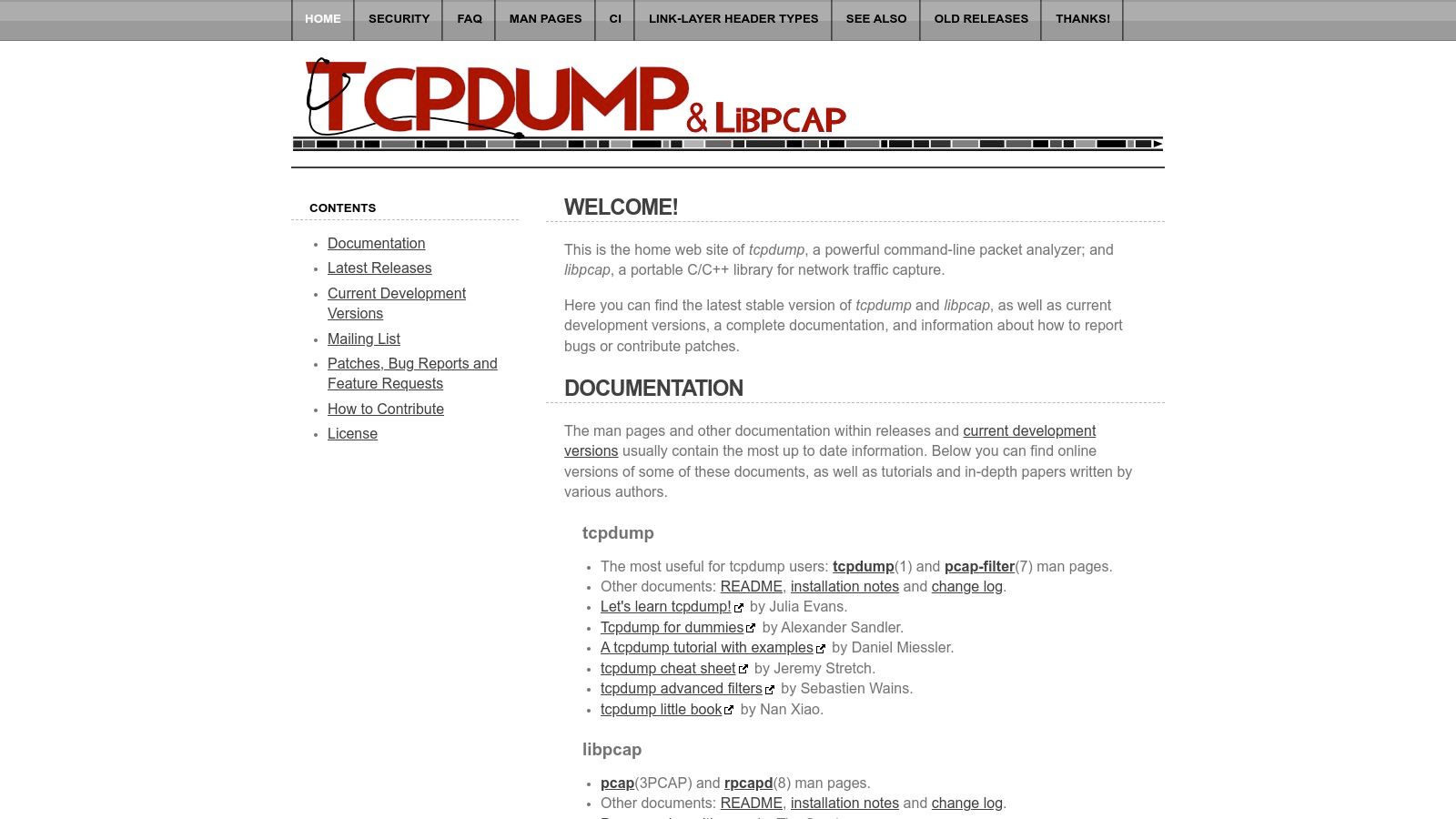
Tcpdump uses the libpcap library to capture and analyze packets transmitted over a network. Its real strength lies in its use of the Berkeley Packet Filter (BPF) syntax. BPF allows users to create very specific filters to isolate the traffic they need to examine. This is incredibly useful for troubleshooting network issues, analyzing traffic patterns, and identifying security threats. For example, if you suspect unusual activity on a specific port, tcpdump can capture only the traffic on that port for detailed analysis.
Features
- Command-Line Packet Capture and Analysis: Capture and analyze network packets directly from your terminal.
- BPF Expression Syntax: Create highly targeted filters to capture specific traffic based on various criteria like source/destination IP, port, and protocol.
- Save Captures: Store captured packets in files (typically .pcap format) for offline analysis with tools like Wireshark.
- Low Resource Consumption: Its lightweight design makes it ideal for use on production servers without impacting performance.
- Precise Capture Filters: Target specific traffic to reduce noise and improve the efficiency of your analysis.
Pros
- Lightweight: Minimal system requirements make it suitable for resource-constrained environments.
- Widely Available: Pre-installed on almost all Unix/Linux distributions.
- Scriptable and Automatable: Easily integrate tcpdump into scripts for automated network monitoring and analysis.
- Remote Access: Control tcpdump remotely on servers via SSH.
Cons
- Command-Line Interface: Requires familiarity with the command line, which can be challenging for new users.
- BPF Learning Curve: Mastering the BPF syntax takes time and practice.
- Limited Real-Time Analysis: Real-time output is possible, but its analytical capabilities are less extensive than GUI-based tools.
- Not Native to Windows: While a Windows port (WinDump) exists, it isn’t as seamlessly integrated.
Practical Applications
- Network Debugging: Identify packet loss, latency issues, and other network problems.
- Security Investigations: Analyze traffic to detect and investigate malicious activity.
- Performance Monitoring: Track network bandwidth usage and find bottlenecks.
- Application Debugging: Capture application-level traffic to diagnose communication issues.
Implementation/Setup Tips
- Basic Capture:
tcpdump -i <interface>captures all traffic on the specified interface. - BPF Filtering:
tcpdump -i eth0 port 80captures only HTTP traffic. - Saving Captures:
tcpdump -i eth0 -w capture.pcapsaves the capture to a file. - Advanced BPF: Explore online resources and tutorials to learn more complex filtering techniques.
Comparison with Similar Tools
Wireshark has a user-friendly graphical interface and more extensive analysis features. Tcpdump, however, is exceptionally lightweight and ideal for scripting and automation. Tshark (the command-line version of Wireshark) provides a balance between the two. But for quick network checks on Unix-like systems, tcpdump remains the simplest and fastest choice.
Website and Pricing
- Website: https://www.tcpdump.org/
- Pricing: Tcpdump is open-source and free.
Tcpdump is a vital tool for any network professional. While the command-line interface has a learning curve, its power and flexibility make it essential for diverse network analysis tasks. Its minimal resource usage makes it especially valuable in server environments.
6. NetFlow Analyzer (ManageEngine)
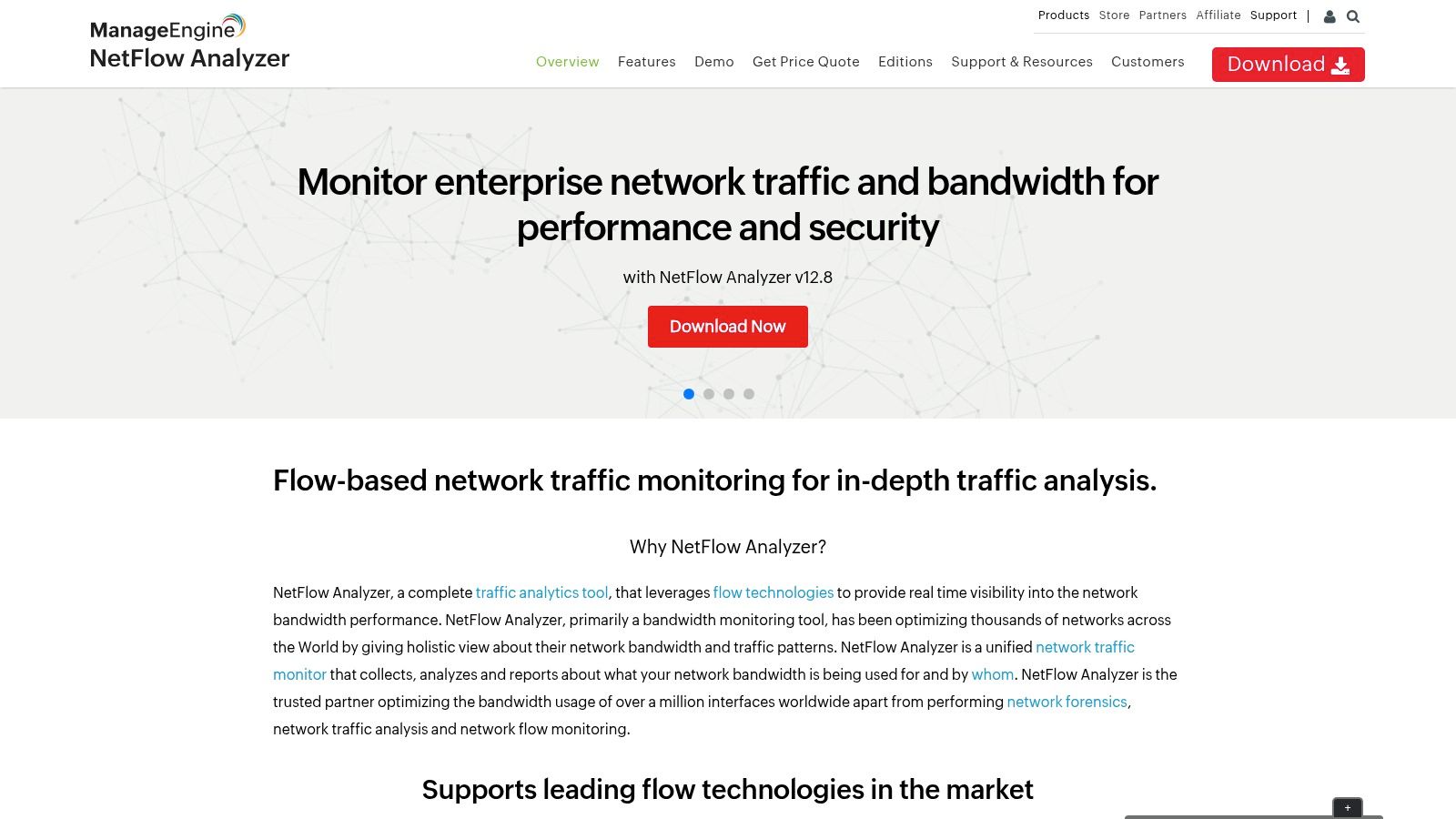
ManageEngine NetFlow Analyzer stands out for its laser focus on bandwidth monitoring and traffic analysis. This focus provides invaluable insight into network performance, helping businesses identify bottlenecks and bolster security. Unlike broader network monitoring tools, NetFlow Analyzer specializes in flow data analysis. This makes it particularly adept at understanding traffic patterns and usage.
NetFlow Analyzer gathers flow data (NetFlow, sFlow, IPFIX, J-Flow, etc.) from various network devices like routers and switches. This gives you a detailed view of network activity. The data is then analyzed and displayed on easy-to-understand dashboards. This lets you quickly identify top bandwidth consumers and potential anomalies.
Practical Applications and Use Cases
-
Troubleshooting Network Slowdowns: Quickly pinpoint the cause of slowdowns by identifying applications, users, or devices consuming excessive bandwidth.
-
Optimizing Application Performance: Analyze application traffic to see how bandwidth is used and spot opportunities for improvement. This ensures critical applications have the resources they need.
-
Capacity Planning: Historical data and trend analysis help predict future bandwidth needs. This proactive approach prevents performance issues caused by network saturation.
-
Security Monitoring: Identify unusual traffic patterns that might signal security threats, such as DDoS attacks or data breaches.
-
Compliance Auditing: Generate comprehensive reports on network usage to meet compliance and regulatory requirements.
Key Features and Benefits
-
Comprehensive Bandwidth Monitoring & Analysis: Get a deep understanding of your network’s bandwidth usage.
-
Multi-Flow Format Support: Supports various flow formats, ensuring compatibility with a range of network setups.
-
Application-Level Visibility: Monitor and categorize traffic based on applications, allowing for focused optimization.
-
Capacity Planning Tools: Predict future bandwidth requirements and proactively address potential bottlenecks.
-
Advanced Reporting & Alerting: Stay informed about critical network events with customizable reports and alerts.
Pros
-
User-Friendly Interface: Intuitive dashboards and reports make complex data easy to interpret.
-
Detailed Application-Level Traffic Insights: Gain granular visibility to pinpoint application performance bottlenecks.
-
Customizable Reporting: Tailor reports to your specific requirements.
-
Cost-Effective: Offers strong value compared to some enterprise-level solutions.
Cons
-
Complex Setup for Large Environments: Initial configuration can be challenging for larger networks.
-
Advanced Features Require Enterprise Edition: Access to some advanced features requires upgrading to the paid Enterprise edition.
-
Potential Performance Issues with Large Datasets: Some users have experienced performance slowdowns when working with very large datasets.
-
Limited Third-Party Integration: Integration options with other products may be limited.
Pricing
ManageEngine offers a free edition with limited functionality and several paid editions with various features and capacity limits. For specific pricing details, it’s best to contact ManageEngine directly.
Technical Requirements
System requirements will depend on the edition and deployment model. Check the ManageEngine website for the latest details.
Implementation/Setup Tips
-
Start Small: Begin by monitoring a smaller section of your network to become familiar with the tool.
-
Plan Your Deployment: Carefully consider your network’s layout and your monitoring needs before full deployment.
-
Utilize the Documentation: ManageEngine offers comprehensive documentation and support resources.
Comparison with Similar Tools
NetFlow Analyzer competes with tools like SolarWinds NetFlow Traffic Analyzer (NTA), PRTG Network Monitor, and Paessler Flow Monitor. Although these provide similar features, NetFlow Analyzer often distinguishes itself with its user-friendly interface and competitive pricing.
Website: https://www.manageengine.com/products/netflow/
7. Nagios Network Analyzer
Nagios Network Analyzer is a powerful network traffic and bandwidth monitoring tool. It’s especially useful for organizations already working within the Nagios ecosystem. This analyzer provides a detailed view of network traffic flow. This allows IT teams to find bottlenecks, fix performance problems, and make sure network resources are used effectively.
This tool analyzes network flow data (NetFlow, sFlow, IPFIX, etc.) to provide a clear understanding of network usage. It shows you patterns, bandwidth hogs, and traffic sources. Imagine pinpointing the exact application or user consuming too much bandwidth. Or, picture quickly identifying unusual traffic spikes that could signal a security issue. Nagios Network Analyzer makes both scenarios possible.
Key Features and Benefits
- Flow-Based Traffic Monitoring and Analysis: Supports various flow technologies for complete traffic data capture.
- Detailed Traffic Visualization: Interactive dashboards and reports give detailed insights into network traffic patterns. This helps with quick identification of problems.
- Comprehensive Alerting System: Receive proactive alerts about unusual traffic behavior, allowing for quick action.
- Historical Traffic Data Analysis: Track historical trends to understand long-term network usage. This allows you to plan for future needs.
- Integration with Other Nagios Solutions: Seamlessly integrates with other Nagios products for centralized monitoring.
Practical Applications & Use Cases
- Troubleshooting Network Performance: Identify bandwidth bottlenecks and other performance issues impacting applications.
- Security Monitoring: Find suspicious traffic patterns and potential security risks.
- Capacity Planning: Analyze historical data to predict future bandwidth needs and optimize resource allocation.
- Compliance Auditing: Keep detailed network traffic records for compliance audits.
- Network Infrastructure Optimization: Identify areas for improvement in network design and configuration.
Pros
- Strong Nagios Integration: Streamlines monitoring for existing Nagios users.
- Scalable Architecture: Works for organizations of all sizes.
- Comprehensive Alerting: Ensures prompt notification of important network events.
- Good Historical Data Retention: Enables long-term trend analysis and capacity planning.
Cons
- Interface Challenges: Can be difficult for new users to learn.
- Complex Setup: Requires technical knowledge and planning.
- Documentation Gaps: Some users find the documentation insufficient.
- Occasional Stability Issues: While generally reliable, some stability problems have been reported.
Implementation/Setup Tips
- Plan Your Deployment: Define your monitoring needs and goals before installing.
- Ensure Adequate Resources: Provide enough server resources based on network size and traffic.
- Configure Flow Exporters: Set up your routers and switches to export flow data correctly.
- Review the Documentation: While needing improvement, the documentation is important for understanding the tool.
Comparison With Similar Tools
Compared to tools like PRTG Network Monitor and SolarWinds NetFlow Traffic Analyzer, Nagios Network Analyzer is a more budget-friendly choice, especially for organizations already using Nagios. While the interface may not be as user-friendly as some competitors, its strong features and scalability make it a viable option.
Pricing & Technical Requirements
Pricing details are on the Nagios website, usually based on the number of devices monitored. Technical requirements depend on deployment size, generally requiring a dedicated server running a supported operating system (Linux is preferred).
Website: https://www.nagios.com/products/nagios-network-analyzer/
8. Zenoss Network Traffic Analysis
Zenoss offers network traffic analysis as a core component of its IT monitoring and analytics platform. This makes it a compelling option for organizations seeking a single, unified view of their entire IT infrastructure, including network performance. Instead of relying on a separate tool, Zenoss integrates this functionality directly into its platform. Its comprehensive approach and advanced analytics earn it a place on this list.
Zenoss uses flow data (NetFlow, sFlow, jFlow, and IPFIX) to provide detailed insights into bandwidth consumption, traffic patterns, and potential bottlenecks. It doesn’t stop at basic traffic monitoring. Zenoss correlates network activity with the performance of other IT components, such as servers, applications, and databases. This allows for faster troubleshooting and more effective capacity planning.
For instance, if an application is running slowly, Zenoss can quickly determine if the problem originates with the application itself, the server hosting it, or network congestion.
Key Features and Benefits
-
Unified IT Monitoring: Get a complete overview of your IT environment, correlating network traffic with other infrastructure metrics. This helps pinpoint the root cause of performance issues and optimize resource allocation.
-
Multi-Protocol Support: Zenoss supports several flow protocols, ensuring compatibility with a wide range of network devices.
-
AIOps-Driven Insights: Zenoss uses machine learning to detect anomalies in traffic patterns and proactively predict potential problems, preventing outages and optimizing network performance.
-
Flexible Deployment: Choose between cloud-based or on-premises deployment to best suit your organization’s needs.
-
Service-Oriented Approach: Zenoss models IT infrastructure as interconnected services, providing a deeper understanding of dependencies and allowing for better impact analysis.
Use Cases
-
Identifying Bandwidth Hogs: Locate applications or users consuming excessive bandwidth.
-
Detecting DDoS Attacks: Identify unusual traffic spikes and patterns that may indicate a Distributed Denial of Service attack.
-
Optimizing Network Capacity: Analyze historical traffic trends to forecast future bandwidth needs and prevent congestion.
-
Troubleshooting Performance Bottlenecks: Correlate network traffic with application and server performance to identify the root cause of slowdowns.
-
Security Monitoring: Detect suspicious network activity and potential security breaches.
Pros
- Comprehensive view of network traffic within the larger IT context.
- Powerful analytics and AIOps capabilities for proactive monitoring.
- Robust service-oriented approach to network management.
- Excellent scalability for large deployments.
Cons
- Higher cost compared to dedicated network traffic analysis tools.
- Can be complex to learn due to the platform’s extensive features.
- Fully implementing and using all features may be challenging.
- Might be too comprehensive for organizations with basic traffic analysis needs.
Pricing
Contact Zenoss for pricing details, as it depends on the specific features and deployment model selected.
Technical Requirements
System requirements vary based on the chosen deployment option (cloud or on-premises) and the size of your network. Contact Zenoss for detailed specifications.
Implementation Tips
- Begin with a clear scope and define the key performance indicators (KPIs) you want to monitor.
- Use Zenoss’s service modeling features to map your network infrastructure.
- Take advantage of the platform’s machine learning features for proactive anomaly detection.
- Invest in training to maximize use of Zenoss’s advanced functionalities.
Comparison with Similar Tools
While tools like SolarWinds Network Performance Monitor and PRTG Network Monitor primarily focus on network monitoring, Zenoss integrates network traffic analysis into a broader IT operations platform. This makes Zenoss a strong option for organizations needing a unified monitoring solution.
Website
https://www.zenoss.com/product/network-monitoring
Top 8 Network Traffic Analysis Tools: Core Feature Comparison
| Title | Core Features ★ | UX & Quality 🏆 | Value Proposition 💰 | Target Audience 👥 | Unique Selling Points ✨ |
|---|---|---|---|---|---|
| Wireshark | 1000+ protocols, live/offline capture | Powerful GUI; steep learning curve | Free & open-source | Cybersecurity pros, network admins, developers | Highly customizable, industry standard |
| SolarWinds NetFlow Traffic Analyzer | Real-time flow analysis, customizable dashboards | Intuitive visualization; resource-intensive | Enterprise-grade analytics, premium pricing | Network admins, enterprise IT teams | Deep flow insights, strong integration |
| PRTG Network Monitor | Multi-method monitoring, detailed traffic analysis | User-friendly, easy setup | Unified monitoring with free version available | IT admins, system integrators | All-in-one solution, mobile apps |
| Ntopng | Web-based real-time stats, flow collection, geolocation | Modern, responsive interface; resource considerations | Open-source edition with commercial upgrades | Network practitioners, tech-savvy users | Responsive UI, geolocation mapping |
| Tcpdump | Command-line capture, powerful filtering syntax | Lightweight; steep CLI learning curve | Minimal resource use, ideal for scripting | Network admins, security pros, developers | Versatile, remote-friendly tool |
| NetFlow Analyzer (ManageEngine) | Comprehensive bandwidth monitoring, multi-flow support | Intuitive dashboards; setup can be complex | Cost-effective for enterprise needs | IT admins, network performance teams | Granular reporting, application-level visibility |
| Nagios Network Analyzer | Flow-based traffic monitoring, detailed visualization | Integrated with Nagios; less intuitive interface | Scalable with strong historical data retention | IT teams, large-scale organizations | Deep integration, strong alerting system |
| Zenoss Network Traffic Analysis | Unified monitoring, ML-based anomaly detection | Comprehensive but complex deployment | Enterprise-level analytics with premium pricing | Enterprise IT, infrastructure teams | AIOps capabilities, unified IT view |
Choosing the Right Tool for Your Network Needs
Selecting the ideal network traffic analysis tool depends on several factors. The size and complexity of your network, your budget, your team’s technical expertise, and your specific monitoring requirements all play a role in making the right choice.
Open-source tools like Wireshark and Tcpdump offer powerful packet-level analysis capabilities without licensing costs. This makes them excellent choices for smaller networks or teams with strong technical skills. These tools are perfect for in-depth troubleshooting and security analysis.
Commercial solutions, on the other hand, offer different advantages. Tools like SolarWinds NTA, ManageEngine NetFlow Analyzer, PRTG, Nagios Network Analyzer, and Zenoss offer user-friendly interfaces, advanced features, and comprehensive dashboards. Features like automated alerts and reporting often make them a better fit for larger enterprises or teams with less specialized networking experience.
Ntopng bridges the gap. It provides an open-source option with a more accessible interface and features often found in commercial tools.
Implementing and Configuring Your Tool
When implementing your chosen tool, ensure proper configuration to capture the necessary traffic data. This might involve setting up port mirroring on your switches or deploying network taps. Familiarize yourself with the tool’s filtering and analysis features to effectively pinpoint performance bottlenecks and security vulnerabilities. Tutorials and documentation for each tool are readily available online.
Budget and resource considerations are also important. While open-source tools are free to use, they may require more time and effort for setup and maintenance. Commercial solutions often come with licensing fees, but they typically provide dedicated support and more streamlined interfaces. Evaluate the total cost of ownership, considering the time investment for training and ongoing management.
Integration and Compatibility
Integration and compatibility are critical. Ensure your chosen tool integrates seamlessly with your existing network infrastructure and other monitoring tools. Check for compatibility with your operating systems, hardware, and any specialized network protocols you use.
Key Takeaways:
- Define your needs: Clearly outline your monitoring objectives and required features before evaluating tools.
- Consider your resources: Balance budget limitations with the need for advanced features and ease of use.
- Explore free options: Open-source tools can be powerful and cost-effective, especially for smaller networks or specialized tasks.
- Evaluate commercial solutions: Consider the added value of features, support, and streamlined interfaces offered by commercial tools.
- Prioritize integration: Ensure the chosen tool integrates smoothly with your existing infrastructure.
Preventing Issues with Proactive Testing
While the tools mentioned above offer powerful ways to analyze network traffic after it has occurred, optimizing your testing environment to prevent issues before they impact your production system is crucial. GoReplay allows you to capture and replay live HTTP traffic into your testing environments, using real user behavior as a powerful testing mechanism.
By mirroring real-world scenarios, GoReplay helps you identify and resolve performance bottlenecks, security flaws, and other potential issues before they affect your production systems. This proactive approach minimizes downtime, improves application stability, and ensures a seamless user experience. From the free standard version, ideal for individual developers, to the advanced features and priority support of the pro version for enterprise-scale testing, GoReplay provides significant value for optimizing application performance and reliability.