
Your Guide to a Winning Automation Testing Strategy

An automation testing strategy is far more than a technical document; it’s the blueprint that guides what you automate, why you’re automating it, and how you’ll pull it off. Think of it as the master plan for your entire quality assurance process. Without one, you’re just writing scripts—with one, you’re building a system that directly contributes to business goals instead of piling up technical debt.
What Is an Automation Testing Strategy and Why Is It Crucial?
Ever seen a crew try to build a skyscraper without a blueprint? It might look like progress at first, but you’d inevitably end up with an unstable, inefficient mess that’s doomed to fail. That’s exactly what happens when teams dive into test automation without a clear strategy.
Your strategy is the formal plan that prevents your testing efforts from descending into a chaotic, expensive collection of random scripts and flaky tests. It’s the North Star that aligns your technical work with clear business objectives, guiding every decision and keeping the entire team on the same page.
From Technical Checklist to Business Tool
One of the biggest mistakes teams make is treating their strategy like a simple technical checklist. It’s not. It’s a powerful business tool designed to deliver a measurable return on your investment. A solid strategy gives you a framework for:
- Defining Scope: It draws a clear line in the sand, dictating which tests are perfect for automation (like repetitive regression suites) and which should stay manual (like exploratory or usability testing).
- Aligning Goals: The plan directly connects your testing activities to tangible business outcomes, whether that’s shipping new features faster or slashing the number of critical bugs that escape into production.
- Selecting Tools: It establishes practical criteria for picking the right tools and frameworks that actually fit your tech stack, your team’s skills, and your budget.
- Measuring Success: It lays out the key metrics (KPIs) you’ll use to track progress and prove the value of your automation efforts to stakeholders.
This isn’t just theory; the industry is voting with its feet. Recent data shows that 46% of software development teams have already automated at least half of their manual testing. A significant 20% of those teams have gone even further, automating over 75% of their processes. As you can see from these automation testing statistics on Testlio, falling behind isn’t an option. Without a guiding strategy, you’re not just inefficient—you’re at a competitive disadvantage.
A great automation strategy isn’t about automating everything. It’s about automating the right things to maximize impact, reduce risk, and deliver higher-quality software faster.
Ultimately, a documented strategy transforms testing from a cost center into a true value driver. It ensures every automated test is purposeful, maintainable, and helps you build a more reliable product.
To give you a clearer picture, let’s break down the essential pillars of any successful strategy. The table below outlines the core components we’ll be diving into throughout this guide.
Core Components of a Successful Automation Testing Strategy
| Component | Key Objective |
|---|---|
| Scope and Goals | To clearly define what will be automated and what success looks like. |
| Tools and Framework | To select the right technology stack for building and running tests. |
| Implementation Plan | To outline how tests will be written, managed, and integrated into CI/CD. |
| Measurement and ROI | To establish metrics for tracking success and proving business value. |
| Scaling and Maintenance | To create a long-term plan for evolving the test suite. |
With these components in place, you’re not just automating tests; you’re building a resilient and efficient quality engineering practice.
Defining Your Automation Scope and Goals
Jumping into test automation without a clear scope is like setting sail without a map. You might feel busy, but you’re not making any real progress. The first, most critical step in a solid automation testing strategy is deciding what you will automate and—just as importantly—what you will not. The goal here is surgical precision, not a brute-force attempt to automate everything in sight.
A classic mistake is the ambition to automate 100% of test cases. This isn’t just unrealistic; it’s a terrible idea. It almost always leads to a bloated, unmaintainable test suite filled with flaky scripts that test trivial or unstable parts of your app. Instead, you want to focus your energy on automating tests that give you the highest return on investment.
This infographic highlights some of the key wins a well-scoped automation strategy brings to your development lifecycle.
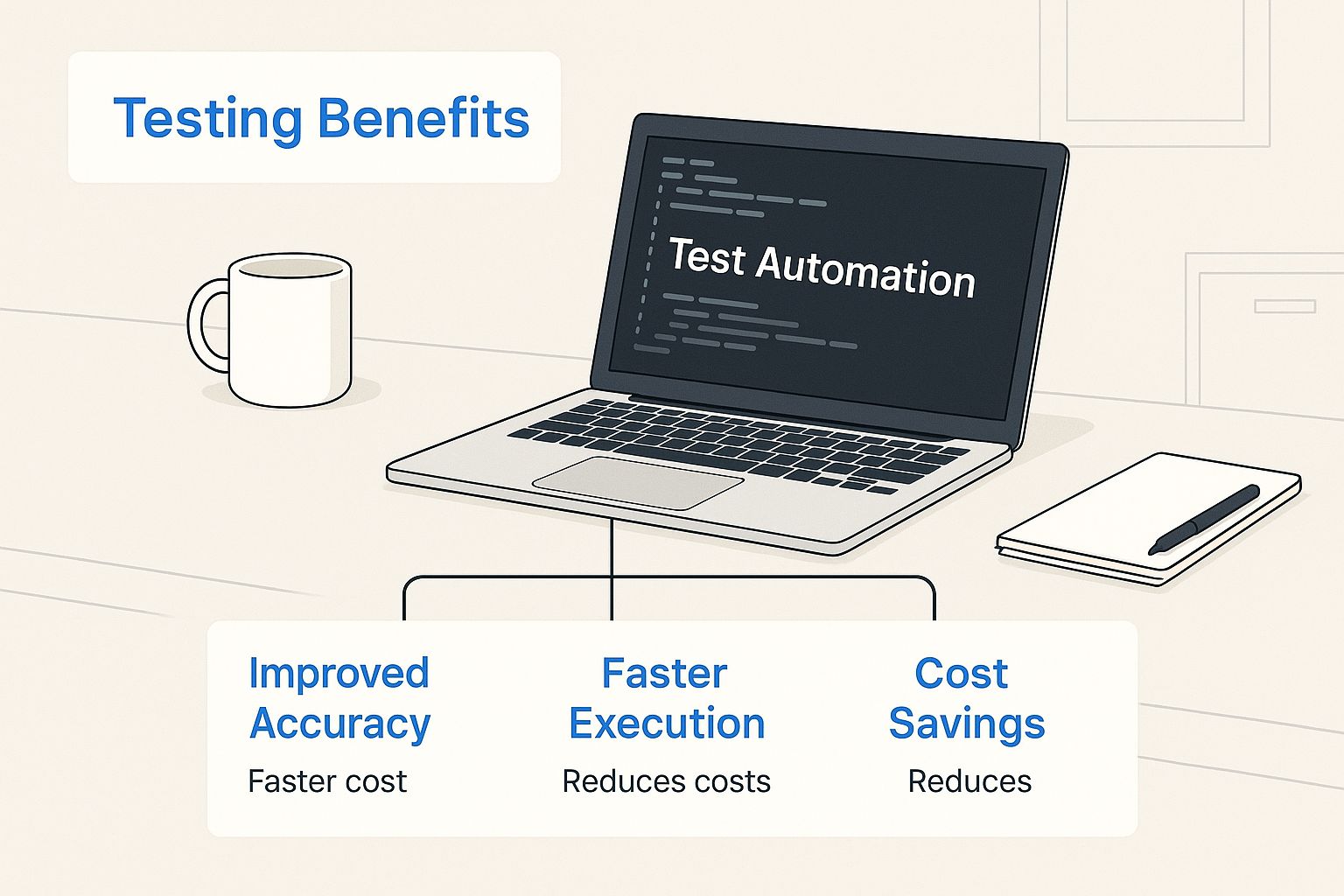
As you can see, the benefits go way beyond just the tech. They hit efficiency, cost, and speed—the stuff that really matters to the business.
Using the Test Automation Pyramid as Your Guide
So how do you build a stable and efficient automation suite? Start with a proven model: the Test Automation Pyramid. Think of it like building a house. You need a wide, strong foundation before you can even think about putting up the walls and the roof.
-
Unit Tests (The Foundation): The base of the pyramid is the biggest part, and it’s made up of unit tests. These are lightning-fast, super reliable, and check tiny, isolated pieces of code, like a single function. Developers write these to get instant feedback, catching bugs at the earliest and cheapest stage possible.
-
Integration Tests (The Middle Layer): This layer is smaller. It’s all about making sure different modules or services play nicely together. For example, does your application actually talk to its database correctly? These are a bit slower than unit tests but absolutely vital for verifying that all the moving parts work in harmony.
-
UI/End-to-End Tests (The Peak): Right at the top is the smallest section: UI tests. These mimic a real user’s journey through the application from start to finish. While they’re incredibly valuable for validating critical user workflows, they are also the slowest, most brittle, and most expensive tests to maintain. Your strategy needs to be extremely selective here, focusing only on the most critical business paths.
Identifying the Best Candidates for Automation
With the pyramid structure as your blueprint, it’s time to analyze your application and pinpoint the best automation candidates. You’re hunting for tests that are repetitive, predictable, and offer significant value every single time they run.
Here’s what to look for:
- Repetitive and Tedious Tasks: Any test that has to be run over and over, like regression testing after every code change, is a perfect candidate.
- High-Risk Functionalities: Core business features where failure would be a disaster—think payment processing or user authentication.
- Data-Driven Tests: Scenarios that need to be tested with tons of different data sets, like validating a complex form with a hundred different inputs.
- Stable Features: Focus on automating features that aren’t constantly changing. This will save you a world of pain in test maintenance down the road.
A smart automation strategy prioritizes tests that are both high-risk and highly repetitive. This focus ensures your efforts deliver maximum value by safeguarding your most critical features while freeing up your team from mind-numbing manual work.
Setting SMART Goals for Your Strategy
Finally, your scope needs to be tied to clear, measurable goals. If you can’t measure it, you can’t prove the value of your work. The SMART framework is perfect for this.
- Specific: What, exactly, do you want to accomplish?
- Measurable: How will you track progress and know when you’ve succeeded?
- Achievable: Is this goal realistic given your resources and timeline?
- Relevant: Does this goal actually align with what the business cares about?
- Time-bound: When will you get this done?
Instead of a vague goal like “improve testing,” a SMART goal sounds like this: “Reduce the manual regression testing cycle from 40 hours to 8 hours by the end of Q3.” Or maybe: “Achieve 95% automated test coverage for our core payment API within six months.” These goals give you clarity, direction, and a clear benchmark for success.
Choosing the Right Tools and Framework
Picking the right technology for your automation testing strategy is a lot like an architect choosing materials for a skyscraper. Get it wrong, and you’re setting yourself up for a future of cracks, costly repairs, and maybe even a total collapse. Your tools and frameworks are the very foundation of your automation, so choosing them with care is non-negotiable.
This decision isn’t about chasing the most popular tool on the market. It’s a deep dive into your own specific needs. You have to consider your application’s tech stack, what programming languages your team already knows, and whether a tool can grow with your product. And, of course, there’s the budget. A tool that’s a perfect fit for one team could be a disaster for another.
Key Criteria for Selecting Automation Tools
Before you even start browsing tool websites, you need to build your scorecard. A clear set of criteria helps you measure each potential candidate against what you actually need, turning a gut feeling into a data-driven decision.
- Tech Stack Compatibility: Does the tool play nicely with your application’s architecture? A world-class web testing tool is useless if you’re building a native mobile app.
- Team Skillset: Does your team already have experience with the languages the tool uses? Forcing everyone to learn a new language from scratch just creates a massive roadblock and kills momentum.
- Scalability and Performance: As your test suite grows, will the tool keep up? Look for features like parallel execution that can run tests faster, preventing your automation from becoming a bottleneck in the CI/CD pipeline.
- Community and Support: Is there an active community around the tool? A strong community means you’ll find plenty of tutorials, forums, and quick help when you inevitably get stuck.
- Reporting and Analytics: Are the test reports clear and actionable? Debugging a failed test should be a quick look, not a week-long forensic investigation.

A great example of a tool with a unique approach is GoReplay, an open-source solution that uses traffic replay for testing. Instead of writing synthetic scripts, it captures real user traffic and replays it in your test environment. This gives you an incredibly realistic way to validate system performance and stability under true-to-life conditions.
Demystifying the Test Automation Framework
People often mix up tools and frameworks, but they are fundamentally different—and the framework is arguably more important. Think of it this way: if a tool like Selenium is your hammer, the framework is the blueprint that shows you how to build the house correctly. It’s the structural backbone for your entire automation suite.
A framework is a set of guidelines, coding standards, and reusable components that turns a messy collection of scripts into a robust, scalable, and maintainable automation solution.
Putting in the effort to build or choose a solid framework pays off big time. It enforces consistency across the team, encourages code reuse, and slashes the long-term maintenance headaches that kill so many automation projects.
There are a few common types you’ll run into:
- Modular Framework: This approach breaks the application down into small, independent modules. You can write scripts for each part and then string them together to create larger, end-to-end tests.
- Data-Driven Framework: Here, the test logic is separated from the test data. All your data lives in an external file (like a spreadsheet), letting you run the same test script with hundreds of different inputs. It’s perfect for things like testing login forms with various user credentials.
- Hybrid Framework: This is what most teams end up using. It cherry-picks the best parts of different frameworks—like modular and data-driven—to build a custom solution that perfectly fits the project’s unique demands.
Comparing Popular Automation Tools and Approaches
The market is buzzing with fantastic tools, but they’re not all created equal. Each one is designed for a specific job, and knowing their strengths and weaknesses is key to picking the right one.
If you want a really deep analysis, check out our comprehensive guide on comparing automated testing tools.
But to get you started, let’s look at the different categories of tools and where they shine. This table breaks down what they do, who makes them, and why you might choose one over another.
Comparing Popular Automation Testing Tool Categories
| Tool Category | Primary Use Case | Example Tools | Key Strengths |
|---|---|---|---|
| UI Automation | Simulating user clicks and typing in a web browser to test end-to-end user journeys. | Selenium, Cypress | Validates the complete user experience from the front end, just like a real person would. |
| API Testing | Testing the business logic layer directly, without ever touching the user interface. | Postman, REST Assured | Much faster and more stable than UI tests; great for catching bugs early. |
| Mobile Testing | Automating tests for native, hybrid, and mobile web apps on different devices. | Appium, XCUITest | Ensures your app works flawlessly on the countless phones and operating systems out there. |
| Traffic Replay | Capturing and replaying real production traffic against a test environment. | GoReplay | The most realistic way to test, using actual user scenarios and load conditions. |
At the end of the day, there’s no single “best” tool. The best one is the one that fits your project’s unique DNA. By carefully evaluating your needs, understanding the different tools available, and building on top of a solid framework, you’ll be well on your way to creating an automation strategy that actually works.
Implementing Your Automated Test Plan
Alright, you’ve got a solid strategy and you’ve picked your tools. Now for the fun part: turning those plans into a real, working test system that actually protects your application’s quality. This is where the rubber meets the road.

Putting your plan into action isn’t just about cranking out scripts. It’s about building something that lasts. We’re talking about writing smart, maintainable scripts, handling test data without causing headaches, and plugging everything into your daily workflow for lightning-fast feedback.
Writing Effective and Maintainable Test Scripts
The biggest difference between a test suite that saves the day and one that just collects dust? Maintenance. If your scripts are a tangled mess, they’ll break every time a developer looks at the UI, costing you more time to fix than they ever saved.
To dodge that bullet, you need to build with maintenance in mind from day one.
One of the best ways to do this is with the Page Object Model (POM). Think of it as a simple rule: separate what your test is doing from how it does it. Instead of scattering UI locators (like CSS selectors) all over your test scripts, you group them into “page object” classes for each part of your application.
When the UI inevitably changes—and it will—you only update the locator in one spot: the page object. Not in dozens of different test scripts. This simple practice makes your entire test suite stronger and cuts down maintenance time like you wouldn’t believe.
This isn’t just a nice-to-have. It’s a foundational technique for building an automation framework that can actually scale.
Mastering Test Data Management
Flaky tests—the ones that fail one minute and pass the next for no clear reason—are the bane of every QA team’s existence. And more often than not, the culprit is unreliable test data.
A smart test data strategy is non-negotiable if you want consistent, trustworthy results. Here’s what that looks like:
- Isolate Your Data: Never let your tests rely on data that’s already sitting in a shared database. Each test should create the exact data it needs to run and, just as importantly, clean up after itself.
- Embrace Data-Driven Testing: Keep your test logic separate from the data it uses. By storing data in external files (like spreadsheets or JSON), you can run the same test script with hundreds of different inputs, boosting your coverage without writing a single extra line of code.
- Anonymize Sensitive Info: If you’re using data from production, always scrub or anonymize personally identifiable information (PII) to stay compliant with regulations like GDPR. It’s just good practice.
When you treat data as a core part of your test design, you build a much more stable and reliable automation process.
Integrating Automation into Your CI/CD Pipeline
Here’s where you unlock the true power of automation. It shouldn’t be a separate step you run once a week; it needs to be part of the heartbeat of your development cycle. That means integrating it directly into your Continuous Integration/Continuous Deployment (CI/CD) pipeline.
Using tools like Jenkins, GitHub Actions, or GitLab CI, you can set up your tests to run automatically every single time code changes. The flow is simple but powerful:
- A developer pushes new code.
- The CI/CD server automatically kicks off a build.
- If the build succeeds, your automated test suite runs against it.
- The team gets the results back almost instantly.
This creates an incredibly tight feedback loop. A developer knows if their change broke something in minutes, not days. This “shift left” approach helps catch bugs when they’re small and cheap to fix. In fact, a bug that makes it to production can cost up to 100 times more to fix than one caught early in development.
Ultimately, implementing your test plan is about building a system—not just a collection of scripts. By writing clean code with patterns like POM, managing data properly, and wiring it all into a CI/CD pipeline, you create a well-oiled machine that delivers quality software, faster.
Measuring Success and Proving ROI
An automation strategy without clear metrics is like sailing without a compass. You’re definitely moving, but you have no idea if you’re actually heading in the right direction. To justify the investment in tools, frameworks, and engineering hours, you have to prove your efforts are delivering real business value.
This means moving beyond vanity metrics and zeroing in on key performance indicators (KPIs) that connect directly to the bottom line. You need to show stakeholders how automation is making the company’s software better, faster, and more cost-effective. It’s all about translating technical achievements into a language that resonates with business leaders.
Key Metrics That Actually Matter
To get a clear picture of your strategy’s effectiveness, you need to track metrics that reflect efficiency, quality, and stability. While you could monitor dozens of data points, a few are absolutely essential for proving your automation is a success. You can dig deeper into these essential metrics for software testing in our comprehensive guide.
Here are some of the most impactful KPIs:
- Test Pass/Fail Rate: This is your high-level dashboard for application health. A consistently high pass rate suggests a stable build, while a sudden spike in failures is an early warning of a serious regression.
- Defect Detection Efficiency (DDE): How good is your automation at finding bugs before they hit production? A high DDE means your automated tests are successfully catching issues that would otherwise have ended up in the hands of real users.
- Flaky Test Percentage: Flaky tests—the ones that pass and fail randomly with no code changes—can absolutely destroy a team’s trust in automation. Tracking and eliminating them is crucial for maintaining a reliable feedback loop.
Translating Technical Wins into Business Value
Once you have your technical metrics, the real work begins: connecting them to tangible business outcomes. Stakeholders and leadership don’t really care about test pass rates; they care about how those numbers translate to faster release cycles, reduced costs, and lower business risk. This is where you demonstrate the Return on Investment (ROI).
Imagine a team that spends 40 hours manually running regression tests before every single release. After implementing a solid automation suite, that time gets slashed to just 4 hours.
This isn’t just a technical win; it’s a business triumph. The 36 hours saved per release can be directly translated into engineering cost savings and, more importantly, a significantly faster time-to-market for new features.
This kind of acceleration is a major driver behind the massive growth in the automation testing market. North America continues to lead the way, with the U.S. sector alone projected to explode from $10.66 billion in 2024 to $51.95 billion by 2034. This growth is fueled by leaders who get the direct impact automation has on business speed. You can see more details in this automation testing market forecast on Precedence Research.
Building a Compelling Business Case
To get your point across, you need to present your findings in a clear, digestible format. Dashboards and reports are your best friends here. Create visual dashboards in tools like Grafana or a dedicated test management platform to provide at-a-glance insights into your key metrics.
When reporting to leadership, stick to a simple narrative:
- The Problem: Start with the challenges you faced with manual testing (e.g., slow releases, too many bugs escaping to production).
- The Solution: Briefly explain how your automation strategy was designed to tackle those specific problems.
- The Results: Present your KPIs, but immediately tie them to business impact. For example, “Our defect detection efficiency jumped by 30%, which we estimate prevented $50,000 in post-release bug-fixing costs.”
By consistently tracking the right metrics and translating them into the language of business, you transform your automation strategy from a technical exercise into a proven value-driver for the entire organization.
Scaling and Evolving Your Strategy
A great automation testing strategy isn’t a document you create once and then file away. Think of it as a living, breathing part of your development ecosystem—it has to adapt to survive. As your application grows and your test suite balloons, your initial plan will need to evolve to handle new challenges and embrace new tech.
This long-term mindset is the secret to avoiding “test fragility,” where tests become so brittle they break at the slightest application change. The key is to treat your test code with the same respect you give your production code. That means applying smart design principles and refactoring proactively to keep the whole suite healthy and reliable.
Preparing for Long-Term Maintenance
For your strategy to remain a valuable asset, you have to build maintenance directly into your workflow. This isn’t an afterthought; it’s a core practice for sustainable automation.
- Regular Audits: Every so often, review your entire test suite. Your goal is to spot and remove redundant or low-value tests that just clog up execution time.
- Refactor Proactively: Just like your application, test code gets messy over time. Make it a habit to clean up flaky tests, improve selectors, and update logic to keep your scripts running efficiently.
- Stay Aligned: Business priorities shift. A test that was critical last year might be less important today. Make sure your automation goals are always aligned with what the business actually needs.
This forward-thinking approach transforms maintenance from a reactive chore into a strategic process of continuous improvement.
Your automation strategy should be built for change. An adaptable plan that can scale with your product is far more valuable than a perfect plan that becomes obsolete in six months.
The Future of Automation Testing
The world of software testing is always moving, and right now, AI and Machine Learning are poised to completely reshape how we think about quality. An evolving automation strategy has to account for these powerful new trends to stay effective.
The industry’s rapid growth tells the whole story. The global automation testing market is projected to soar from $36.9 billion in 2025 to a staggering $140.4 billion by 2035, all driven by innovations in AI and ML. You can find more details about this booming automation market on Future Market Insights.
Here are a few game-changing concepts you should be watching:
- Self-Healing Tests: Imagine tests smart enough to automatically detect UI changes—like a button’s ID changing—and adapt their logic on the fly. This drastically cuts down on maintenance.
- AI-Driven Test Creation: New AI tools can analyze user behavior or application changes to suggest or even generate new, relevant test cases all on their own.
- Predictive Analytics: By analyzing historical data, ML models can predict which parts of your application are most likely to have defects, helping you focus your testing efforts where they’ll have the biggest impact.
By embracing this forward-thinking mindset, you ensure your automation testing strategy doesn’t just keep up—it becomes a powerful, lasting advantage.
Common Automation Strategy Questions
Diving into automation always brings up a few practical questions. A good automation testing strategy doesn’t just outline a plan; it anticipates these real-world roadblocks and gives your team clear answers to sidestep the usual traps.
Tackling these concerns from the get-go is the best way to make sure everyone is on the same page about what automation can—and can’t—do. That kind of clarity builds trust and keeps the momentum going.
What Percentage of Tests Should Be Automated?
There’s no magic number here, and a classic mistake is chasing the dream of 100% automation. You’ll get far better results by following the Test Automation Pyramid. The idea is to focus your automation firepower on unit and integration tests, which are fast and stable. Be much more selective with UI tests—they’re brittle, slow, and a pain to maintain.
Instead of a percentage, focus on value. Prioritize automating tests that are:
- Repetitive and mind-numbingly boring to do by hand.
- Stable and not tied to a UI that changes every other week.
- Data-driven, where you can run the same test with hundreds of different data sets.
- Absolutely critical to the business and cover high-risk parts of the application.
How Do You Handle Flaky Tests?
Flaky tests are the fastest way to kill your team’s faith in automation. You know the ones—they pass, they fail, and nobody touched the code. These have to be dealt with immediately. The standard practice is to pull them out of your main test suite right away so they don’t block your CI/CD pipeline.
A zero-tolerance policy for flakiness is the only way to win long-term. Isolate the test, dig into the root cause—it could be anything from timing issues to wonky test data or an unstable environment—and fix it for good before letting it back in.
Can Manual QA Testers Transition to Automation Roles?
Absolutely. In fact, they often make the best automation engineers. Manual testers already have a deep, intuitive understanding of the product and know exactly where all the bodies are buried. That domain knowledge is priceless.
Give them some solid training in basic programming and get them comfortable with modern automation tools, and they can become incredibly effective. Investing in your current team is almost always a smarter, more cost-effective move than trying to hire a brand new automation team from scratch.
Transform your testing with the power of real user traffic. GoReplay captures and replays live production traffic, allowing you to run realistic load tests, shadow your production environment, and catch bugs before they impact your users. See how it works at goreplay.org.