
A Guide to Agile Performance Metrics That Drive Real Results

Agile performance metrics are how you swap subjective feelings for cold, hard facts about your team’s workflow, delivery speed, and overall impact. These numbers give you clear, actionable insights into everything from team health to the value you’re actually shipping, moving everyone beyond guesswork.
Moving Beyond Gut Feelings in Agile Development
Let’s be honest—feeling productive isn’t the same as being productive. In the agile world, relying on gut feelings is a recipe for disaster. It can hide nasty bottlenecks, throw timelines completely off track, and create a culture where nobody is really accountable.
You know the feeling: the team thinks a sprint went great, but the stakeholders are underwhelmed. That’s a classic disconnect. This is exactly where agile performance metrics come in to save the day.
They give you an objective lens to see what’s really happening with your team’s workflow, turning fuzzy feelings into measurable facts. This isn’t about micromanaging or playing the blame game. It’s about empowerment. The right data helps teams spot friction, forecast with confidence, and consistently deliver what customers actually want.
From Intuition to Insight
The real goal here is to shift from conversations based on “I think…” to ones grounded in “the data shows…” By tracking the right numbers, you start getting answers to critical questions that intuition just can’t handle.
- Where are we really getting stuck? Gut feelings might point to slow coding, but the data could reveal that tickets sit in a “waiting for review” status 70% of the time.
- Can we actually hit that release date? A confident “yes” feels good, but it’s nothing compared to a forecast based on the team’s actual, historical delivery speed.
- Is our quality getting better or worse? You might feel like things are more stable, but tracking tangible metrics like defect rates or change failure rates tells the true story.
This whole process is about moving from gut checks to genuine, data-backed insights.
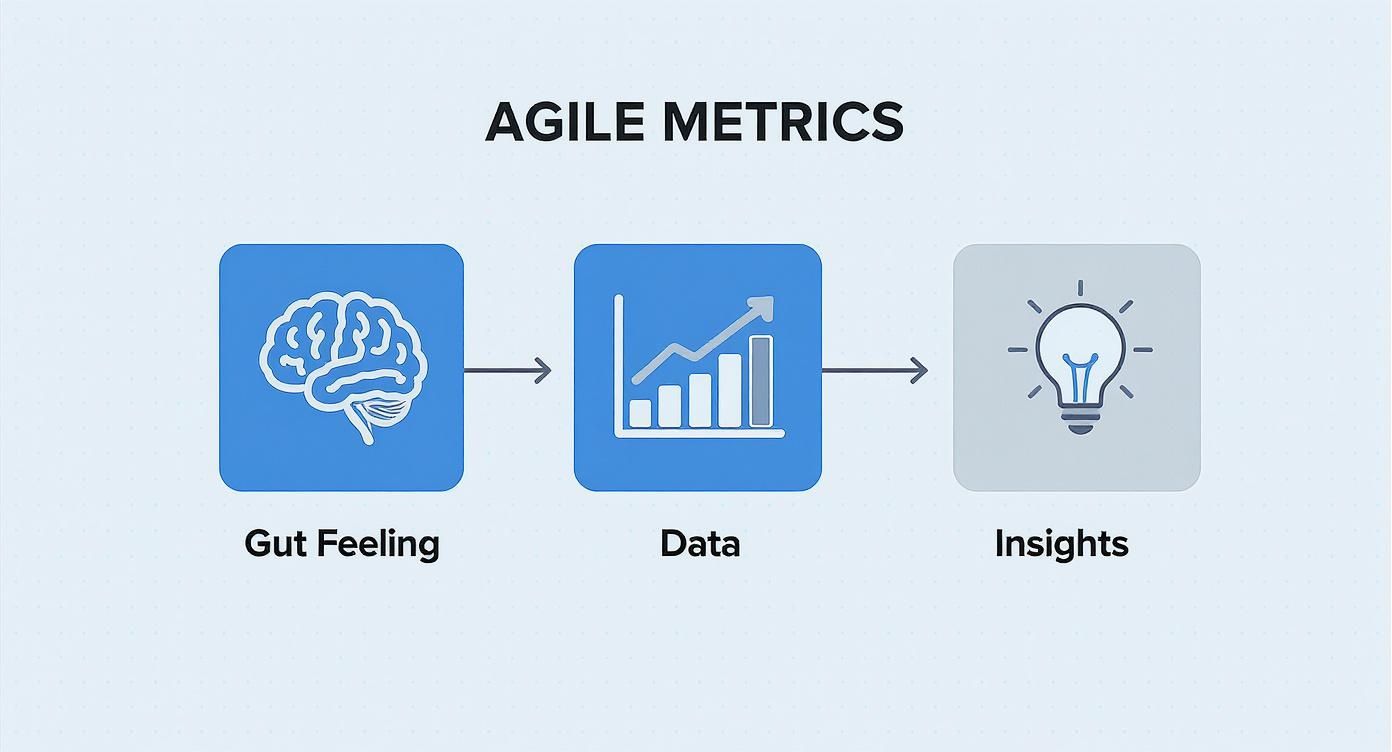
This simple shift helps teams diagnose problems with precision, making their improvement efforts far more effective. It’s a crucial step, as many teams get tripped up by common agile development challenges that good metrics can easily solve.
When you embrace data, your team’s culture shifts from “I think” to “we know.” This is a massive change that builds trust, makes your delivery predictable, and empowers everyone to make the entire system better.
Ultimately, using agile performance metrics the right way creates a transparent environment laser-focused on continuous improvement. It lays the groundwork for everything else we’ll cover in this guide, starting with the core categories of metrics you need to succeed.
What Are the 4 Types of Agile Performance Metrics?

To really get a grip on how your team is doing, you need a balanced view. Think of your agile metrics like a car’s dashboard. Just looking at the speedometer tells you one thing, but it’s pretty useless without knowing your fuel level, engine temperature, or whether you’re even heading in the right direction.
A truly solid measurement strategy is built on four distinct but connected categories of metrics. Each one answers critical questions about how your team works, what they produce, and the impact it has. If you only focus on one or two, you’re flying blind with an incomplete—and often misleading—picture.
Let’s break down these four categories to see how they fit together.
The Four Categories of Agile Performance Metrics
This table provides a quick look at the four key metric types, what they track, and the core questions they help you answer.
| Metric Category | What It Measures | Key Question It Answers |
|---|---|---|
| Team-Level | Internal team health, collaboration, and sustainability. | Is our team set up for success? |
| Delivery | The speed and efficiency of the development workflow. | How fast are we delivering value? |
| Product | User engagement, satisfaction, and business impact. | Are we building the right thing? |
| System-Level | The stability, reliability, and quality of the live system. | Is our system stable and resilient? |
Together, these categories create a complete diagnostic tool for your entire development process, from the people doing the work to the product they deliver.
1. Team-Level Metrics
This first area is all about the engine itself—your team. Are they working together smoothly? Can they keep up the pace without burning out? Team-level metrics measure the health and collaboration that make everything else possible.
This isn’t about micromanaging individual productivity. It’s about understanding team capacity, morale, and how efficient your internal processes are. These metrics help answer the big question: Is our team set up for success? A healthy, high-functioning team can adapt to change and maintain a consistent pace.
Common examples include:
- Team Velocity: How much work a team can realistically get done in a sprint, which is great for forecasting.
- Team Morale: A simple pulse check on how the team is feeling, usually through quick surveys.
- Sprint Burndown: A chart showing work completed against work planned in a sprint, telling you if you’re on track.
2. Delivery Metrics
Okay, so the engine is running well. Now, how fast is the car moving? Delivery metrics (often called “flow metrics”) focus on how quickly your team moves work from an idea in the backlog to a feature in the hands of users. This is your speedometer.
These metrics are fantastic for spotting bottlenecks in your workflow. For example, if your lead time is really long, it might mean work is getting stuck in review long before a developer ever touches it. Tracking delivery helps you answer: How fast are we delivering value?
But be careful. Focusing only on speed can be dangerous. It’s like flooring the gas pedal without checking if you have enough fuel or are heading toward a cliff.
Popular delivery metrics include:
- Lead Time: The total time from when a request is made until it’s delivered.
- Cycle Time: The time it takes to complete a task after work has started.
- Throughput: The number of work items your team finishes in a specific period.
3. Product Metrics
Driving fast is pointless if you’re going to the wrong place. Product metrics are your GPS. They tell you if the features you’re building actually solve customer problems and move the needle on business goals. This is where your team’s output connects to real-world impact.
These metrics track things like user engagement, customer satisfaction, and the overall value your product provides. They give you that critical feedback loop to guide your strategy and answer the most important question: Are we building the right thing? A high feature adoption rate, for instance, is a great sign you’ve hit on a genuine user need.
4. System-Level Metrics
Finally, you need to check the health of the car itself—the technical system running everything. System-level metrics look at the stability, reliability, and quality of your production environment. Think of this as your “check engine” light.
These operational metrics make sure your speed doesn’t come at the cost of a fragile system. Shipping code frequently is great, but not if every other deployment causes an outage. This category helps you answer: Is our system stable and resilient? Keeping an eye on these numbers helps you build a solid platform that supports continuous delivery without constant firefighting.
Essential Metrics for Team Health and Delivery Speed

Alright, let’s move from theory to the real world. We’re talking about the agile performance metrics that measure your team’s engine and its output. Think of these numbers as diagnostic tools, not weapons. They help you see exactly how work flows from an idea to a finished product, showing you where you can build a smoother, faster, and more predictable process.
Instead of just spitting out definitions, we’ll look at how these metrics work together as a system. They tell a story about your team’s capacity, efficiency, and ability to deliver on promises. Master these, and you’ll shift from constantly fighting fires to proactively improving your process for good.
Gauging Your Team’s Engine with Velocity
Think of Velocity as your team’s capacity, not its raw speed. It’s a simple count of how much work a team gets done in a single sprint, usually measured in story points. The whole point isn’t to push for more points; it’s to make future planning predictable and honest.
When a team consistently delivers around the same number of story points sprint after sprint, you’ve found your baseline. That stability is everything. It lets the Product Owner accurately forecast how many sprints a big feature will take, which builds trust with stakeholders and kills the stress that comes from overpromising.
Velocity is easily one of the most tracked agile metrics out there. Industry analysis shows that top-tier agile teams tend to keep their velocity stable, with fluctuations of less than 10–15% between sprints. Consistency is the real sign of a mature team. You can find more stats on agile performance at esparkinfo.com.
Velocity is a planning tool for the team, by the team. It should never be used to compare one team against another. Each team’s story point estimates are unique to their context, making cross-team comparisons meaningless and often destructive to morale.
Diagnosing Your Workflow with Lead Time and Cycle Time
While velocity is great for forecasting, Lead Time and Cycle Time are your go-to tools for diagnosing the health of your actual workflow. Both measure how long it takes for work to get through your system, but they focus on slightly different parts of the journey.
- Lead Time is the total time from the moment an idea is created (added to the backlog) until it’s in the hands of the customer. It’s the full customer-facing timeline.
- Cycle Time is a smaller piece of that. It measures the time from when someone on the team actually starts working on an item until it’s considered done.
This distinction is a game-changer. Let’s say your Lead Time is 30 days, but your Cycle Time is only 3 days. What does that tell you? It means work sat gathering dust in a queue for a whopping 27 days before anyone even touched it. That’s a massive bottleneck, and it’s completely invisible if you’re only tracking Cycle Time.
Visualizing Progress with Sprint Burndown Charts
A Sprint Burndown Chart is a brilliantly simple visual that shows a sprint’s progress at a glance. It plots the work left to do (in story points) against the days in the sprint. Ideally, you want to see a nice, steady downward slope that hits zero right at the end.
This chart is your early warning system.
- A flat line for a few days? You’ve probably hit a blocker. A developer might be stuck, or you’re waiting on another team.
- A sudden cliff-drop at the end? This could mean the team is waiting until the last minute to update their tasks, or that the work wasn’t broken down into small enough chunks.
- The line is trending above the ideal path? The team likely pulled in too much work and is at risk of missing its sprint goal.
The burndown chart isn’t for managers to micromanage people; it’s a communication tool for the team. It’s something you look at during the daily stand-up to ask, “Are we on track? If not, what do we need to do today to fix it?”
A Real-World Sprint Scenario
Let’s pull all these agile performance metrics together. Imagine a team called “The Navigators” is kicking off a two-week sprint.
- Planning: Their average Velocity is 30 story points. So, they confidently pull 29 points from the backlog. They aren’t just guessing; they’re using their own historical data to make a realistic commitment.
- Execution: Five days in, their Sprint Burndown Chart is flat. They’ve only burned down 5 points when they should be at 15. A quick huddle reveals a key developer is stuck. The team rallies to help them, and the blocker is cleared.
- Analysis: After the sprint, they look at their numbers. One story had a Lead Time of 20 days but a Cycle Time of just 2 days. The work sat in the backlog for 18 days! The Product Owner sees this and decides to refine the backlog grooming process to get high-priority items “ready” for the team sooner.
By using these metrics together, The Navigators don’t just get work done—they learn and improve their entire system, making every sprint that follows a little bit smoother and more predictable.
Measuring Impact with Product and System Metrics

Shipping features fast is one thing, but if nobody uses them, what was the point? This is where our focus on agile performance metrics has to shift from pure speed to actual impact. We need to answer two make-or-break questions: Are we building something people truly want, and is our underlying system strong enough to support it?
This brings us to Product and System-level metrics. These two categories provide the feedback loops that connect your team’s hard work to real customer value and operational stability. They’re the guardrails that keep you from building a fast, feature-packed product that nobody uses or a system that crumbles under pressure.
Are We Building the Right Thing? Product Metrics Explained
Product metrics are your direct line to the customer. They move beyond measuring output (like story points) and focus entirely on outcomes (like user happiness). Think of them as your product’s report card, graded by the people who matter most.
These numbers tell you whether the features you’re shipping are hitting the mark. A high feature adoption rate, for example, is a clear signal that you’ve solved a genuine problem. On the flip side, low satisfaction scores can be an early warning that you’re drifting away from what users actually need.
Here are a few essential product metrics every agile team should have on their radar:
- Customer Satisfaction (CSAT): A direct pulse on user happiness, usually gathered through simple surveys asking customers to rate their experience. A consistently high CSAT score means you’re meeting—or beating—expectations.
- Feature Adoption Rate: This tracks the percentage of users who actually engage with a new feature. It’s a powerful way to know if a development effort was a worthwhile investment.
- Net Promoter Score (NPS): This metric gauges customer loyalty by asking a single question: “How likely are you to recommend our product?” It helps you understand your brand’s strength and whether you’re creating true advocates.
By weaving these product-focused metrics into your retrospectives, you create a direct link between development work and customer feedback. This ensures your backlog is always guided by real-world value, not just internal assumptions.
Is Our System Resilient? System-Level Metrics Explained
While product metrics look outward at the customer, system-level metrics look inward at the health of your technology. After all, you can’t deliver a great customer experience on top of a fragile foundation. These metrics are the heartbeat of DevOps and are non-negotiable for teams practicing continuous delivery.
They tell you how quickly and reliably you can push changes into production without causing chaos. They are the backbone of a high-performing agile environment, enabling teams to ship with confidence. Another critical metric connecting development to operations is lead time, which tracks the journey from a work item’s request to its delivery. This is a powerful indicator of a team’s responsiveness. Industry benchmarks show high-performing teams have a median lead time of 5–7 days for user stories, while less mature teams often take 14–21 days or more. You can find more agile efficiency statistics on Businessmap.
Here are the key system-level metrics that elite teams track obsessively:
- Deployment Frequency: How often do you successfully release code to production? A higher frequency usually points to a more mature, automated pipeline that supports smaller, less risky releases.
- Mean Time to Recovery (MTTR): When things inevitably break, this measures the average time it takes to restore service. A low MTTR is the hallmark of a resilient system and a team that can pounce on incidents.
- Change Failure Rate: What percentage of your deployments cause a production failure (like an outage or a hotfix)? A low failure rate builds confidence and proves your quality processes are working.
These metrics are essential for building a robust system that can handle rapid change. You can learn more about how to get a centralized view of these numbers in our guide to building a software quality metrics dashboard. This visibility is key for maintaining both speed and stability.
It’s easy to get excited about agile performance metrics—they’re powerful tools for understanding how your team works. But when they’re misused, they can do more harm than good, turning tools for empowerment into sources of fear and dysfunction. If you’re not careful, the very data that should be helping your team can start to poison the culture.
Let’s walk through some of the most common traps so you can build a healthy, data-informed environment instead.
One of the most destructive habits I see is comparing the velocity of different teams. It seems so tempting, right? Just create a leaderboard and see who’s “winning.” But this whole idea is fundamentally flawed.
Velocity is built on story points, and story points are relative estimates. They are completely unique to each team’s context, their specific skills, and the complexity of the product they’re working on.
Comparing one team’s velocity of 30 points to another’s 50 points is like comparing 30 apples to 50 oranges. It’s a meaningless comparison that just breeds unhealthy competition instead of collaboration. The real point of velocity is to help a team understand its own capacity and get better at forecasting its own work—not to rank itself against others.
Moving Beyond Vanity Metrics
Another all-too-common pitfall is the obsession with vanity metrics. These are the numbers that look impressive on a chart but tell you absolutely nothing about performance or the value you’re delivering. A team might celebrate completing a huge number of tasks, but what does that really mean if none of those tasks solved a real customer problem?
When you focus on vanity metrics, you start optimizing for the wrong things. Teams get stuck in a “feature factory” mindset, trying to close as many tickets as possible, regardless of their impact. Activity gets mistaken for progress.
A much smarter approach is to pair an output metric (like throughput) with an outcome metric (like Customer Satisfaction).
- Vanity Approach: “We completed 40 tickets this sprint, a new record!”
- Insightful Approach: “We completed 25 tickets that directly addressed feedback from our last user survey, and our CSAT score jumped by 10%.”
This small shift in focus ensures the work being measured is actually tied to delivering genuine value.
Keeping Metrics Constructive, Not Punitive
Perhaps the most damaging mistake of all is weaponizing metrics in performance reviews. The moment you start judging individuals based on numbers like story points completed or lines of code written, the system gets gamed. It’s inevitable.
Developers will start inflating estimates just to hit their velocity targets. They might even write bloated, unnecessary code to pump up their line count. This kind of behavior completely undermines the purpose of agile metrics, twisting them from tools for improvement into instruments of fear.
To avoid this, metrics should be conversation starters, not final verdicts. They belong in team retrospectives, where they can be reviewed collectively to spot systemic issues, not to point fingers at individuals. The goal is always to improve the system of work, create psychological safety, and encourage real, sustainable improvement for everyone.
By focusing on trends and patterns, teams can use data to get better, together.
Got Questions About Agile Metrics?
Even when you understand the four pillars, putting agile performance metrics into practice always brings up a few questions. Let’s tackle some of the most common ones I hear from teams just getting started.
How Many Agile Metrics Should Our Team Track?
Start small. Seriously. The goal isn’t to stare at a dozen different charts. The goal is to get real insights.
I always tell teams to begin with just one key metric from each of the core areas:
- Delivery: Grab something like Lead Time or Cycle Time to see how fast work actually flows.
- Team: Use Velocity to get a handle on your own capacity and make your planning more predictable.
- Product: Pick a measure like Customer Satisfaction (CSAT) to make sure what you’re building actually matters to people.
Focus on mastering these two or three. Talk about them in your retrospectives until they feel natural. Only add more when you have a specific, new question that needs a data-driven answer. Simplicity is your best friend here.
Can We Use Velocity to Compare Two Different Teams?
No. Absolutely not. This is probably the single most destructive misuse of agile metrics out there.
Velocity is based on story points, which are just relative guesses a team makes for itself. Those guesses are unique to that team’s context, skills, and the specific problems they’re solving.
Comparing Team A’s velocity to Team B’s is like comparing apples and oranges. It’s a meaningless exercise that just breeds unhealthy competition and kills trust. Velocity is a forecasting tool for the team, not a scoreboard for management.
What Is the Difference Between Lead Time and Cycle Time?
Getting this right is crucial because it helps you find where the real bottlenecks are hiding.
Lead Time is the whole story, from your customer’s point of view. It starts the second a request is made and doesn’t stop until that value is live and in their hands.
Cycle Time is just one chapter in that story. It measures the time from when the team actually starts working on an item until they call it “done.”
Think about it: if your lead time is huge but your cycle time is short, what does that tell you? It’s a massive red flag that work is just sitting around in a backlog, gathering dust, long before anyone even starts coding. That insight tells you exactly where to focus your improvement efforts.
Ready to move beyond manual tracking and get real-time, actionable insights from your production traffic? GoReplay helps you create realistic performance tests by capturing and replaying live HTTP traffic, ensuring your system is stable and resilient. Discover a smarter way to test at https://goreplay.org.